AI agent for landscape architects
Maintenance Plan and Handoff Agent
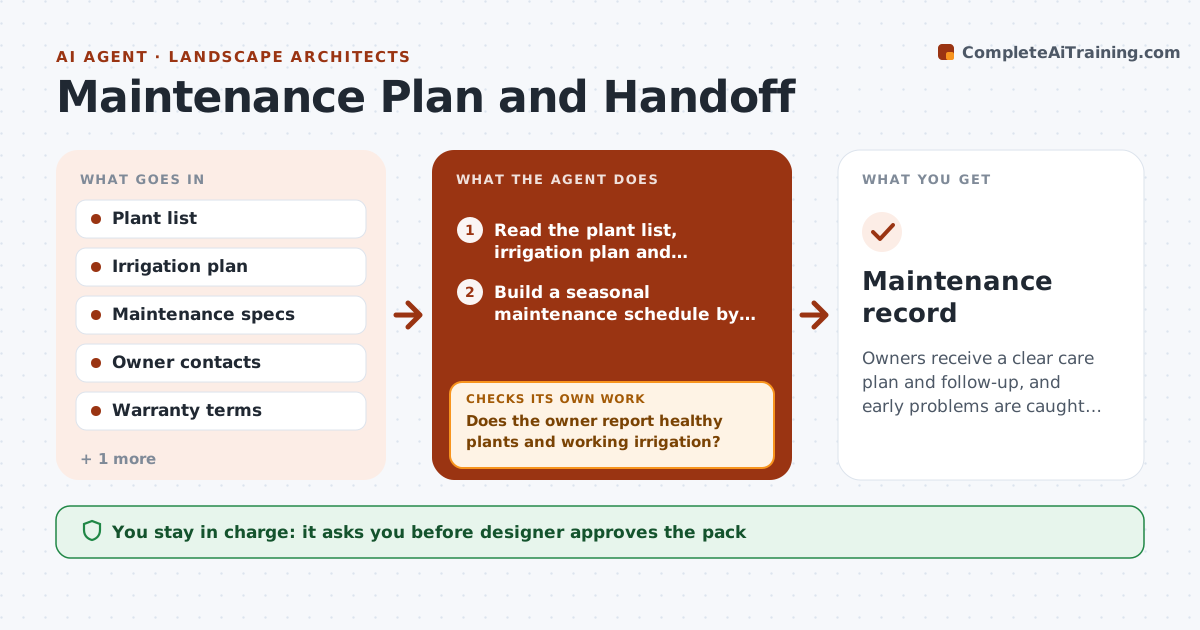
Owners receive a clear care plan and follow-up, and early problems are caught while still under warranty.
What it does
The project opens, the owner has no maintenance plan, and the first summer a third of the shrubs die from over or underwatering. This agent builds a maintenance schedule from the plant list and irrigation plan, by season and plant type. It tracks the handoff meeting, then checks in with the owner at 3 and 12 months for plant health and care. When problems appear, such as dead plants, drainage or irrigation faults, it adjusts the guidance and flags warranty items. You approve each message to the owner. Edge case: a plant in an area where the owner changed use, for example turf converted to events, gets care guidance matched to the new use.
How it works
Follow the arrows from top to bottom. The orange dashed arrow is the loop: when a check fails, the agent goes back and tries again.
Read the steps as a list
- Project near completion
- Read the plant list, irrigation plan and warranty terms
- Build a seasonal maintenance schedule by area
- Draft the owner handoff pack
- Designer approves the pack and meeting planThe agent waits here for your OK.
- Send check-in questions at 3 months
- Does the owner report healthy plants and working irrigation?If not: Adjust the schedule, flag warranty items and draft advice. Back to step 3.
- Draft the owner message with the adjusted guidance
- Designer approves each owner messageThe agent waits here for your OK.
- Repeat the check at 12 months
- Maintenance record
How it decides
It sets tasks by plant type and season, and escalates owner reports of dying plants against warranty terms.
- Check in at 3 and 12 months
- Escalate when more than 10% of plants are reported failing
- Flag items still under warranty
- Match care to current site use
Make it yours
Every agent is a starting point. You choose these settings for your own situation.
- Check-in schedule
- Failure threshold (default 10%)
- Plant care library
- Message tone
What keeps you in control
It always asks you first
- Designer approves the pack
- Designer approves each owner message
Hard limits
- Never contact owners without approval
- Never promise warranty coverage
It stops when
- Done: 12 month check completed
- Stop: owner unreachable after 3 attempts
Set it up
We guide you through the set-up, step by step
Members get the full set-up guide for this agent. No technical skills needed: you copy, paste and upload.
- One set of instructions to paste into your AI, with the clicks for ChatGPT, Claude, Microsoft 365 Copilot, Gemini and Grok
- The agent then walks you through connecting your own data, one source at a time
- A downloadable copy with the flow chart, the rules and the full guide