AI agent for supply chain managers
Make or Buy Evaluation Agent
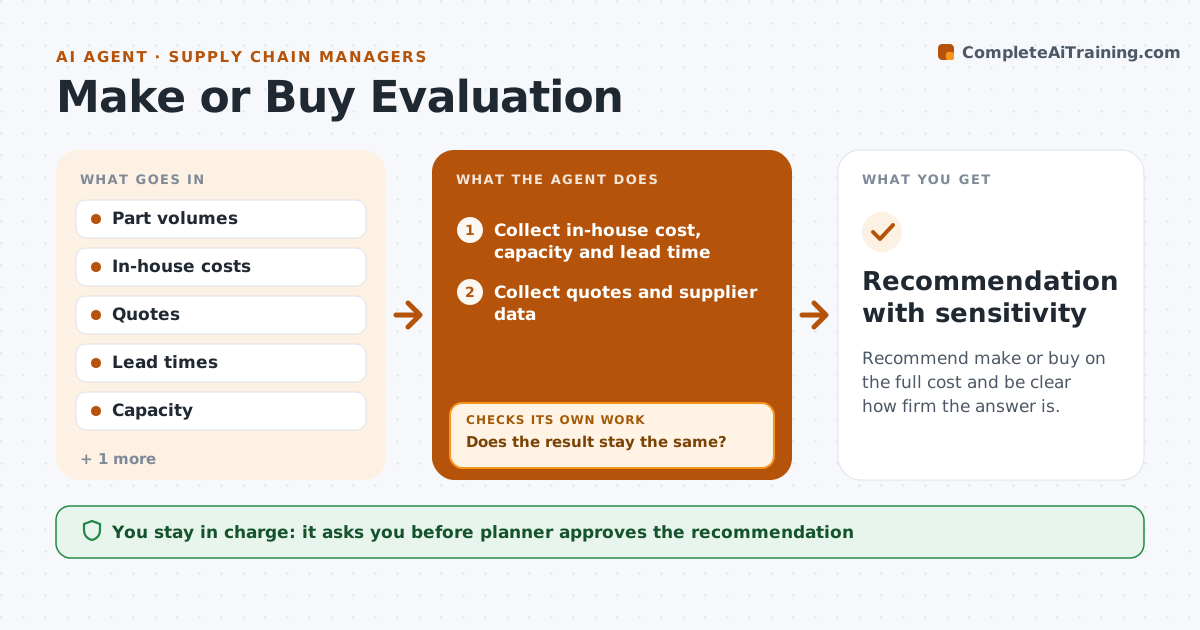
Recommend make or buy on the full cost and be clear how firm the answer is.
What it does
Outsourcing decisions are often based on the supplier's unit price, while the real cost includes tooling, freight, quality and capacity use. This agent collects cost, capacity and lead-time data for making in-house and buying from outside. It compares both on total cost and risk, and tests how sensitive the result is by moving key numbers up and down. If the result flips with a small change, it marks the recommendation as weak and asks for better data. It drafts a recommendation with the reasoning. The planner approves it. Edge case: a buy option that is cheaper only because in-house overhead is spread over fewer units is flagged.
How it works
Follow the arrows from top to bottom. The orange dashed arrow is the loop: when a check fails, the agent goes back and tries again.
Read the steps as a list
- Make or buy question raised
- Collect in-house cost, capacity and lead time
- Collect quotes and supplier data
- Compare total landed cost for each option
- Test sensitivity by moving volume and cost 10 percent
- Does the result stay the same?If not: Mark the recommendation as weak and list the data to improve. Back to step 4.
- Ask for the missing or uncertain data
- Recalculate with the better data
- Is the result now firm?If not: Report the range and recommend a pilot. Back to step 4.
- Planner approves the recommendationThe agent waits here for your OK.
- Recommendation with sensitivity
How it decides
It compares total landed cost and risk, and only calls a result firm if it holds under reasonable swings.
- Count freight, tooling, quality cost and inventory
- Test volume and price changes of 10 percent
- Mark any result that flips as weak
- Include capacity freed or used
Make it yours
Every agent is a starting point. You choose these settings for your own situation.
- Sensitivity range (default 10 percent)
- Costs included
- Quality cost estimate
- Planning horizon
What keeps you in control
It always asks you first
- Planner approves the recommendation
Hard limits
- Never decide for the planner
- Never hide a weak result
It stops when
- Done: a firm recommendation or a clear range
- Stop: key data cannot be found and the planner decides
Set it up
We guide you through the set-up, step by step
Members get the full set-up guide for this agent. No technical skills needed: you copy, paste and upload.
- One set of instructions to paste into your AI, with the clicks for ChatGPT, Claude, Microsoft 365 Copilot, Gemini and Grok
- The agent then walks you through connecting your own data, one source at a time
- A downloadable copy with the flow chart, the rules and the full guide