AI agent for purchasing managers
Supplier Price Comparison Agent
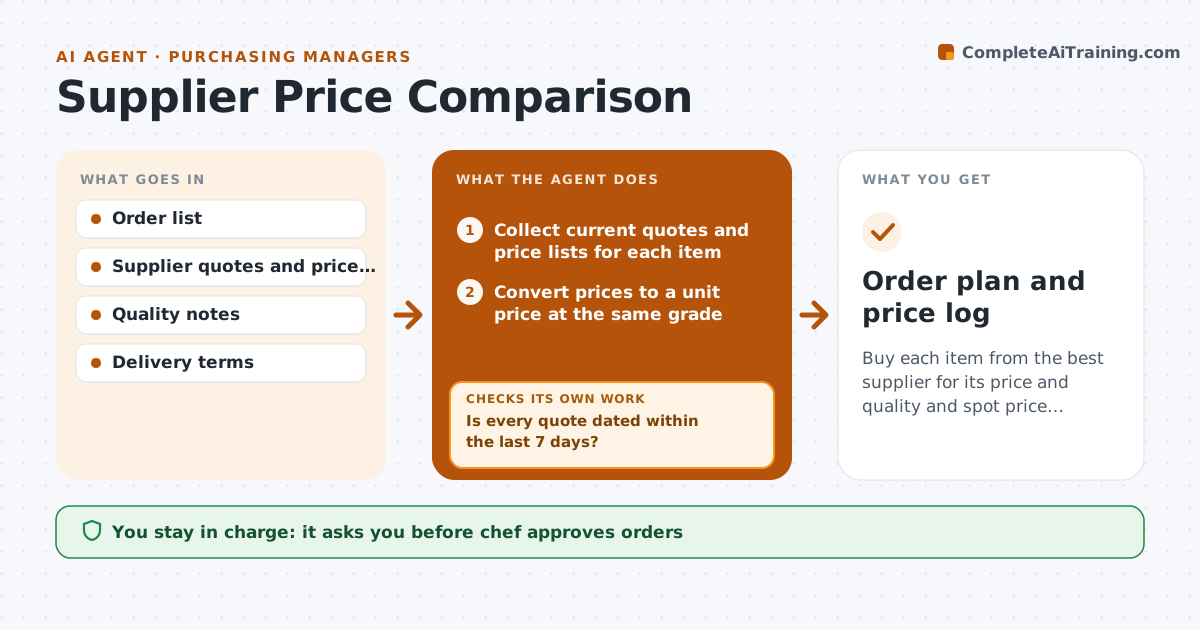
Buy each item from the best supplier for its price and quality and spot price creep early.
What it does
The chicken price rose 11 percent in three months at the usual supplier, and nobody noticed because the invoices arrive in different formats. The agent gathers current quotes and price lists from each supplier for the items on the main order list. It converts everything to a price per usable unit, such as per pound or per case of a stated size, and notes quality grades and delivery terms. It flags items where one supplier is much higher than another or where the price has changed since the last comparison. If a quote is old or missing, it asks the supplier for a new one and compares again. It then drafts a split of orders by supplier with the expected saving. The chef approves orders. Edge case: a cheaper product of a lower grade, which the chef must judge.
How it works
Follow the arrows from top to bottom. The orange dashed arrow is the loop: when a check fails, the agent goes back and tries again.
Read the steps as a list
- Weekly comparison starts
- Collect current quotes and price lists for each item
- Is every quote dated within the last 7 days?If not: ask the supplier for a new quote and collect it again. Back to step 2.
- Convert prices to a unit price at the same grade
- Compare suppliers and flag price changes since last week
- Apply quality and delivery notes to the comparison
- Draft a split of orders by supplier with the saving
- Does the split meet each supplier's minimum order and delivery days?If not: rebalance the split and calculate again. Back to step 6.
- Chef approves ordersThe agent waits here for your OK.
- Order plan and price log
How it decides
Prices are compared per usable unit at the same grade. A supplier switch is proposed when the saving is above the threshold and quality is acceptable.
- Accept quotes no older than 7 days
- Compare at the same grade and pack size
- Propose a switch when the saving is at least 5 percent
- Respect minimum orders and delivery days
Make it yours
Every agent is a starting point. You choose these settings for your own situation.
- Items compared
- Quote age limit (default 7 days)
- Switch threshold (default 5 percent)
- Suppliers
- Quality grades accepted
What keeps you in control
It always asks you first
- Chef approves orders
- Chef approves changing a main supplier
Hard limits
- Never place orders itself
- Do not trade down quality without the chef's approval
It stops when
- Done: order plan approved
- Stop: no usable quote for a key item, tell the chef
Set it up
We guide you through the set-up, step by step
Members get the full set-up guide for this agent. No technical skills needed: you copy, paste and upload.
- One set of instructions to paste into your AI, with the clicks for ChatGPT, Claude, Microsoft 365 Copilot, Gemini and Grok
- The agent then walks you through connecting your own data, one source at a time
- A downloadable copy with the flow chart, the rules and the full guide