AI agent for procurement specialists
Supplier Catalog Unit Agent
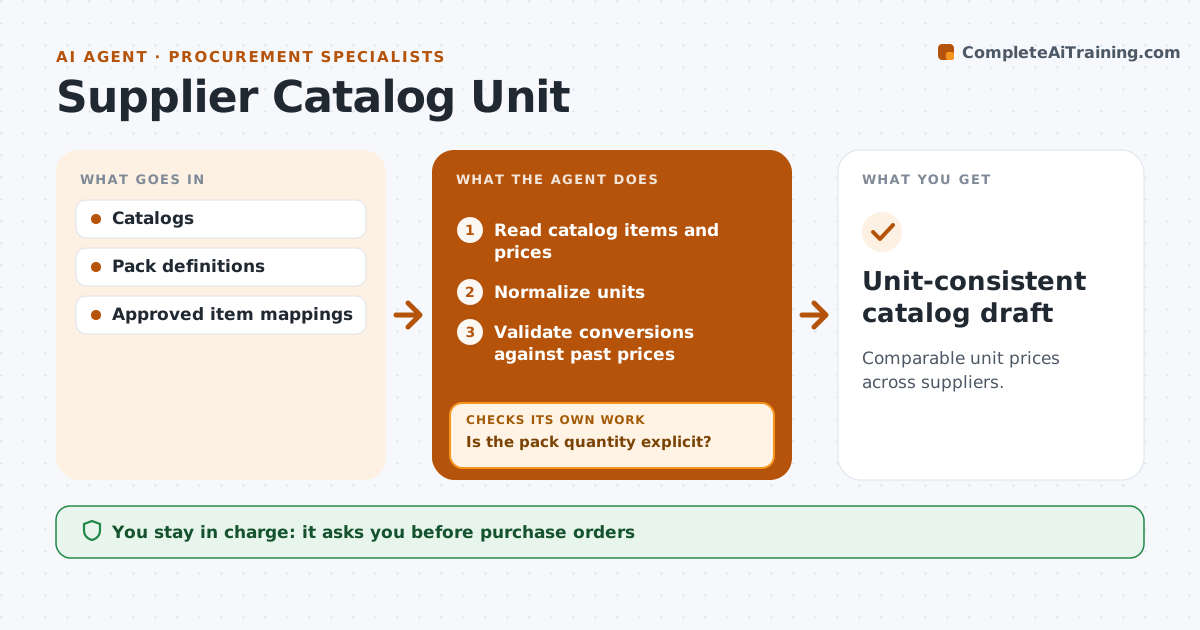
Comparable unit prices across suppliers.
What it does
Supplier catalogs mix pack prices and unit prices, so purchasing comparisons can be badly wrong. When a catalog is updated or a sourcing comparison is needed, this agent reads each item and converts prices to a price per unit. It converts only when the pack quantity is stated explicitly, such as 'box of 100'. If the pack size is missing, it flags the item and drafts a question for the supplier instead of guessing. It then checks the conversions by recalculating them and comparing them with past prices. Procurement approves the comparison and handles orders and negotiation. Edge case: gloves are listed per 'box' with no quantity, so the agent asks the supplier how many are in a box.
How it works
Follow the arrows from top to bottom. The orange dashed arrow is the loop: when a check fails, the agent goes back and tries again.
Read the steps as a list
- Catalog update or sourcing comparison
- Read catalog items and prices
- Normalize units
- Is the pack quantity explicit?If not: flag the item and draft a supplier question. Back to step 3.
- Validate conversions against past prices
- Are all unit prices within the expected range?If not: recheck the conversion and source. Back to step 3.
- Procurement approves the comparisonThe agent waits here for your OK.
- Unit-consistent catalog draft
How it decides
It converts only with explicit pack quantities.
- Convert only with an explicit pack quantity.
- Large jumps from past prices trigger a recheck.
- No orders or negotiation by the agent.
Make it yours
Every agent is a starting point. You choose these settings for your own situation.
- Unit of comparison per category (default per single unit)
- Price change that triggers a recheck (default 30%)
- Who sends supplier questions
- Catalog sources to read
What keeps you in control
It always asks you first
- Purchase orders
- Negotiation
Hard limits
- No assumed pack sizes.
It stops when
- Done: normalized or flagged.
Set it up
We guide you through the set-up, step by step
Members get the full set-up guide for this agent. No technical skills needed: you copy, paste and upload.
- One set of instructions to paste into your AI, with the clicks for ChatGPT, Claude, Microsoft 365 Copilot, Gemini and Grok
- The agent then walks you through connecting your own data, one source at a time
- A downloadable copy with the flow chart, the rules and the full guide