AI agent for employee relations specialists
Manager Coaching Follow-up Agent
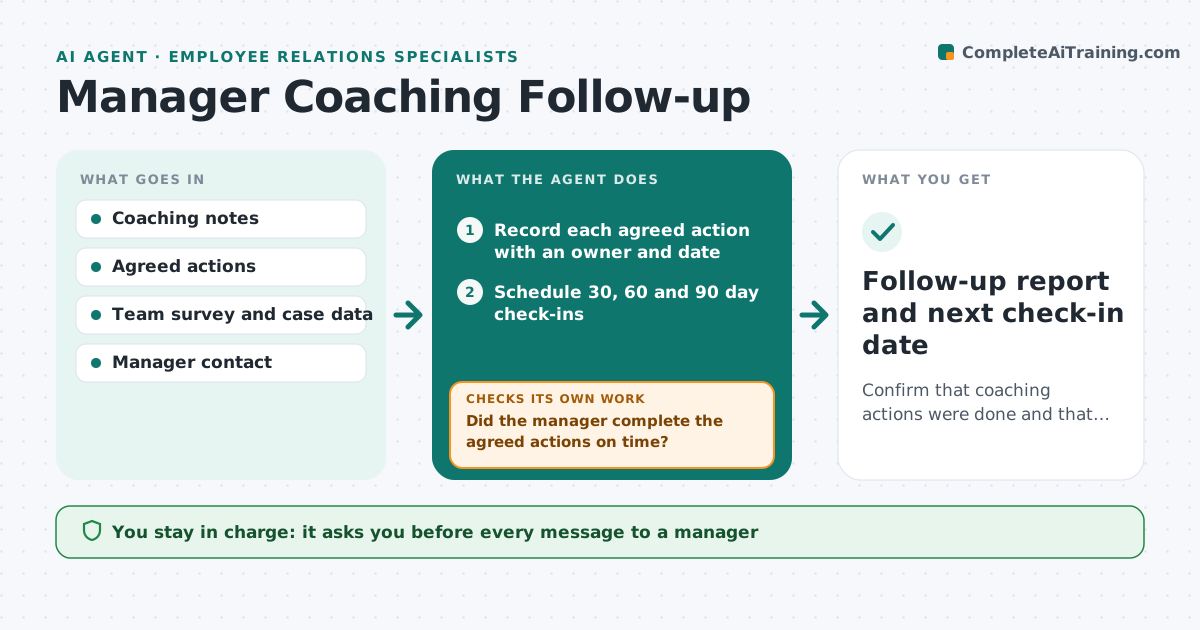
Confirm that coaching actions were done and that the original issue has not returned.
What it does
After an incident, the specialist coaches a manager and the manager agrees to some actions: weekly one-to-ones, clearer feedback, a fairer way to hand out shifts. Then the specialist moves on to the next case and nobody checks if those changes happened. This agent records the agreed actions with dates, schedules check-ins, and reads later signals for that team, such as new case notes, pulse survey scores and turnover. It asks the manager for short updates and compares their answers with the data. If a signal suggests the issue is returning, it flags it with the evidence and drafts a message for the specialist to send. It never rates the manager. Edge case: a small team where survey results could identify individuals is reported only as an average.
How it works
Follow the arrows from top to bottom. The orange dashed arrow is the loop: when a check fails, the agent goes back and tries again.
Read the steps as a list
- Coaching session ends
- Record each agreed action with an owner and date
- Schedule 30, 60 and 90 day check-ins
- Draft a short update request to the manager
- Specialist approves the message before it is sentThe agent waits here for your OK.
- Read new cases, survey scores and turnover for the team
- Did the manager complete the agreed actions on time?If not: Ask the manager what blocked each action and reset the date. Back to step 5.
- Are the team signals at or better than the baseline?If not: Flag the worsening signals with evidence and propose a coaching refresh. Back to step 6.
- Follow-up report and next check-in date
How it decides
Compares each agreed action's status and the team's later signals against the baseline from the incident, and flags a return only when two independent signals worsen.
- A signal counts as worse if it drops 10% or more from baseline
- One worsening signal is watched, two trigger a flag
- Teams under 6 people get averages only
- Action overdue by 14 days triggers a manager reminder
Make it yours
Every agent is a starting point. You choose these settings for your own situation.
- Check-in dates (default 30, 60, 90 days)
- Worsening threshold (default 10%)
- Minimum team size for reporting (default 6)
- Which signals to watch
- Reminder wording
What keeps you in control
It always asks you first
- Every message to a manager
- Any decision to reopen a case
- Any report shared beyond the specialist
Hard limits
- Never share survey answers that identify individuals
- Never judge the manager's performance
It stops when
- Done: 90 day check passed
- Stop: manager leaves the team
- Stop: formal case opened
Set it up
We guide you through the set-up, step by step
Members get the full set-up guide for this agent. No technical skills needed: you copy, paste and upload.
- One set of instructions to paste into your AI, with the clicks for ChatGPT, Claude, Microsoft 365 Copilot, Gemini and Grok
- The agent then walks you through connecting your own data, one source at a time
- A downloadable copy with the flow chart, the rules and the full guide