AI agent for investment bankers
Market Comparable Transaction Search Agent
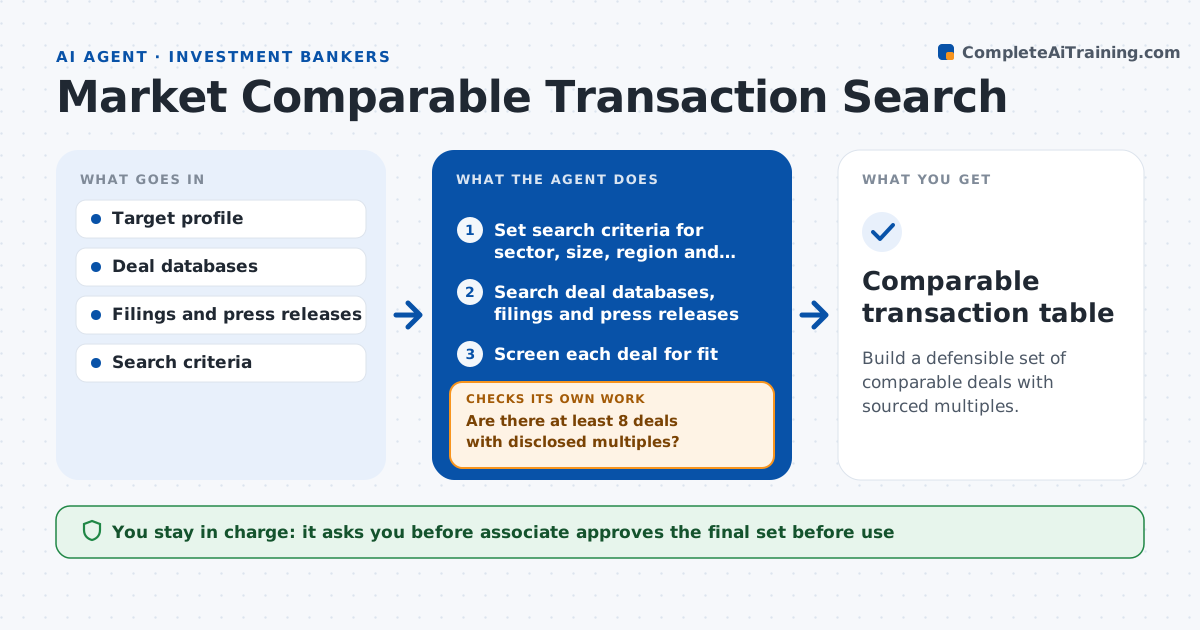
Build a defensible set of comparable deals with sourced multiples.
What it does
A valuation needs comparable deals, but finding them takes hours, and the set is often thin or too varied to defend. This agent searches deal databases, press releases and filings for transactions in the target's sector. It checks each deal for fit on size, sector, region and date, and extracts the multiples where they are disclosed. It then looks at the set. If there are too few deals or the multiples are scattered, it widens or narrows the search and screens again. It lists the source for every deal and every figure. The associate approves the final set before it is used in a valuation.
How it works
Follow the arrows from top to bottom. The orange dashed arrow is the loop: when a check fails, the agent goes back and tries again.
Read the steps as a list
- Comparable set requested
- Set search criteria for sector, size, region and date
- Search deal databases, filings and press releases
- Screen each deal for fit
- Extract disclosed multiples and note the source
- Are there at least 8 deals with disclosed multiples?If not: widen size, region or date range and search again. Back to step 2.
- Is the spread of multiples reasonable?If not: narrow the criteria or remove outliers with a reason. Back to step 4.
- Calculate median, range and quartiles
- List sources and exclusions
- Associate approves the final setThe agent waits here for your OK.
- Comparable transaction table
How it decides
It keeps deals that meet the fit criteria with disclosed multiples and adjusts the criteria if the set is too small or too spread out.
- Require at least 8 deals with disclosed multiples
- Limit deals to the last 5 years unless the set is too small
- Treat a multiple more than 2 times the median as an outlier to review
- Keep a record of every excluded deal and why
Make it yours
Every agent is a starting point. You choose these settings for your own situation.
- Size, sector and region filters
- Minimum number of deals (default 8)
- Date range (default 5 years)
- Outlier rule
What keeps you in control
It always asks you first
- Associate approves the final set before use
Hard limits
- Never presents undisclosed multiples as fact
- Cites a source for every deal
It stops when
- Done: set approved with sources
- Stop: fewer than 4 deals exist even after widening
Set it up
We guide you through the set-up, step by step
Members get the full set-up guide for this agent. No technical skills needed: you copy, paste and upload.
- One set of instructions to paste into your AI, with the clicks for ChatGPT, Claude, Microsoft 365 Copilot, Gemini and Grok
- The agent then walks you through connecting your own data, one source at a time
- A downloadable copy with the flow chart, the rules and the full guide