AI agent for chief strategy officers
Market Sizing Refresh Agent
Current, sourced market size estimates that hold up to scrutiny
What it does
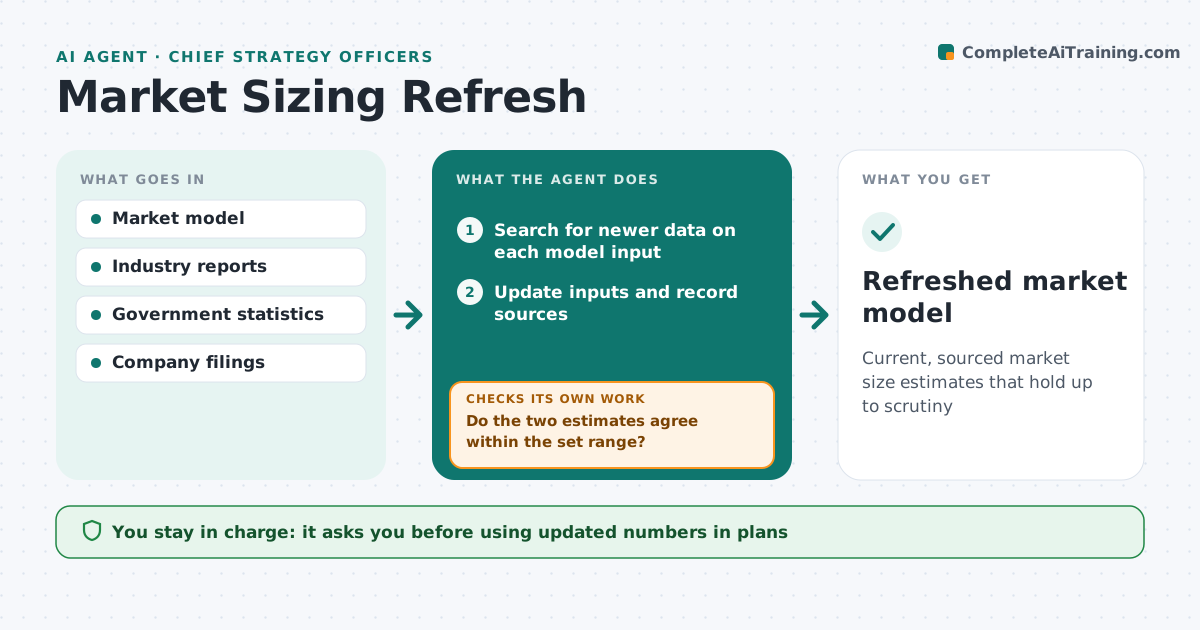
Market size numbers in strategy decks are often years old, and nobody remembers how they were built. This agent keeps a model of each market from clear inputs: number of customers, adoption rate, price and growth. Each quarter it searches industry reports, government statistics and filings for newer data on each input. It updates inputs, records the source for each and recalculates. It compares a top-down estimate with a bottom-up one. If they differ by more than the set range, it finds the input causing the gap and checks other sources. A source with a different market definition is adjusted or left out. It drafts an update showing what changed and why. The leader approves before numbers enter plans.
How it works
Follow the arrows from top to bottom. The orange dashed arrow is the loop: when a check fails, the agent goes back and tries again.
Read the steps as a list
- Quarterly refresh
- Search for newer data on each model input
- Update inputs and record sources
- Recalculate top-down and bottom-up estimates
- Do the two estimates agree within the set range?If not: find the input causing the gap and look for other sources. Back to step 2.
- Draft update showing changes and reasons
- Leader approves numbers for planningThe agent waits here for your OK.
- Refreshed market model
How it decides
It accepts an estimate when top-down and bottom-up agree within the set range and every input has a recent source.
- Each input needs a source under two years old
- Different market definitions are adjusted or excluded
- Agreement range is 20%
Make it yours
Every agent is a starting point. You choose these settings for your own situation.
- Markets covered
- Agreement range (default 20%)
- Preferred sources
- Refresh frequency
What keeps you in control
It always asks you first
- Using updated numbers in plans
Hard limits
- Never presents estimates without sources
- Marks assumptions clearly
It stops when
- Done: estimates approved
- Stop: no reliable source for a key input; mark it as an assumption
Set it up
We guide you through the set-up, step by step
Members get the full set-up guide for this agent. No technical skills needed: you copy, paste and upload.
- One set of instructions to paste into your AI, with the clicks for ChatGPT, Claude, Microsoft 365 Copilot, Gemini and Grok
- The agent then walks you through connecting your own data, one source at a time
- A downloadable copy with the flow chart, the rules and the full guide