AI agent for tutors
Math Error Diagnosis Practice Agent
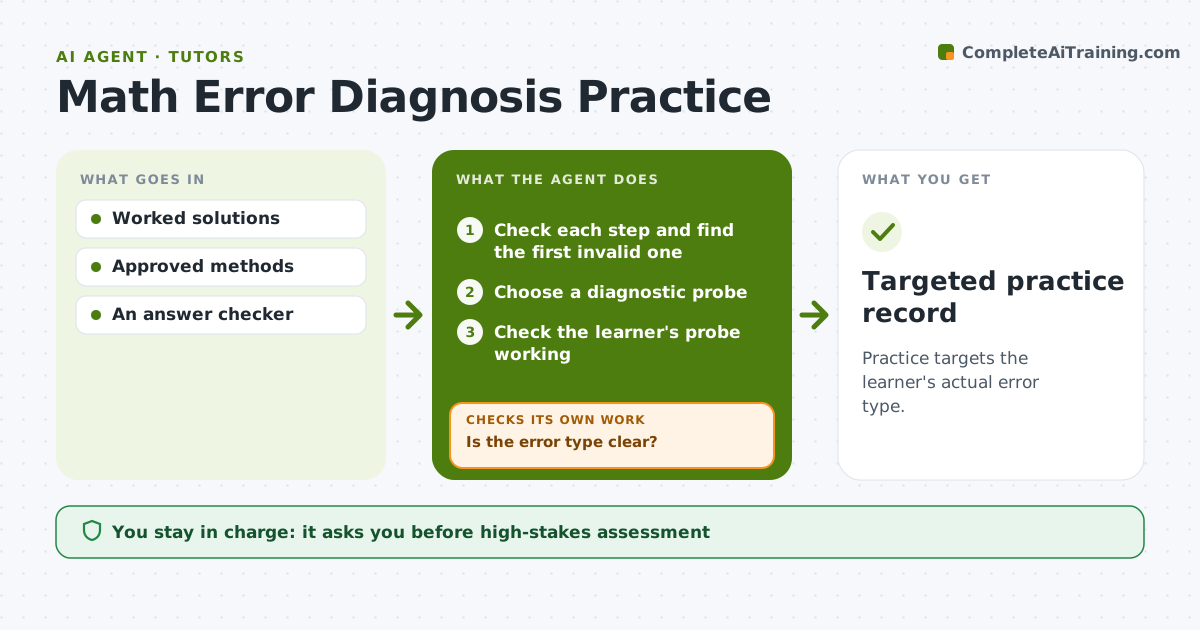
Practice targets the learner's actual error type.
What it does
Math tutors often re-explain a whole method when the learner's real error is one step. That wastes session time and can confuse a learner who understood most of it. This agent checks each step of a submitted worked solution and finds the first invalid one. It then chooses a short diagnostic problem, called a probe, that separates an arithmetic slip from a conceptual error. It checks the learner's working on the probe. If the error type is still unclear, it picks a sharper probe and tries again. Once the error type is clear, it assigns practice focused on that specific problem and records the result for the tutor. The tutor decides on any change to the learner's overall plan. Edge case: a solution with a correct final answer but an invalid step is still flagged.
How it works
Follow the arrows from top to bottom. The orange dashed arrow is the loop: when a check fails, the agent goes back and tries again.
Read the steps as a list
- Worked solution submitted
- Check each step and find the first invalid one
- Choose a diagnostic probe
- Check the learner's probe working
- Is the error type clear?If not: choose a sharper probe. Back to step 3.
- Assign targeted practice
- Targeted practice record
How it decides
It locates the first invalid step, then picks a probe that separates arithmetic from concept; sound arithmetic with an invalid method shifts practice to the concept.
- Arithmetic or concept: decided by the learner's working on the probe.
- Practice focus: the confirmed error type, not the whole method.
- Sharper probe: when the first probe could be explained by either error type.
- Correct answer with invalid steps: still flagged as an error.
Make it yours
Every agent is a starting point. You choose these settings for your own situation.
- Topics covered (default the course's math units)
- Maximum probes per error before the tutor is asked (default 3)
- Practice set size (default 5 items)
- How results are shown to the tutor (default step number plus error type)
- Whether the learner sees the error type label (default yes, in plain words)
What keeps you in control
It always asks you first
- High-stakes assessment
- Progression
Hard limits
- Approved methods only.
It stops when
- Done: error type found and practice assigned.
Set it up
We guide you through the set-up, step by step
Members get the full set-up guide for this agent. No technical skills needed: you copy, paste and upload.
- One set of instructions to paste into your AI, with the clicks for ChatGPT, Claude, Microsoft 365 Copilot, Gemini and Grok
- The agent then walks you through connecting your own data, one source at a time
- A downloadable copy with the flow chart, the rules and the full guide