AI agent for dietitians
Meal Plan Safety Check Agent
Meal plans that are safe and on target
What it does
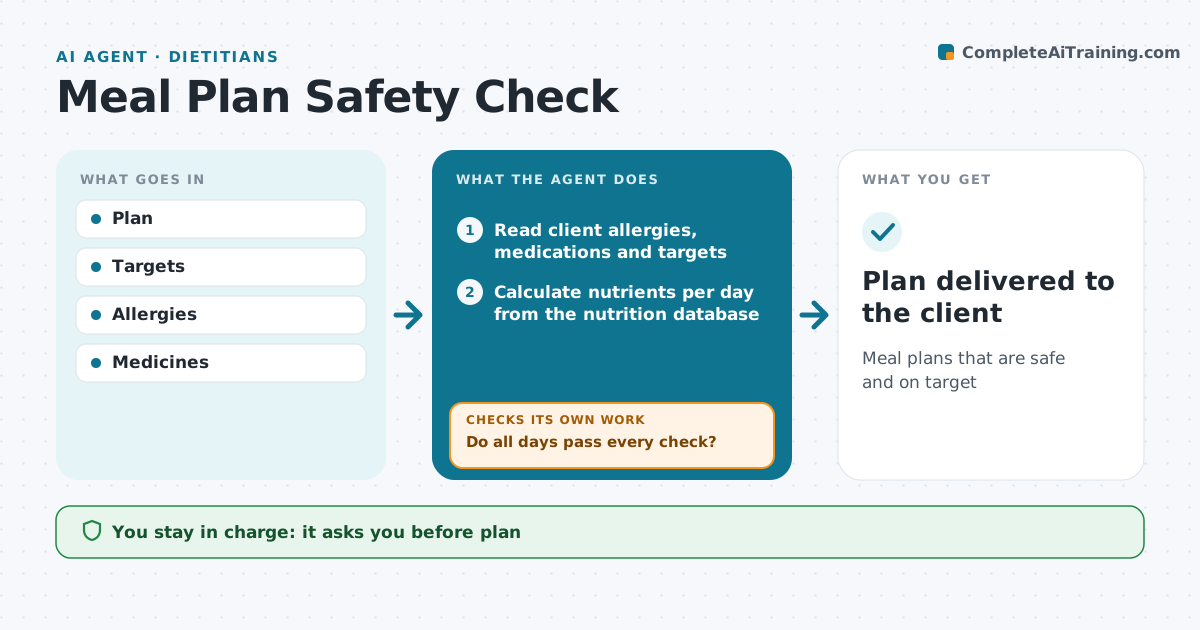
Meal plans must hit the client's targets and avoid allergens and food-drug problems, and checking every day by hand is slow. This agent reads a draft plan and calculates nutrients per day from a nutrition database. It checks each day against energy and protein targets, sodium or potassium limits, allergies and intolerances. It also checks drug-nutrient issues the dietitian has listed for the client, such as keeping vitamin K steady with warfarin. For days that fail, it suggests swaps for the meals that cause the problem, then recalculates and checks again. The dietitian approves the plan before the client sees it. Edge case: a food the database cannot identify is flagged rather than guessed.
How it works
Follow the arrows from top to bottom. The orange dashed arrow is the loop: when a check fails, the agent goes back and tries again.
Read the steps as a list
- Dietitian submits a draft meal plan
- Read client allergies, medications and targets
- Calculate nutrients per day from the nutrition database
- Check each day against energy, protein and other targets
- Check allergens and food-drug interactions
- Do all days pass every check?If not: suggest swaps for the failing meals, then recalculate. Back to step 3.
- Dietitian approves the final planThe agent waits here for your OK.
- Plan delivered to the client
How it decides
Each day checked against targets and safety rules.
- Allergens zero
- Targets within 10%
- Drug issues flagged
Make it yours
Every agent is a starting point. You choose these settings for your own situation.
- Targets
- Tolerance
- Safety list
- Format
What keeps you in control
It always asks you first
- Plan
Hard limits
- No plan sent unapproved
It stops when
- Done: plan
- Stop: missing medicine list
Set it up
We guide you through the set-up, step by step
Members get the full set-up guide for this agent. No technical skills needed: you copy, paste and upload.
- One set of instructions to paste into your AI, with the clicks for ChatGPT, Claude, Microsoft 365 Copilot, Gemini and Grok
- The agent then walks you through connecting your own data, one source at a time
- A downloadable copy with the flow chart, the rules and the full guide