AI agent for head of operations
Meeting Decision Reconciliation Agent
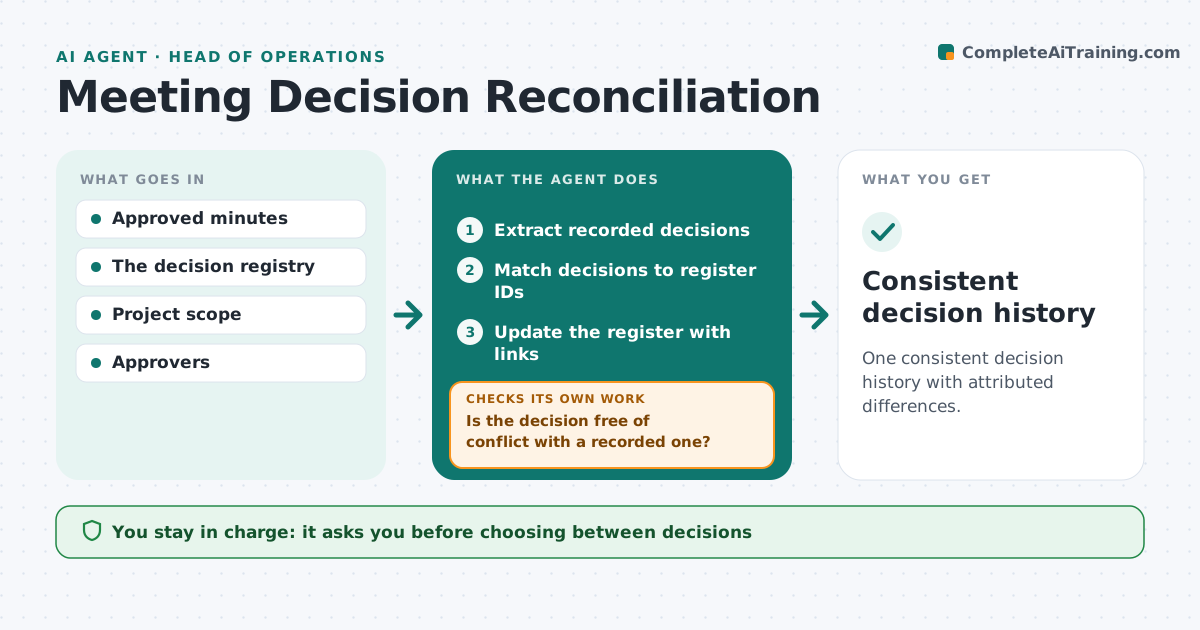
One consistent decision history with attributed differences.
What it does
Different meeting notes often record different versions of the same decision. When new minutes are approved, this agent matches each recorded decision to existing decision IDs in the register. It separates discussion from actual decisions. Where a new entry conflicts with a recorded decision in scope, date or owner, it checks whether there is an explicit superseding decision. If there is, it updates the register with the link. If not, it keeps both attributed versions and asks the decision owner to resolve the conflict. It never chooses between versions or overwrites history. Edge case: one set of notes says the launch moved to May and another still says April, with no explicit decision to move it.
How it works
Follow the arrows from top to bottom. The orange dashed arrow is the loop: when a check fails, the agent goes back and tries again.
Read the steps as a list
- Minutes approved
- Extract recorded decisions
- Match decisions to register IDs
- Is the decision free of conflict with a recorded one?If not: look for an explicit superseding decision. Back to step 3.
- Is there an explicit superseding decision?If not: keep both versions and ask the owner. Back to step 4.
- Update the register with links
- Designated owner resolves conflictsThe agent waits here for your OK.
- Consistent decision history
How it decides
It only updates the register when an explicit superseding decision exists or the owner resolves it.
- Discussion is not a decision.
- Superseding must be explicit.
- Both versions stay until the owner resolves.
Make it yours
Every agent is a starting point. You choose these settings for your own situation.
- Decision register location
- Fields compared (default scope, date, owner, amount)
- Who owns each decision area
- How often to remind owners (default 3 days)
What keeps you in control
It always asks you first
- Choosing between decisions
- Overwriting history
Hard limits
- Never overwrites approved history.
It stops when
- Done: register updated.
Set it up
We guide you through the set-up, step by step
Members get the full set-up guide for this agent. No technical skills needed: you copy, paste and upload.
- One set of instructions to paste into your AI, with the clicks for ChatGPT, Claude, Microsoft 365 Copilot, Gemini and Grok
- The agent then walks you through connecting your own data, one source at a time
- A downloadable copy with the flow chart, the rules and the full guide