AI agent for geologists
Well Tie and Seismic Alignment Agent
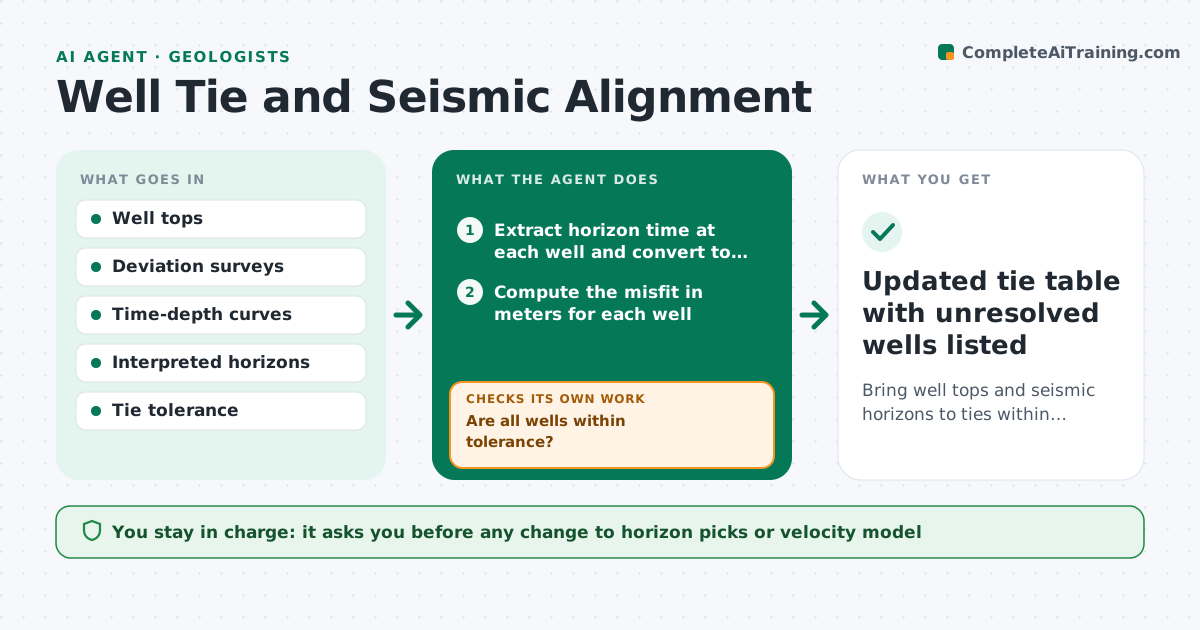
Bring well tops and seismic horizons to ties within tolerance, or list the wells that cannot be resolved.
What it does
Well tops picked in depth rarely sit exactly on the matching seismic horizon, and fixing misfits by eye leads to arbitrary shifts. This agent takes the well tops, the time-depth relationship and the interpreted horizons, and measures the misfit at each well in meters. It flags wells outside tolerance, then tests small, documented changes: a velocity adjustment, a bulk shift, or a pick revision suggestion. After each test it recomputes the ties for all wells, because a fix at one well can break another. It keeps a table of what was tried and what improved. Wells that cannot be resolved within tolerance are reported with likely causes. It never changes the interpretation itself. The geologist approves. Edge case: a deviated well is checked for position error before any shift.
How it works
Follow the arrows from top to bottom. The orange dashed arrow is the loop: when a check fails, the agent goes back and tries again.
Read the steps as a list
- New picks or tops loaded
- Extract horizon time at each well and convert to depth
- Compute the misfit in meters for each well
- Are all wells within tolerance?If not: test one candidate adjustment at a time and recompute. Back to step 3.
- Check deviation survey and position error for wells still out
- Test velocity, shift and pick-revision options and score each
- Does the best option improve the target well without hurting others?If not: drop that option and try the next one, or mark the well unresolved. Back to step 6.
- Write the tie table with tried and rejected changes
- Geologist approves interpretation changesThe agent waits here for your OK.
- Updated tie table with unresolved wells listed
How it decides
It chooses the smallest adjustment that reduces misfit across all wells, and rejects any change that pushes another well outside tolerance.
- Use a tolerance of one half of the dominant seismic wavelength unless the team sets another
- Never accept a change that moves another well out of tolerance
- Prefer a regional velocity change over many local shifts
- Mark a well unresolved after three failed options
Make it yours
Every agent is a starting point. You choose these settings for your own situation.
- Tie tolerance (default half the dominant wavelength)
- Adjustment types allowed
- Maximum shift per well
- Report format
- Wells to exclude from tying
What keeps you in control
It always asks you first
- Any change to horizon picks or velocity model
- Final tie table
Hard limits
- Never overwrite the original picks
- Record every tested option, including failures
It stops when
- Done: all wells tie or each exception has a stated cause
- Stop: the velocity model is too uncertain to tie any well
Set it up
We guide you through the set-up, step by step
Members get the full set-up guide for this agent. No technical skills needed: you copy, paste and upload.
- One set of instructions to paste into your AI, with the clicks for ChatGPT, Claude, Microsoft 365 Copilot, Gemini and Grok
- The agent then walks you through connecting your own data, one source at a time
- A downloadable copy with the flow chart, the rules and the full guide