AI agent for community moderators
Moderator Decision Consistency Agent
Fewer unexplained differences in moderation outcomes and clearer guidelines
What it does
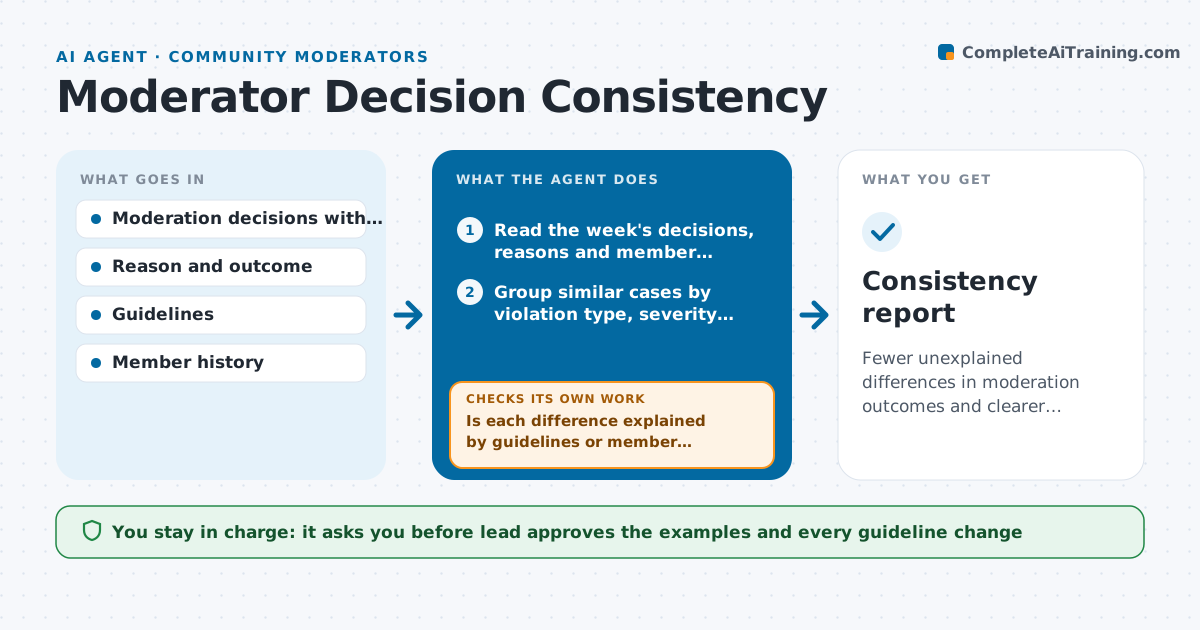
One moderator removes a heated post and warns the author, another leaves a similar one, and members notice and complain about fairness. Each week this agent reads recent moderation decisions with their reasons, groups similar cases by violation type, severity and context, and finds cases where the outcomes differ. It checks each against the community guidelines to see if the difference is justified, for example a repeat offender or a clear difference in context. For the ones that are not, it selects clear examples for a calibration meeting and suggests wording for unclear guidelines. After the meeting, it checks whether outcomes in the following weeks have become more consistent. The lead approves any guideline update. Edge case: two decisions that differ because one author had prior warnings are marked as consistent.
How it works
Follow the arrows from top to bottom. The orange dashed arrow is the loop: when a check fails, the agent goes back and tries again.
Read the steps as a list
- Weekly review begins
- Read the week's decisions, reasons and member histories
- Group similar cases by violation type, severity and context
- Find groups with different outcomes
- Is each difference explained by guidelines or member history?If not: List the unexplained pair and read the guideline text again. Back to step 3.
- Pick clear example cases for the calibration meeting
- Suggest clearer wording for guidelines that caused doubt
- Lead approves examples and guideline updatesThe agent waits here for your OK.
- Read the decisions of the following weeks for the same case types
- Have outcomes become more consistent?If not: Revisit the guideline wording and pick new examples. Back to step 3.
- Consistency report
How it decides
It treats two cases as similar when violation type and severity match, and the outcome as inconsistent when no guideline or history explains the difference.
- Group cases only if violation type and severity match
- Count prior warnings as a valid reason for a different outcome
- Bring at most 5 examples to a calibration meeting
- Do not name moderators in the report unless the lead asks
Make it yours
Every agent is a starting point. You choose these settings for your own situation.
- Violation categories
- Number of examples per meeting (default 5)
- Review day
- Whether moderators are named
- Guideline source
What keeps you in control
It always asks you first
- Lead approves the examples and every guideline change
Hard limits
- Never change a moderation decision itself
- Treat the report as a tool for calibration, not discipline
It stops when
- Done: Differences are explained or addressed in calibration
- Stop: Too few cases to compare, so the agent waits for the next week
Set it up
We guide you through the set-up, step by step
Members get the full set-up guide for this agent. No technical skills needed: you copy, paste and upload.
- One set of instructions to paste into your AI, with the clicks for ChatGPT, Claude, Microsoft 365 Copilot, Gemini and Grok
- The agent then walks you through connecting your own data, one source at a time
- A downloadable copy with the flow chart, the rules and the full guide