AI agent for community moderators
Community Event and AMA Moderation Agent
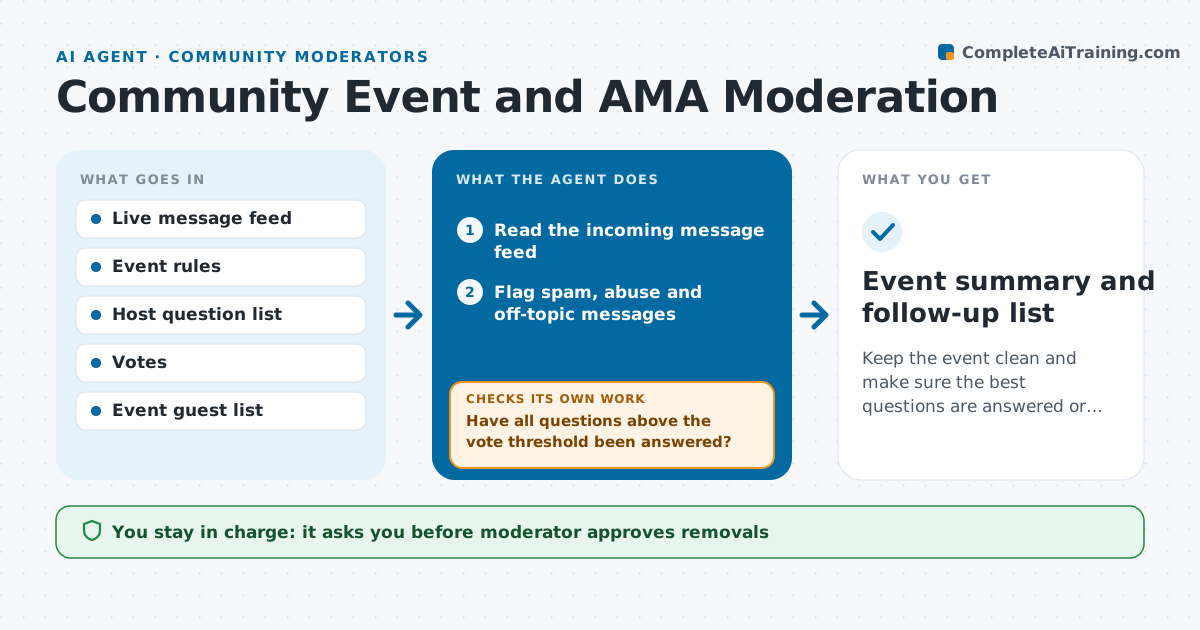
Keep the event clean and make sure the best questions are answered or followed up.
What it does
During a live AMA, 400 messages scroll past, three people spam a link, and the best question from a member never reaches the host. This agent works through the event. It screens each incoming message against the event rules, flags abuse and spam for the moderator and groups similar questions so the host sees one clear version. It keeps a ranked queue of good questions by votes and relevance and marks each as asked, skipped or waiting. Every few minutes it checks that the top questions have been answered and reminds the host of any strong question left waiting. After the event it drafts a summary and a list of unanswered questions with suggested follow-ups. The moderator approves removals, any messages to the audience and the summary. Edge case: the same question is asked in five wordings, so the agent merges them and credits the first asker.
How it works
Follow the arrows from top to bottom. The orange dashed arrow is the loop: when a check fails, the agent goes back and tries again.
Read the steps as a list
- Live event starts
- Read the incoming message feed
- Flag spam, abuse and off-topic messages
- Moderator approves removalsThe agent waits here for your OK.
- Group similar questions and rank them by votes and relevance
- Send the top question queue to the host
- Have all questions above the vote threshold been answered?If not: remind the host and move waiting questions to the top. Back to step 5.
- After the event, list unanswered questions and draft follow-ups
- Is every unanswered question listed with a suggested follow-up?If not: match the missing questions and draft their follow-ups. Back to step 8.
- Moderator approves the summary and any audience messageThe agent waits here for your OK.
- Event summary and follow-up list
How it decides
Questions are ranked by votes and relevance to the event topic. Messages are flagged when they match spam, abuse or off-topic rules, and removal waits for the moderator.
- Remove nothing until the moderator approves
- Merge questions with the same meaning and keep the highest vote count
- Remind the host when a question above 20 votes waits more than 10 minutes
- Flag any message with a link from an account that joined during the event
Make it yours
Every agent is a starting point. You choose these settings for your own situation.
- Event rules and topics
- Vote level that makes a question a priority (default 20)
- Reminder delay (default 10 minutes)
- Summary format
- Platforms to read from
What keeps you in control
It always asks you first
- Moderator approves removals
- Moderator approves the summary and messages to the audience
Hard limits
- Never remove a message or mute a person without approval
- Never speak for the host or answer questions on their behalf
It stops when
- Done: event ends and the summary is approved
- Stop: abuse becomes a raid, which goes to the moderator at once
Set it up
We guide you through the set-up, step by step
Members get the full set-up guide for this agent. No technical skills needed: you copy, paste and upload.
- One set of instructions to paste into your AI, with the clicks for ChatGPT, Claude, Microsoft 365 Copilot, Gemini and Grok
- The agent then walks you through connecting your own data, one source at a time
- A downloadable copy with the flow chart, the rules and the full guide