AI agent for business unit managers
Monthly Forecast vs Actual Reforecast Agent
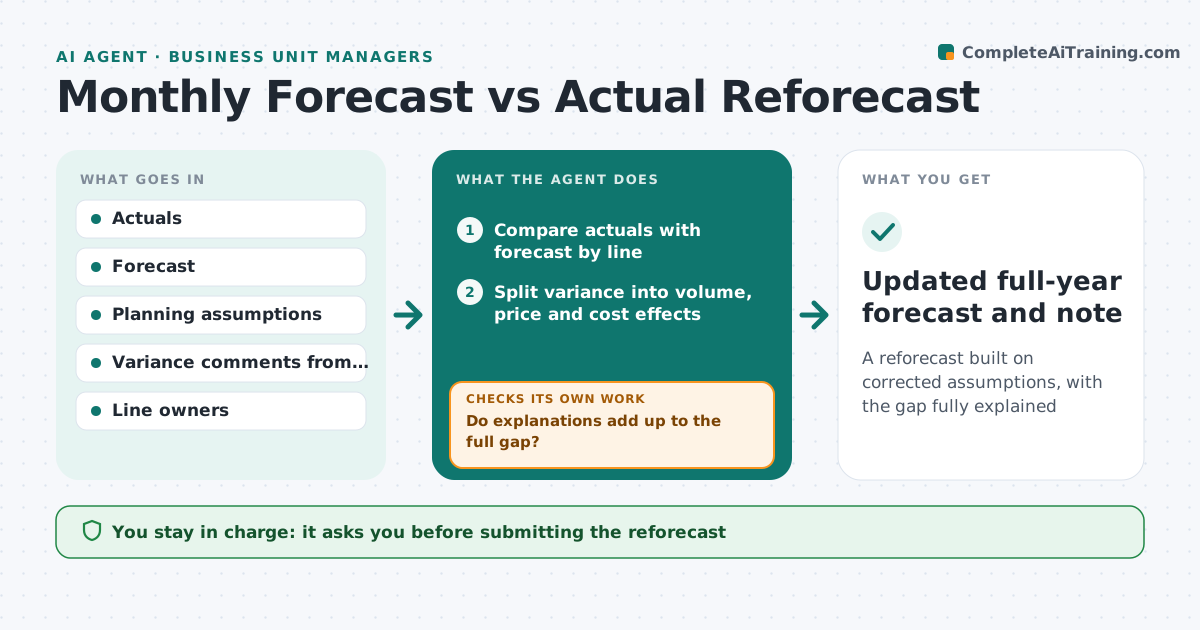
A reforecast built on corrected assumptions, with the gap fully explained
What it does
Each month actual results come in against forecast, and the full-year forecast gets updated mechanically without showing which assumptions broke. This agent compares actuals with forecast by line and unit and separates volume, price and cost effects. It finds which planning assumptions were wrong, such as win rate or average price, and checks whether the miss is one-time or a trend over several months. A timing shift between months is not treated as lost revenue. If finance's variance explanations do not add up to the gap, it asks the line owner for detail and rechecks. It drafts an updated full-year forecast with changed assumptions shown clearly, plus risks and options. The leader approves before it goes to the board.
How it works
Follow the arrows from top to bottom. The orange dashed arrow is the loop: when a check fails, the agent goes back and tries again.
Read the steps as a list
- Month closes
- Compare actuals with forecast by line
- Split variance into volume, price and cost effects
- Collect variance explanations from owners
- Do explanations add up to the full gap?If not: ask the owner for more detail on the unexplained part. Back to step 4.
- Update broken assumptions and draft reforecast
- Leader approves the reforecastThe agent waits here for your OK.
- Updated full-year forecast and note
How it decides
It updates an assumption only when the miss repeats for two months or has a confirmed cause, and treats timing shifts as timing.
- Two months of miss changes an assumption
- Timing shifts are not losses
- Unexplained gap above 5% blocks approval
Make it yours
Every agent is a starting point. You choose these settings for your own situation.
- Lines and units included
- Unexplained gap allowed
- Months before an assumption changes
- Note format
What keeps you in control
It always asks you first
- Submitting the reforecast
Hard limits
- Never changes the official forecast system
It stops when
- Done: reforecast approved
- Stop: actuals not final; wait for close
Set it up
We guide you through the set-up, step by step
Members get the full set-up guide for this agent. No technical skills needed: you copy, paste and upload.
- One set of instructions to paste into your AI, with the clicks for ChatGPT, Claude, Microsoft 365 Copilot, Gemini and Grok
- The agent then walks you through connecting your own data, one source at a time
- A downloadable copy with the flow chart, the rules and the full guide