AI agent for retail managers
Customer Segment Profitability Review Agent
A clear view of the margin by segment and options to fix the negative ones.
What it does
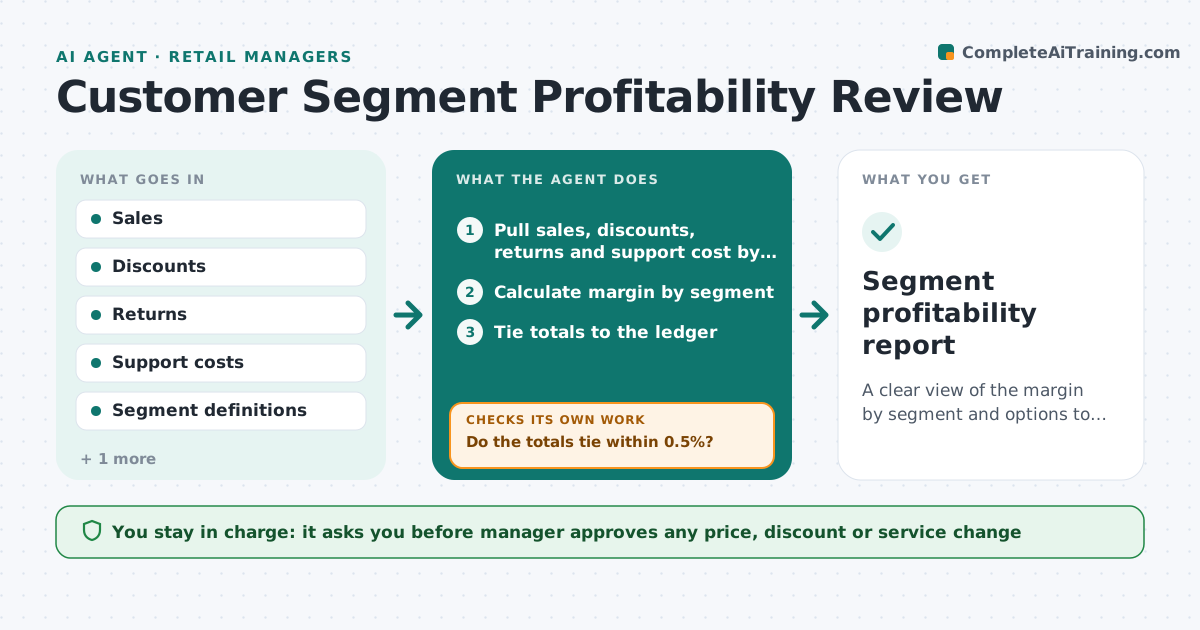
Some customer segments lose money once discounts, returns and service costs are counted, but revenue reports hide it. This agent joins sales, discounts, returns and support cost by segment, calculates margin, flags negative segments and tests changes such as a price rise or a different service level. It checks that totals tie to the ledger before trusting any result. The manager approves any change. It decides by the margin after all costs. If the totals do not tie, it looks for missing returns or double-counted sales and recalculates before showing any result. It leaves pricing and service choices to the manager. Edge case: a segment looks profitable until support hours are added, so the agent shows the margin with and without them.
How it works
Follow the arrows from top to bottom. The orange dashed arrow is the loop: when a check fails, the agent goes back and tries again.
Read the steps as a list
- Period ends
- Pull sales, discounts, returns and support cost by segment
- Calculate margin by segment
- Tie totals to the ledger
- Do the totals tie within 0.5%?If not: find the missing or double-counted data and recalculate. Back to step 2.
- Flag segments below target or negative
- Test options: price, service level, discount limits
- Rank options by effect
- Manager approves any changeThe agent waits here for your OK.
- Segment profitability report
How it decides
It calculates contribution margin by segment and flags negatives or any below the target. It ranks changes by effect on total margin.
- Flag a segment below the target margin
- Ties must be within 0.5% of the ledger
- Allocate support cost by hours
- Rank by total margin change
Make it yours
Every agent is a starting point. You choose these settings for your own situation.
- Target margin
- Segments
- Allocation rules
- Tie tolerance (default 0.5%)
- Report frequency
What keeps you in control
It always asks you first
- Manager approves any price, discount or service change
Hard limits
- Never change prices or terms
- Never allocate cost without a documented rule
It stops when
- Done: margins are calculated and tied
- Stop: a cost cannot be allocated
Set it up
We guide you through the set-up, step by step
Members get the full set-up guide for this agent. No technical skills needed: you copy, paste and upload.
- One set of instructions to paste into your AI, with the clicks for ChatGPT, Claude, Microsoft 365 Copilot, Gemini and Grok
- The agent then walks you through connecting your own data, one source at a time
- A downloadable copy with the flow chart, the rules and the full guide