AI agent for founders
Monthly Investor Update Agent
An accurate, on-time monthly investor update
What it does
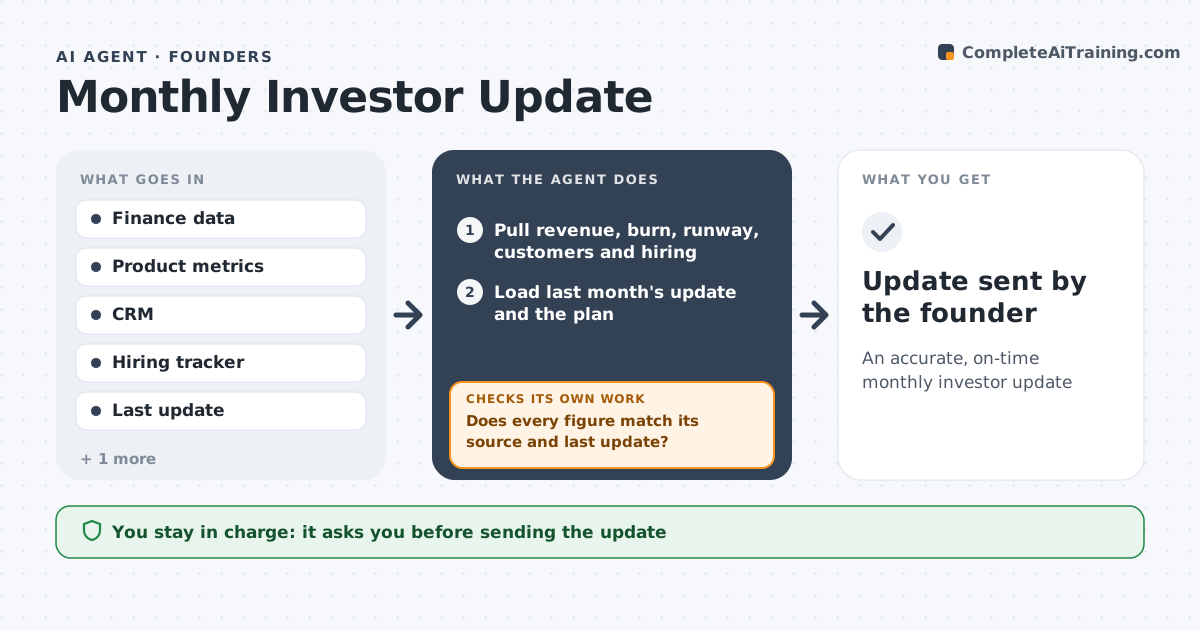
Investors expect a regular update with key metrics, wins, challenges and asks, but founders write it late because the numbers sit in several tools. This agent pulls the month's revenue, burn, runway, customer count and hiring from finance and product tools. It compares each figure with last month and with plan, and picks the three largest changes to highlight. It drafts the update in the founder's usual structure and suggests concrete asks, such as introductions to a type of customer. Before the founder sees it, the agent checks every figure against its source and against last month's update so numbers stay consistent. If a figure does not match, it corrects it or flags it and redrafts. The founder edits, approves and sends the update. Edge case: a metric definition changed this month, so the agent restates last month on the new basis and adds a short note.
How it works
Follow the arrows from top to bottom. The orange dashed arrow is the loop: when a check fails, the agent goes back and tries again.
Read the steps as a list
- Month closes
- Pull revenue, burn, runway, customers and hiring
- Load last month's update and the plan
- Compare with last month and plan and pick the top three changes
- Draft the update in the founder's format with suggested asks
- Does every figure match its source and last update?If not: correct or flag the number, note any definition change and redraft. Back to step 2.
- Prepare a review copy with sources next to each figure
- Founder edits and approvesThe agent waits here for your OK.
- Update sent by the founder
How it decides
It uses only source-checked figures and highlights the three largest changes against plan.
- Runway calculated on last three months average burn
- Definition changes always disclosed
- Asks limited to three
Make it yours
Every agent is a starting point. You choose these settings for your own situation.
- Update structure
- Metrics included
- Send day
- Asks section on or off
What keeps you in control
It always asks you first
- Sending the update
Hard limits
- Never sends to investors
- Does not share data rooms
It stops when
- Done: update approved
- Stop: books not closed
Set it up
We guide you through the set-up, step by step
Members get the full set-up guide for this agent. No technical skills needed: you copy, paste and upload.
- One set of instructions to paste into your AI, with the clicks for ChatGPT, Claude, Microsoft 365 Copilot, Gemini and Grok
- The agent then walks you through connecting your own data, one source at a time
- A downloadable copy with the flow chart, the rules and the full guide