AI agent for digital marketing specialists
Monthly SEO Performance Report Agent
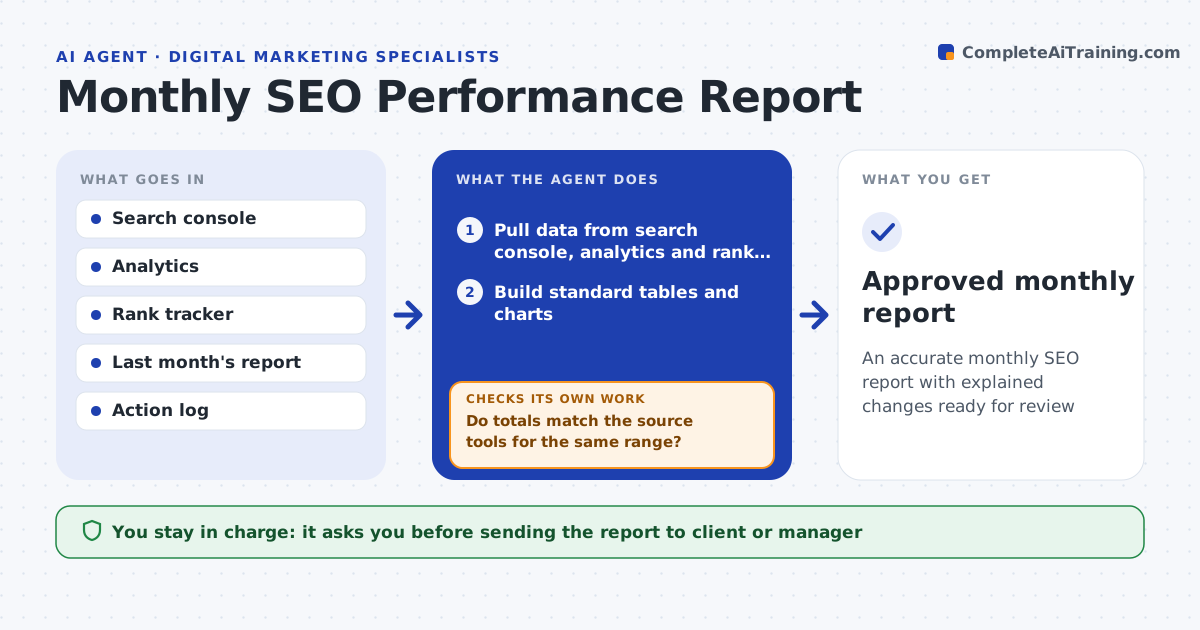
An accurate monthly SEO report with explained changes ready for review
What it does
Each month the SEO specialist pulls data from search console, analytics and a rank tracker and writes up what changed, which takes a day and sometimes produces numbers that do not match the source. This agent pulls the same data and builds the standard tables. It checks every figure against the source for the same date range and property. If totals do not reconcile, it finds the cause, such as a new filter or a missing property, and fixes the pull before writing. It marks days when tracking broke instead of reporting a fake drop. It then explains the biggest movements, for example a drop tied to one page group or an algorithm update date, and lists next month's actions. The specialist approves before the report is sent.
How it works
Follow the arrows from top to bottom. The orange dashed arrow is the loop: when a check fails, the agent goes back and tries again.
Read the steps as a list
- First working day of the month
- Pull data from search console, analytics and rank tracker
- Build standard tables and charts
- Do totals match the source tools for the same range?If not: find the filter, property or date mismatch, correct the pull, and rebuild. Back to step 2.
- Explain movements over 10 percent by page and query group
- Draft next month's actions from findings
- Specialist approves before the report is sentThe agent waits here for your OK.
- Approved monthly report
How it decides
It explains any metric that moved more than 10 percent by finding the page group or query group that contributed most to the change.
- Explain changes over 10 percent, summarize the rest
- Mark tracking gaps instead of reporting them as drops
- Compare with both last month and last year
Make it yours
Every agent is a starting point. You choose these settings for your own situation.
- Report template and sections
- Explanation threshold (default 10 percent)
- Data sources
- Report date
What keeps you in control
It always asks you first
- Sending the report to client or manager
Hard limits
- Never sends the report itself
- Never changes analytics settings
It stops when
- Done: approved report
- Stop: data source unavailable, report delay to the specialist
Set it up
We guide you through the set-up, step by step
Members get the full set-up guide for this agent. No technical skills needed: you copy, paste and upload.
- One set of instructions to paste into your AI, with the clicks for ChatGPT, Claude, Microsoft 365 Copilot, Gemini and Grok
- The agent then walks you through connecting your own data, one source at a time
- A downloadable copy with the flow chart, the rules and the full guide