AI agent for insurance data analysts
Mortality Data Quality Cleanup Agent
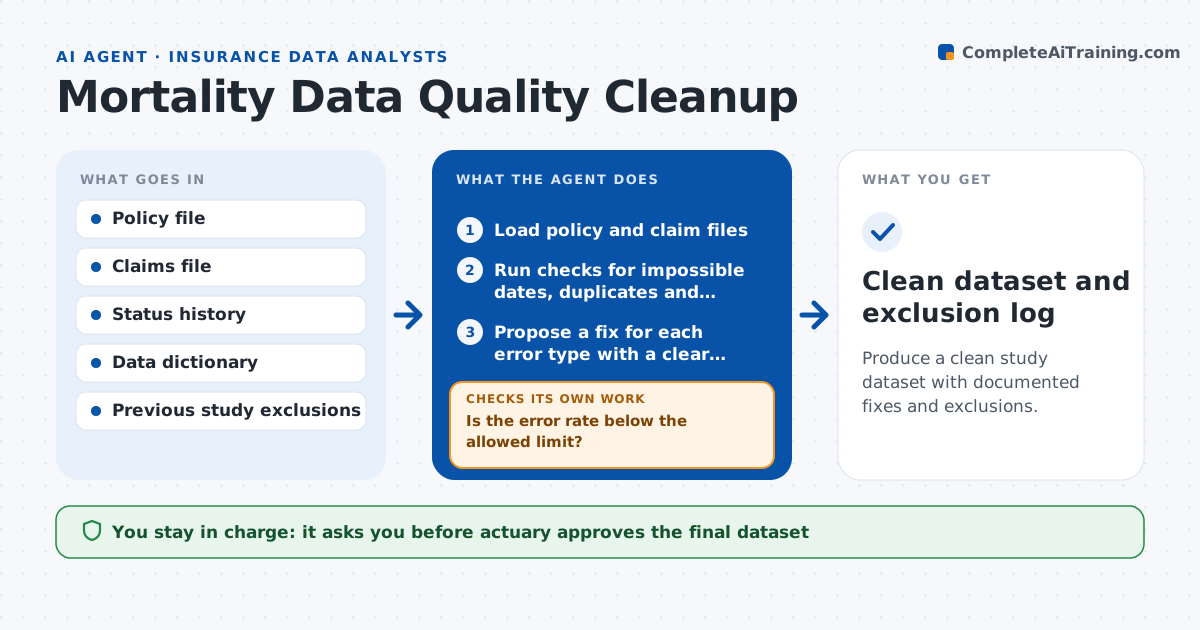
Produce a clean study dataset with documented fixes and exclusions.
What it does
A mortality study built on policy and claim data with impossible dates, duplicate records and mismatched statuses gives wrong death rates. This agent scans the policy and claim files for errors such as death before issue, birth dates in the future, duplicate policies and claims without a matching policy. It proposes a fix for each error type where the right answer is clear, and leaves the rest as exclusions. After applying proposed fixes in a working copy, it reruns the checks and measures the error rate. It repeats until the rate falls below the limit or no further fix is clear, and reports exclusions with counts. The actuary approves the data used.
How it works
Follow the arrows from top to bottom. The orange dashed arrow is the loop: when a check fails, the agent goes back and tries again.
Read the steps as a list
- Experience study begins
- Load policy and claim files
- Run checks for impossible dates, duplicates and orphan claims
- Propose a fix for each error type with a clear answer
- Apply fixes to a working copy
- Rerun the checks and compute the error rate
- Is the error rate below the allowed limit?If not: look for further fixes from other records, then exclude what cannot be fixed. Back to step 4.
- Compare exposure and deaths before and after cleaning
- Write the exclusion report with counts by reason
- Actuary approves the data usedThe agent waits here for your OK.
- Clean dataset and exclusion log
How it decides
It fixes an error only when the correct value can be taken from another record, and otherwise excludes the record and counts it.
- Accept an error rate below 0.5 percent of records
- Fix a date only if another system holds the same date
- Exclude a record when two sources disagree and no tie-break exists
- Flag any fix that changes more than 1 percent of exposure
Make it yours
Every agent is a starting point. You choose these settings for your own situation.
- Error rate limit (default 0.5 percent)
- Checks to run
- Fields used as tie-breakers
- Exclusion report format
What keeps you in control
It always asks you first
- Actuary approves the final dataset
- Data owner approves fixes to source records
Hard limits
- Works on a copy, never the source data
- Lists every fix and exclusion
It stops when
- Done: error rate under the limit and report approved
- Stop: more than 5 percent of records excluded, review the source
Set it up
We guide you through the set-up, step by step
Members get the full set-up guide for this agent. No technical skills needed: you copy, paste and upload.
- One set of instructions to paste into your AI, with the clicks for ChatGPT, Claude, Microsoft 365 Copilot, Gemini and Grok
- The agent then walks you through connecting your own data, one source at a time
- A downloadable copy with the flow chart, the rules and the full guide