AI agent for mortgage brokers
Mortgage Pipeline Stall Detector Agent
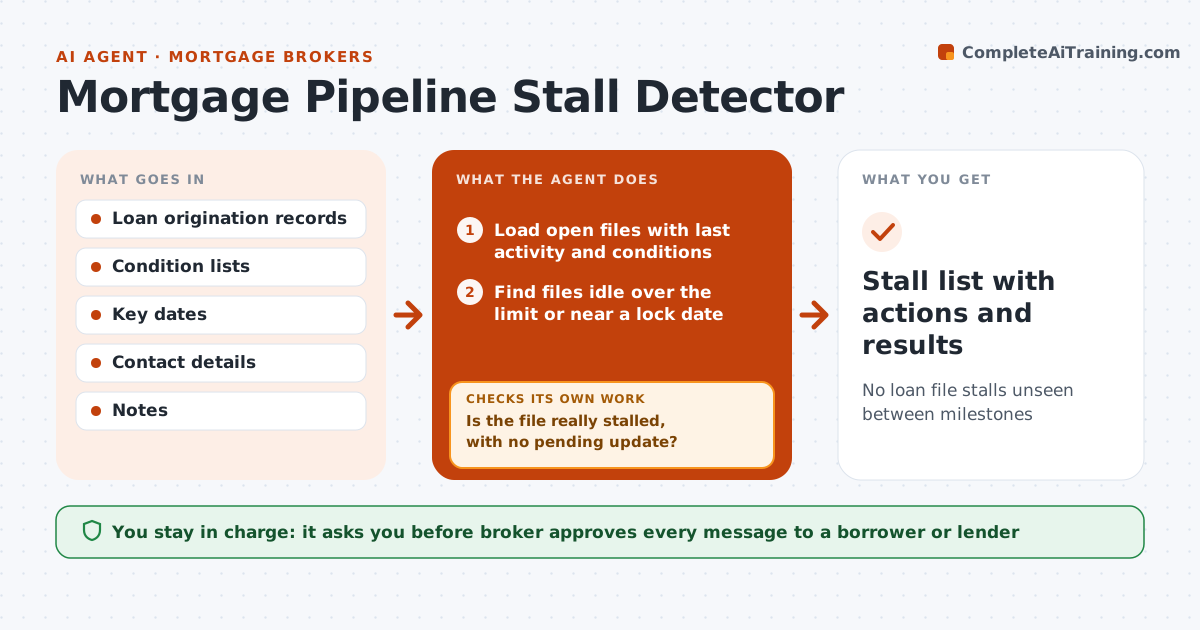
No loan file stalls unseen between milestones
What it does
A loan file can sit for days waiting on one condition and nobody sees it, because the file is not late until it is. This agent checks every open file each day for the last activity, outstanding conditions, and key dates such as rate lock and closing. It flags any that have sat idle longer than the set limit and finds who is blocking: the borrower, the underwriter, the appraiser or the title company. It drafts a message to the right person asking for the one thing needed. After a day or two it rechecks, and if the file remains stuck, drafts the next nudge or an escalation. The broker approves each message. Edge case: a rate lock expires in three days, so the file jumps to the top.
How it works
Follow the arrows from top to bottom. The orange dashed arrow is the loop: when a check fails, the agent goes back and tries again.
Read the steps as a list
- Daily file review
- Load open files with last activity and conditions
- Find files idle over the limit or near a lock date
- Find the party who owns the oldest open condition
- Is the file really stalled, with no pending update?If not: check the notes and skip files with a dated expected response. Back to step 2.
- Draft a message asking for the one item needed
- Broker approves each messageThe agent waits here for your OK.
- Send and log
- Did the party respond or clear the condition within 2 days?If not: draft the next nudge or an escalation. Back to step 4.
- Stall list with actions and results
How it decides
A file is stalled when no activity is logged within 2 business days or a rate lock is within 5 days with open conditions. The blocker is the party named on the oldest open condition.
- Flag a file after 2 business days with no activity
- Put files with a lock under 5 days and open conditions first
- Ask for one item at a time
- Escalate after two failed nudges
Make it yours
Every agent is a starting point. You choose these settings for your own situation.
- Idle days limit (default 2)
- Lock warning days
- Message tone
- Escalation steps
What keeps you in control
It always asks you first
- Broker approves every message to a borrower or lender
Hard limits
- Never contact a party without approval
- Do not share borrower data beyond the file
- Log each message
It stops when
- Done: file moves to the next milestone or closes
- Stop: borrower withdraws or the broker takes over
Set it up
We guide you through the set-up, step by step
Members get the full set-up guide for this agent. No technical skills needed: you copy, paste and upload.
- One set of instructions to paste into your AI, with the clicks for ChatGPT, Claude, Microsoft 365 Copilot, Gemini and Grok
- The agent then walks you through connecting your own data, one source at a time
- A downloadable copy with the flow chart, the rules and the full guide