AI agent for financial advisors
Client Fact-Finding Update Agent
Keep client facts current so plans rest on the right data.
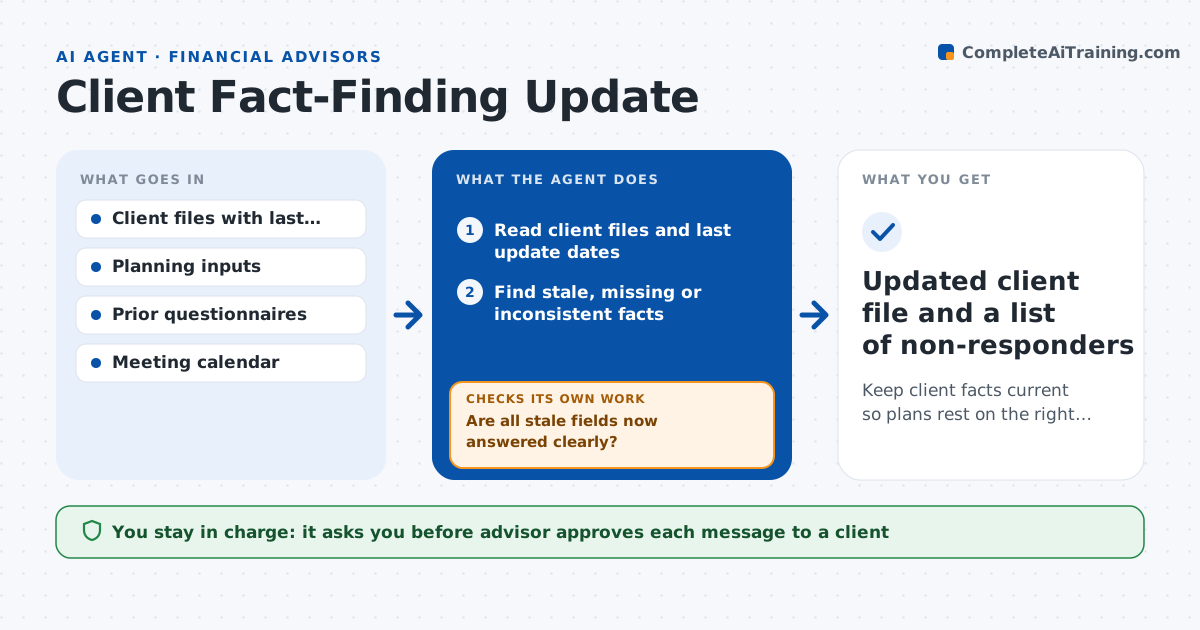
What it does
A plan built on last year's facts can be wrong: a new child, a job change, a different retirement date. This agent reads each client file and finds data that is stale or missing, such as income, dependents, health, risk tolerance and goals. It drafts a short, personal update questionnaire covering only what is out of date, and tracks the response. When answers arrive, it checks them for gaps or surprising changes, asks a follow-up if needed, and prepares the changes to the plan inputs. If a client does not reply, it queues a second request. The advisor approves messages and every change to the file.
How it works
Follow the arrows from top to bottom. The orange dashed arrow is the loop: when a check fails, the agent goes back and tries again.
Read the steps as a list
- Quarterly scan or review meeting set
- Read client files and last update dates
- Find stale, missing or inconsistent facts
- Draft a short questionnaire for each client
- Advisor approves each messageThe agent waits here for your OK.
- Track replies and send a second request after the wait period
- Check answers for gaps and large changes
- Are all stale fields now answered clearly?If not: draft a follow-up question for the unclear items. Back to step 3.
- Prepare changes to the plan inputs
- Advisor approves file changesThe agent waits here for your OK.
- Updated client file and a list of non-responders
How it decides
It marks a field stale if it is older than the set age or inconsistent with other facts, and asks only about stale fields.
- Treat income and dependents as stale after 12 months
- Treat risk tolerance as stale after 24 months or a life event
- Ask only about stale fields
- Send a second request after 10 days
Make it yours
Every agent is a starting point. You choose these settings for your own situation.
- Staleness age by field
- Wait before second request (default 10 days)
- Questionnaire tone
- Clients in scope
What keeps you in control
It always asks you first
- Advisor approves each message to a client
- Advisor approves every change to the client file
Hard limits
- Never sends a message or edits a client file without approval
- Does not give advice, only collects facts
It stops when
- Done: client file current or the advisor has contacted the non-responder
- Stop: reply suggests a major life event, advisor takes over
Set it up
We guide you through the set-up, step by step
Members get the full set-up guide for this agent. No technical skills needed: you copy, paste and upload.
- One set of instructions to paste into your AI, with the clicks for ChatGPT, Claude, Microsoft 365 Copilot, Gemini and Grok
- The agent then walks you through connecting your own data, one source at a time
- A downloadable copy with the flow chart, the rules and the full guide