AI agent for insurance agents
Quote Follow-up and Comparison Agent
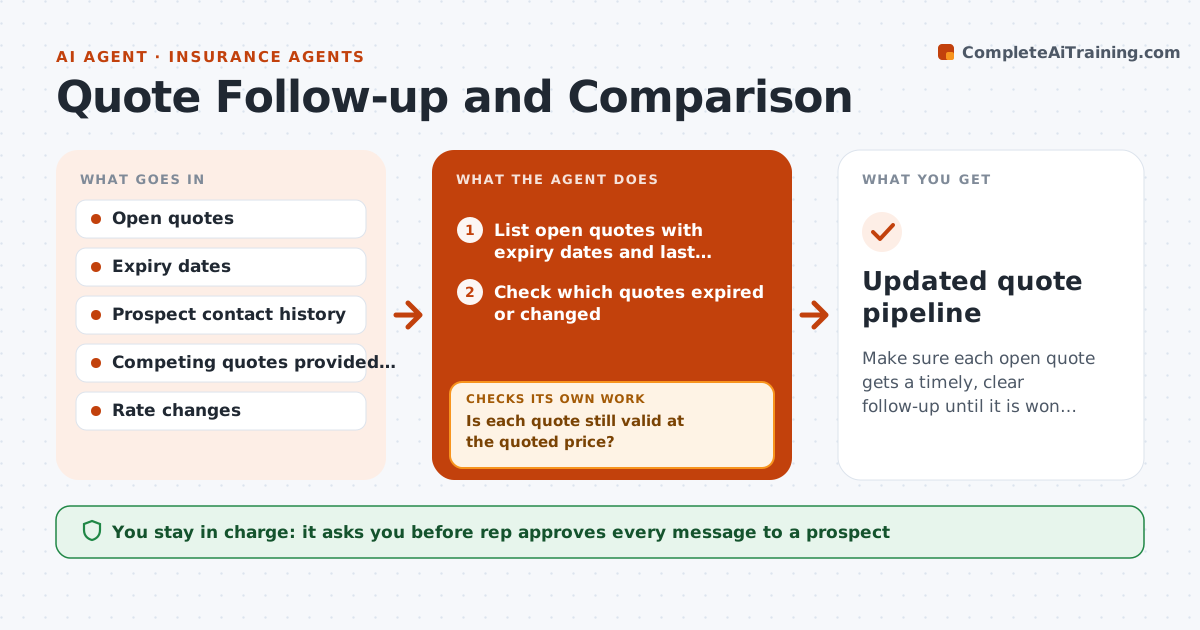
Make sure each open quote gets a timely, clear follow-up until it is won or closed.
What it does
You send forty quotes in a week, and most are never followed up because there is no time. This agent lists all open quotes each morning and checks which are about to expire or have changed, for example when a rate changed or the prospect updated their details. For each prospect it prepares a plain comparison of the quote against the alternative they mentioned, showing price, cover, excess and what is excluded. It schedules the next follow-up based on the quote age and the last contact. It drafts messages and, when a reply arrives, updates the quote status, such as accepted, needs changes or lost, and reads the reply to see whether a new question needs an answer. The rep approves every message. Edge case: the quote expires tomorrow and the rate has changed, so the agent asks for a new quote first.
How it works
Follow the arrows from top to bottom. The orange dashed arrow is the loop: when a check fails, the agent goes back and tries again.
Read the steps as a list
- Daily morning check
- List open quotes with expiry dates and last contact
- Check which quotes expired or changed
- Is each quote still valid at the quoted price?If not: mark it for requote and draft a note to the rep. Back to step 3.
- Build a plain comparison against the alternative if known
- Draft the follow-up message and set the next date
- Rep approves each messageThe agent waits here for your OK.
- Send the message and log the contact
- Read replies and update the quote status
- Does a reply raise a question that needs an answer?If not: draft the answer or flag it for the rep before the next follow-up. Back to step 4.
- Updated quote pipeline
How it decides
Quotes are ranked by expiry date and value. It checks that the quote is still valid before any follow-up and chooses the message from the last contact.
- Follow up 2 days after sending and again at 7 days
- Prioritize quotes expiring within 3 days
- Requote before follow-up if rates changed
- Close a quote as lost after two unanswered follow-ups and an expiry
Make it yours
Every agent is a starting point. You choose these settings for your own situation.
- Follow-up timing (default 2 and 7 days)
- Comparison fields
- Message tone
- Quote expiry warning (default 3 days)
- Closing rule
What keeps you in control
It always asks you first
- Rep approves every message to a prospect
Hard limits
- Never send a message without rep approval
- Never present a competitor's coverage as fact if the prospect did not share it
It stops when
- Done: every open quote has a status and next step
- Stop: a prospect asks not to be contacted
Set it up
We guide you through the set-up, step by step
Members get the full set-up guide for this agent. No technical skills needed: you copy, paste and upload.
- One set of instructions to paste into your AI, with the clicks for ChatGPT, Claude, Microsoft 365 Copilot, Gemini and Grok
- The agent then walks you through connecting your own data, one source at a time
- A downloadable copy with the flow chart, the rules and the full guide