AI agent for automation engineers
Motion Tuning Loop Agent
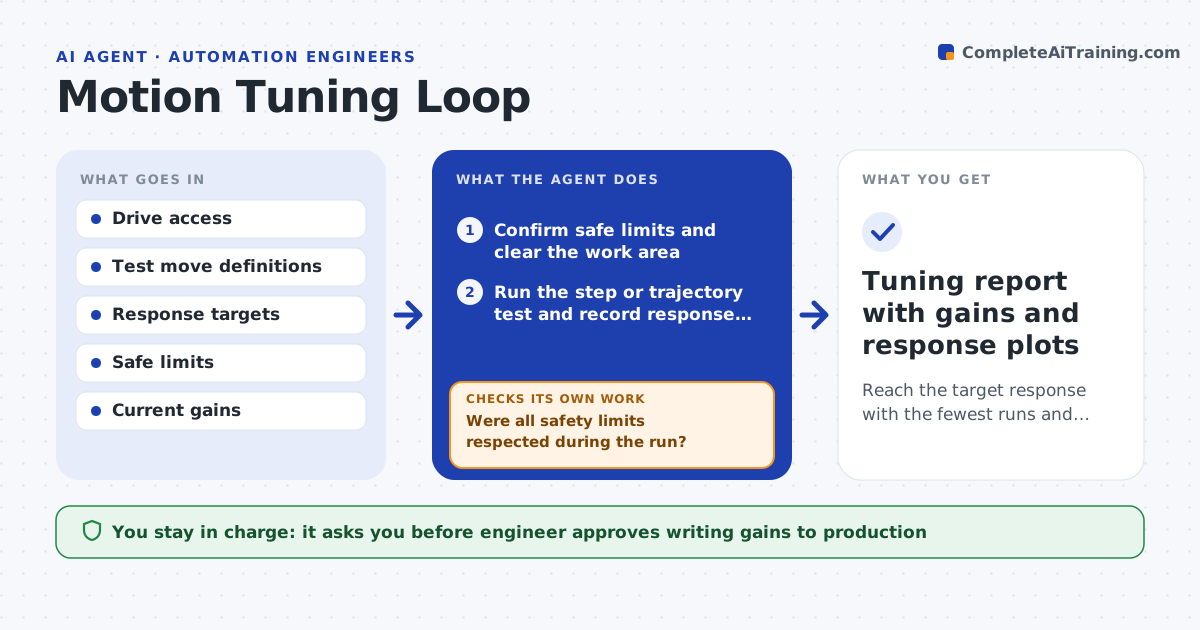
Reach the target response with the fewest runs and without leaving safe limits
What it does
Tuning a drive by hand means changing a gain, running a move, looking at the trace and guessing again. This agent runs that loop under safe limits. It runs a step or trajectory test, reads the response data, and computes overshoot, rise time, settling time and steady-state error. It compares them with the targets, proposes new gains using the pattern in the response, and runs again. Every run stays inside limits for current, speed, position and vibration, and the agent aborts if one is crossed. It stops when the targets are met or the run budget is used. The engineer approves any value written to the production controller. Edge case: higher gain cuts settling time but excites a resonance, so the agent backs off and adds a notch filter option.
How it works
Follow the arrows from top to bottom. The orange dashed arrow is the loop: when a check fails, the agent goes back and tries again.
Read the steps as a list
- Tuning session requested
- Confirm safe limits and clear the work area
- Run the step or trajectory test and record response data
- Compute overshoot, rise time, settling time and error
- Were all safety limits respected during the run?If not: abort, lower the gains to the last safe set, and restart. Back to step 2.
- Are all targets met?If not: propose new gains from the response shape and run again, within the run budget. Back to step 3.
- Run a repeat test with a different load or move to confirm
- Engineer approves writing gains to the production controllerThe agent waits here for your OK.
- Write gains and record the old set for rollback
- Tuning report with gains and response plots
How it decides
It adjusts one or two gains per run by an amount based on the measured error and stops increasing a gain as soon as vibration or overshoot passes the limit.
- Abort any run when vibration or current crosses its limit
- Reduce the proportional gain by 20% when overshoot exceeds the target
- Stop raising a gain when a resonance peak appears
- Limit the session to 25 runs
Make it yours
Every agent is a starting point. You choose these settings for your own situation.
- Targets for overshoot and settling
- Safe limits per axis
- Run budget (default 25)
- Test move type
- Rollback gain set
What keeps you in control
It always asks you first
- Engineer approves writing gains to production
- Safety lead approves limit changes
Hard limits
- Never exceed the safe limits to speed up tuning
- Never write gains to production without approval
It stops when
- Done: targets are met on two different tests
- Stop: the run budget is used or a mechanical issue is found
Set it up
We guide you through the set-up, step by step
Members get the full set-up guide for this agent. No technical skills needed: you copy, paste and upload.
- One set of instructions to paste into your AI, with the clicks for ChatGPT, Claude, Microsoft 365 Copilot, Gemini and Grok
- The agent then walks you through connecting your own data, one source at a time
- A downloadable copy with the flow chart, the rules and the full guide