AI agent for academic advisors
Multi-Term Course Plan Agent
A valid term-by-term plan to graduation
What it does
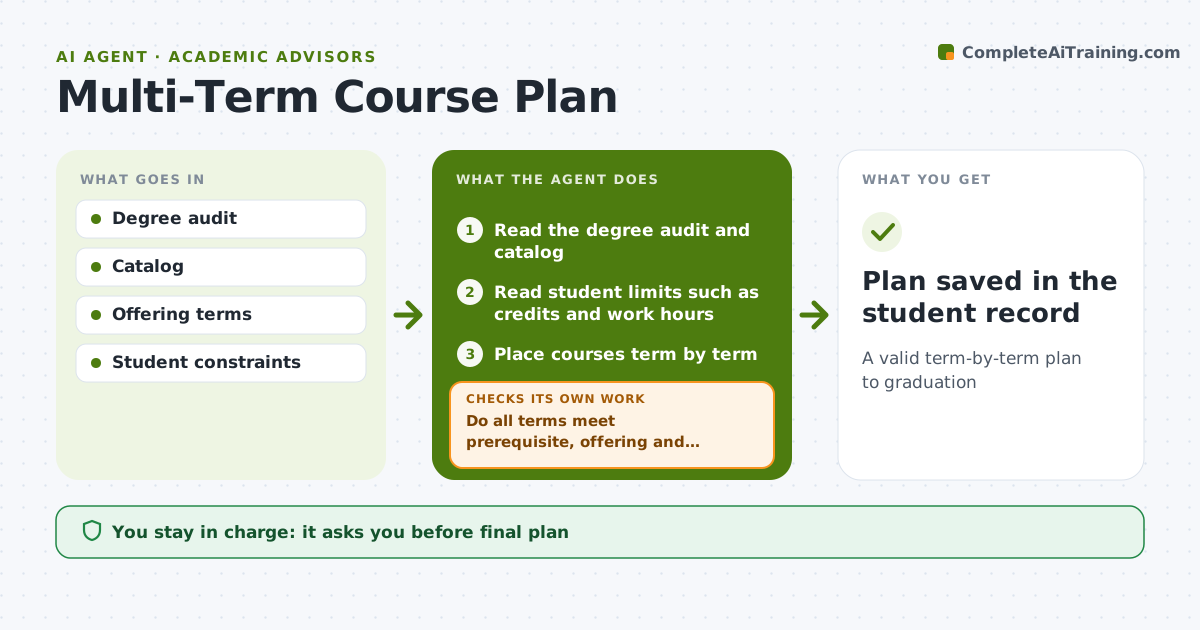
Students need a realistic plan from now to graduation, and building one by hand means juggling prerequisites and offering terms. This agent takes the degree audit, the course catalog with prerequisites and offering terms, and the student's constraints, such as part-time status or work hours. It drafts a term-by-term plan. It then checks each term for prerequisite order, credit limits and courses offered only in some terms. If a term fails, it moves the course to a valid term and checks again. The advisor reviews the plan with the student and approves the final version. When grades or the major change, the agent updates the plan. Edge case: a course whose prerequisite the student failed is flagged, so the retake is planned first.
How it works
Follow the arrows from top to bottom. The orange dashed arrow is the loop: when a check fails, the agent goes back and tries again.
Read the steps as a list
- Plan requested
- Read the degree audit and catalog
- Read student limits such as credits and work hours
- Place courses term by term
- Do all terms meet prerequisite, offering and credit rules?If not: move the course to a valid term and re-check. Back to step 4.
- Prepare the plan for review
- Advisor reviews plan with the studentThe agent waits here for your OK.
- Plan saved in the student record
How it decides
Courses are placed by prerequisite order and offering term within credit limits.
- Respect prerequisite chains
- Fall-only and spring-only courses placed first
- Credit cap per term from student status
Make it yours
Every agent is a starting point. You choose these settings for your own situation.
- Credit limits
- Summer terms allowed
- Catalog year
- Plan format
What keeps you in control
It always asks you first
- Final plan
Hard limits
- No registration actions
It stops when
- Done: plan saved
- Stop: graduation date not reachable, discuss options
Set it up
We guide you through the set-up, step by step
Members get the full set-up guide for this agent. No technical skills needed: you copy, paste and upload.
- One set of instructions to paste into your AI, with the clicks for ChatGPT, Claude, Microsoft 365 Copilot, Gemini and Grok
- The agent then walks you through connecting your own data, one source at a time
- A downloadable copy with the flow chart, the rules and the full guide