AI agent for account executives
Mutual Close Plan Tracking Agent
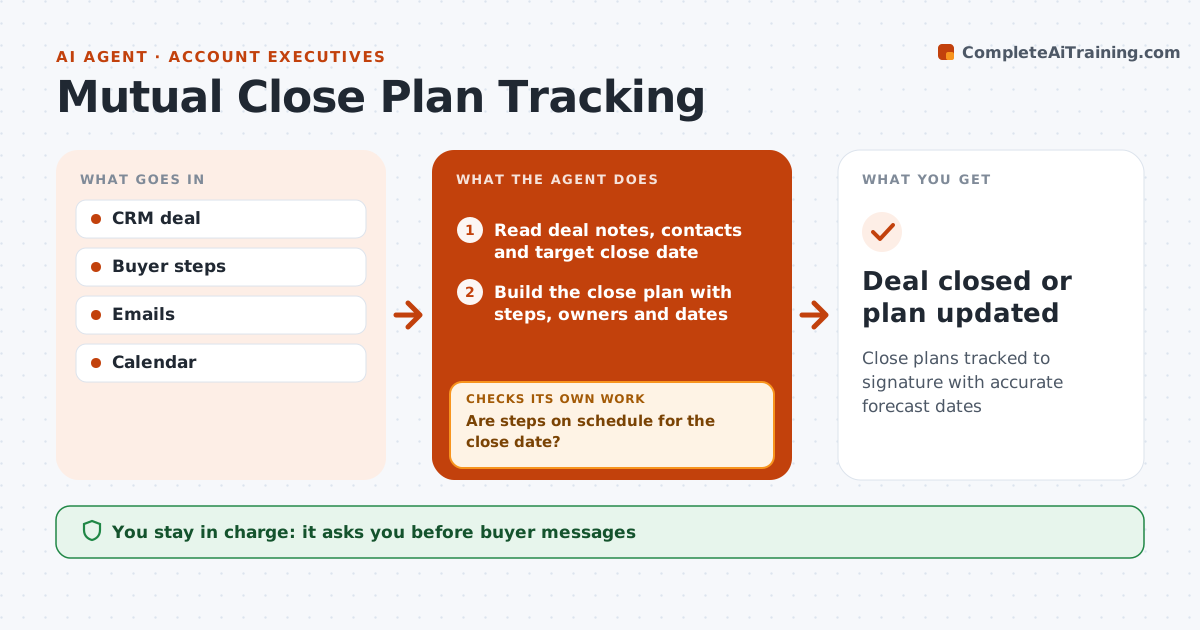
Close plans tracked to signature with accurate forecast dates
What it does
Complex deals need steps on both sides, such as security review, legal, procurement and sign-off, and one forgotten step can push a deal into next quarter. When a deal reaches proposal stage, this agent reads the deal notes, contacts and target close date, and builds a close plan with each step, its owner and date. The account executive approves sharing the plan with the buyer. The agent then tracks progress from emails and meetings each week. When a step slips more than five days, it flags it, drafts a message to the buyer contact and suggests a way to recover, such as sending the security pack early. It then checks whether the forecast close date still fits; if not, it suggests a new date. The account executive approves every message and forecast change. Edge case: when the buyer adds a new approver, the agent adds their steps to the plan.
How it works
Follow the arrows from top to bottom. The orange dashed arrow is the loop: when a check fails, the agent goes back and tries again.
Read the steps as a list
- Deal reaches proposal stage
- Read deal notes, contacts and target close date
- Build the close plan with steps, owners and dates
- AE approves sharing the plan with the buyerThe agent waits here for your OK.
- Track steps from emails and meetings
- Are steps on schedule for the close date?If not: draft a nudge to the step owner and a revised date for the AE. Back to step 5.
- AE approves messages and forecast changesThe agent waits here for your OK.
- Deal closed or plan updated
How it decides
It compares step dates with the close date and flags slips.
- Slips over 5 days flagged
- New approvers add steps
- Close date updated when plan does not fit
Make it yours
Every agent is a starting point. You choose these settings for your own situation.
- Steps template
- Slip threshold
- Message tone
- CRM fields
What keeps you in control
It always asks you first
- Buyer messages
- Forecast changes
Hard limits
- Never sends messages
- No pricing changes
It stops when
- Done: signed
- Stop: deal lost
Set it up
We guide you through the set-up, step by step
Members get the full set-up guide for this agent. No technical skills needed: you copy, paste and upload.
- One set of instructions to paste into your AI, with the clicks for ChatGPT, Claude, Microsoft 365 Copilot, Gemini and Grok
- The agent then walks you through connecting your own data, one source at a time
- A downloadable copy with the flow chart, the rules and the full guide