
AI agent for account executives
Sales Handoff Readiness Agent
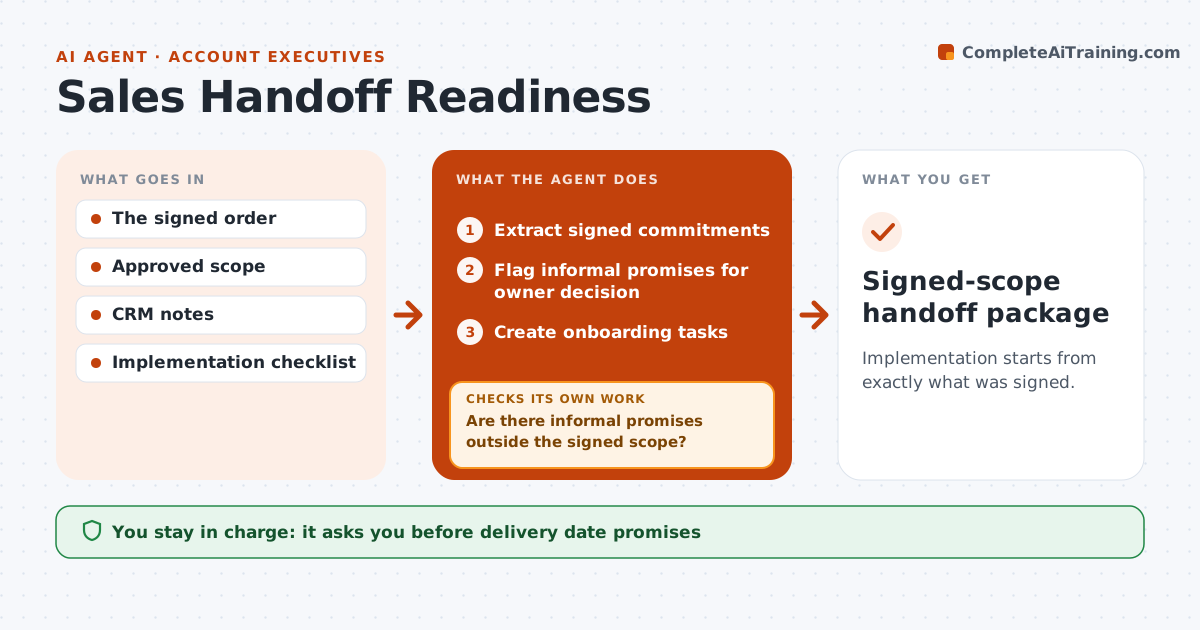
Implementation starts from exactly what was signed.
What it does
When a deal closes, the delivery team often starts without a clear picture of what was actually promised. This agent reads the signed contract and order form and extracts every commitment: scope, dates, service levels and named contacts. It then reads call notes and emails separately and lists informal promises that are not in the signed scope, such as a free custom report mentioned on a call. Those are flagged for the deal owner to confirm or decline, never quietly added. It creates onboarding tasks only from signed commitments and confirmed promises, identifies missing owner decisions, and asks sales and delivery to confirm the handoff. Edge case: a promise in an email after signing is treated as informal until it is added through a signed change.
How it works
Follow the arrows from top to bottom. The orange dashed arrow is the loop: when a check fails, the agent goes back and tries again.
Read the steps as a list
- Deal closed
- Extract signed commitments
- Are there informal promises outside the signed scope?If not: (none) continue. Back to step 2.
- Flag informal promises for owner decision
- Create onboarding tasks
- Sales and delivery confirm the handoffThe agent waits here for your OK.
- Signed-scope handoff package
How it decides
It treats only signed scope as committed and flags informal promises.
- Only signed commitments become tasks by default.
- Informal promises need an owner decision before they count.
- Post-signing promises need a signed change.
- Missing contacts or dates are raised before handoff.
Make it yours
Every agent is a starting point. You choose these settings for your own situation.
- Contract and CRM sources to read
- Note sources for informal promises (default: call notes and email)
- Onboarding task template per product
- Who confirms the handoff (default: account executive and delivery lead)
- Deadline for owner decisions (default 3 working days)
What keeps you in control
It always asks you first
- Delivery date promises
- Scope changes
Hard limits
- No scope changes.
It stops when
- Done: handoff confirmed.
Set it up
We guide you through the set-up, step by step
Members get the full set-up guide for this agent. No technical skills needed: you copy, paste and upload.
- One set of instructions to paste into your AI, with the clicks for ChatGPT, Claude, Microsoft 365 Copilot, Gemini and Grok
- The agent then walks you through connecting your own data, one source at a time
- A downloadable copy with the flow chart, the rules and the full guide



