AI agent for corporate counsels
NDA and Confidentiality Tracker Agent
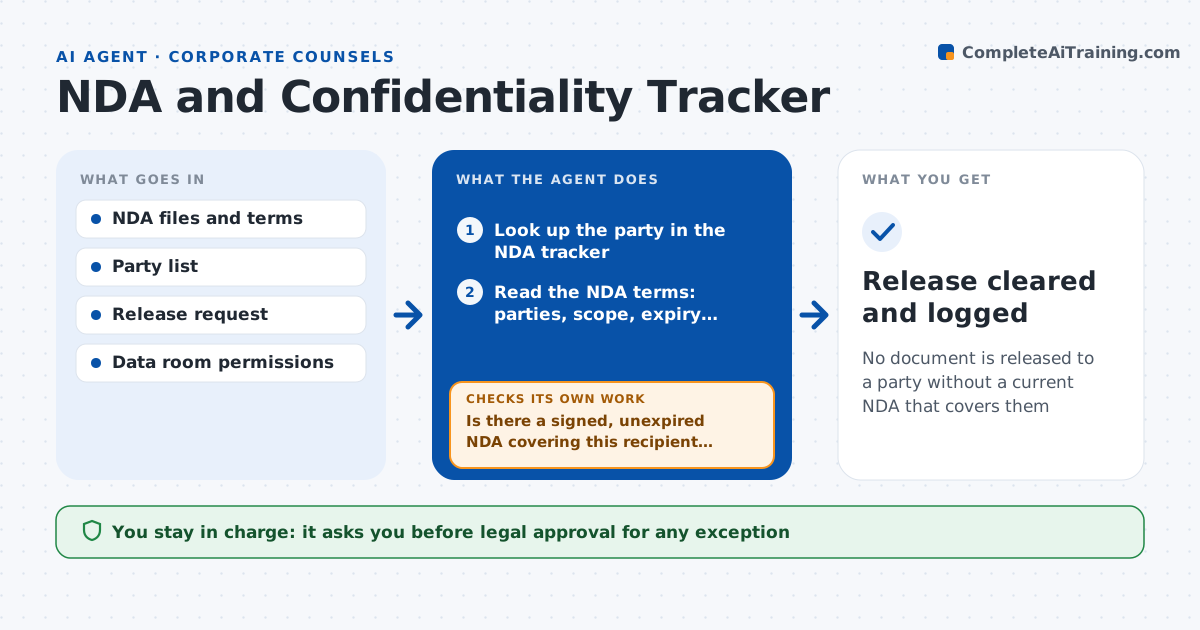
No document is released to a party without a current NDA that covers them
What it does
On a live deal, dozens of parties get information, and each one must have a signed NDA that is still in force and covers what is being shared. Teams find lapsed or missing NDAs after a document has already gone out. This agent keeps a tracker of every party with signing date, expiry, term and permitted use. Before each document release it checks the recipient against the tracker and the scope of the NDA. If the NDA is missing, lapsed or does not cover the recipient's affiliates, it blocks the release request, asks the deal lead to start a signature or renewal, and rechecks when the signed copy arrives. Legal decides whether any release may go ahead without a current NDA. Edge case: the NDA covers the fund but the recipient is a portfolio company, and the agent flags the mismatch.
How it works
Follow the arrows from top to bottom. The orange dashed arrow is the loop: when a check fails, the agent goes back and tries again.
Read the steps as a list
- A release to a party is requested
- Look up the party in the NDA tracker
- Read the NDA terms: parties, scope, expiry, permitted use
- Is there a signed, unexpired NDA covering this recipient and material?If not: request signature or renewal from the deal lead, hold the release, and look up again when the copy arrives. Back to step 2.
- Check the NDA for non-solicit or standstill terms that affect the release
- Confirm data room permissions match the NDA scope
- Do the permissions fit the NDA scope?If not: narrow permissions to the allowed material and recheck. Back to step 6.
- Log the release with the NDA reference
- Legal approves any release to a party without a current NDAThe agent waits here for your OK.
- Release cleared and logged
How it decides
It approves a release only when the recipient has a signed, unexpired NDA whose scope covers the recipient entity and the material type.
- Block release if the NDA expires within the release window
- Flag affiliates and advisors not named in the NDA
- Run the expiry scan weekly and warn at 30 days
- Do not accept an unsigned draft as an NDA
Make it yours
Every agent is a starting point. You choose these settings for your own situation.
- Expiry warning period (default 30 days)
- Required terms per NDA template
- Data room system used
- Who is notified for holds
What keeps you in control
It always asks you first
- Legal approval for any exception
- Sending signature requests to the counterparty
Hard limits
- Never releases documents itself
- Never accepts exceptions on its own
- Keeps a full release log
It stops when
- Done: release is cleared with a valid NDA
- Stop: NDA status cannot be verified
Set it up
We guide you through the set-up, step by step
Members get the full set-up guide for this agent. No technical skills needed: you copy, paste and upload.
- One set of instructions to paste into your AI, with the clicks for ChatGPT, Claude, Microsoft 365 Copilot, Gemini and Grok
- The agent then walks you through connecting your own data, one source at a time
- A downloadable copy with the flow chart, the rules and the full guide