AI agent for network engineers
Network Change Validation Agent
Network changes checked for side effects with a rollback before they go live
What it does
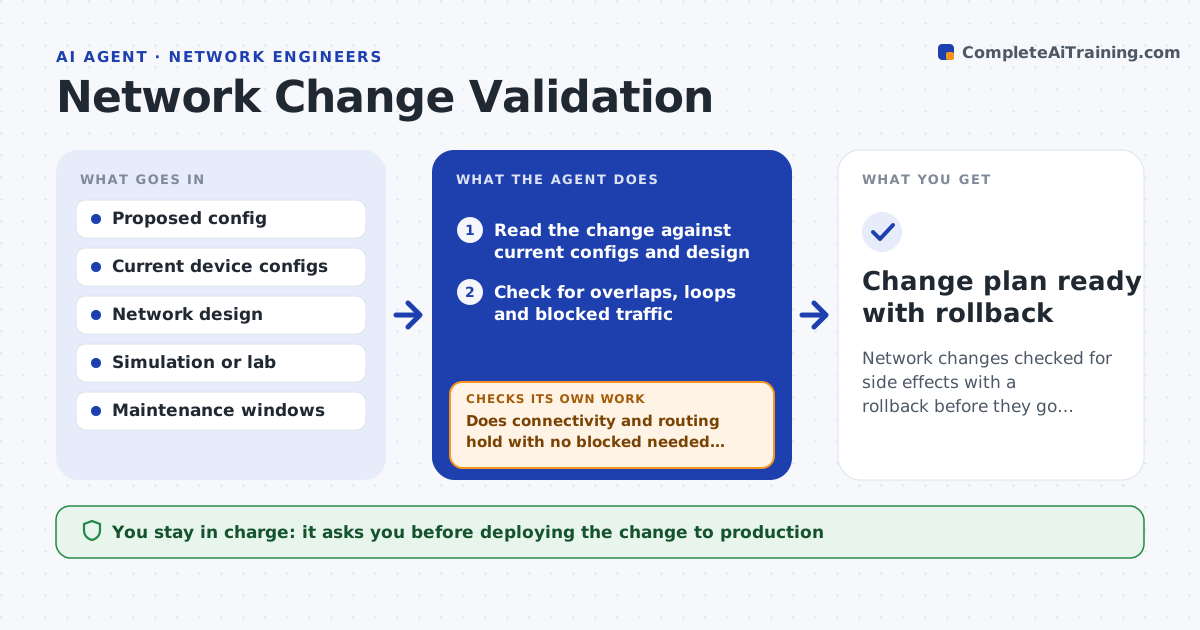
Network changes are risky: one wrong line can cut off a whole site. Before a change, this agent reads the proposed configuration against current device configs and the network design. It checks for common problems such as overlapping address ranges, routing loops, rules that block needed traffic and removed access. Where possible, it tests the change in a simulation or lab against the current state and reads which traffic flows would drop. It lists each risk with the affected devices and users and proposes a fix, then reruns the test. It drafts a rollback and a step-by-step change plan with a verification test for after the change. You approve the change going to production. Edge case: a change to a critical link planned for business hours is flagged to move to a maintenance window.
How it works
Follow the arrows from top to bottom. The orange dashed arrow is the loop: when a check fails, the agent goes back and tries again.
Read the steps as a list
- Network change proposed
- Read the change against current configs and design
- Check for overlaps, loops and blocked traffic
- Test the change in simulation against current state
- Does connectivity and routing hold with no blocked needed traffic?If not: list each risk and affected devices, and revise the change. Back to step 2.
- Draft a rollback and a timed change plan
- Network lead approves the changeThe agent waits here for your OK.
- Change plan ready with rollback
How it decides
It blocks a change that would break connectivity or routing in simulation and requires a rollback and a verification test for every change.
- Block changes that break connectivity in simulation
- Require a rollback for every change
- Move critical-link changes to a maintenance window
Make it yours
Every agent is a starting point. You choose these settings for your own situation.
- Checks to always run
- Simulation or lab to use
- Maintenance windows
- Verification tests after change
What keeps you in control
It always asks you first
- Deploying the change to production
Hard limits
- Never pushes a config to production itself
- Always produces a rollback
It stops when
- Done: change validated with rollback
- Stop: current configs are unavailable
Set it up
We guide you through the set-up, step by step
Members get the full set-up guide for this agent. No technical skills needed: you copy, paste and upload.
- One set of instructions to paste into your AI, with the clicks for ChatGPT, Claude, Microsoft 365 Copilot, Gemini and Grok
- The agent then walks you through connecting your own data, one source at a time
- A downloadable copy with the flow chart, the rules and the full guide