AI agent for network administrators
Network Firmware Rollout Agent
Devices upgraded in safe waves with tested health after each step
What it does
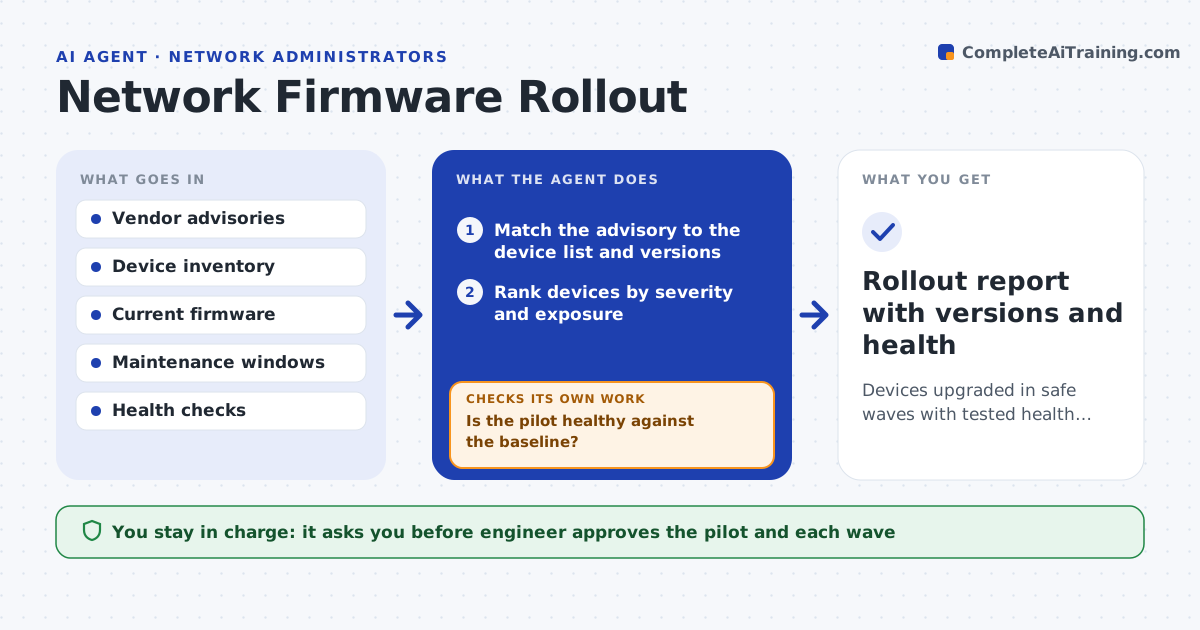
Firmware updates are delayed because of risk and manual scheduling. This agent checks vendor advisories against your device list to see which devices are affected and how serious each issue is. It picks a small pilot group and upgrades it in a window you approve. It checks device health afterward, such as links up, errors and traffic. If the pilot fails, it stops and rolls back. If it passes, it prepares the next wave. The engineer approves each wave. Edge case: one switch is a single point of failure for a site, so the agent places it in the last wave with a spare ready.
How it works
Follow the arrows from top to bottom. The orange dashed arrow is the loop: when a check fails, the agent goes back and tries again.
Read the steps as a list
- Vendor advisory arrives
- Match the advisory to the device list and versions
- Rank devices by severity and exposure
- Choose a small pilot group and plan waves
- Engineer approves the pilot and each waveThe agent waits here for your OK.
- Upgrade the pilot group in the window
- Check links, errors and traffic after the upgrade
- Is the pilot healthy against the baseline?If not: stop the rollout and roll back the pilot. Back to step 6.
- Is each later wave healthy against the baseline?If not: stop, roll back that wave and report. Back to step 6.
- Rollout report with versions and health
How it decides
Priority comes from severity and exposure. A wave proceeds only if the earlier one passes its health checks.
- Upgrade critical and exposed devices first
- Pilot on non-critical devices
- Stop and roll back on any failed health check
- Put single points of failure in the last wave
Make it yours
Every agent is a starting point. You choose these settings for your own situation.
- Pilot size (default: 4 devices)
- Health checks
- Maintenance windows
- Wave order rules
What keeps you in control
It always asks you first
- Engineer approves the pilot and each wave
Hard limits
- Never upgrades without approval
- Never upgrades two redundant devices at once
It stops when
- Done: all affected devices are upgraded and healthy
- Stop: the pilot fails and the rollback is complete
Set it up
We guide you through the set-up, step by step
Members get the full set-up guide for this agent. No technical skills needed: you copy, paste and upload.
- One set of instructions to paste into your AI, with the clicks for ChatGPT, Claude, Microsoft 365 Copilot, Gemini and Grok
- The agent then walks you through connecting your own data, one source at a time
- A downloadable copy with the flow chart, the rules and the full guide