AI agent for midwifes
New Client Intake and Eligibility Agent
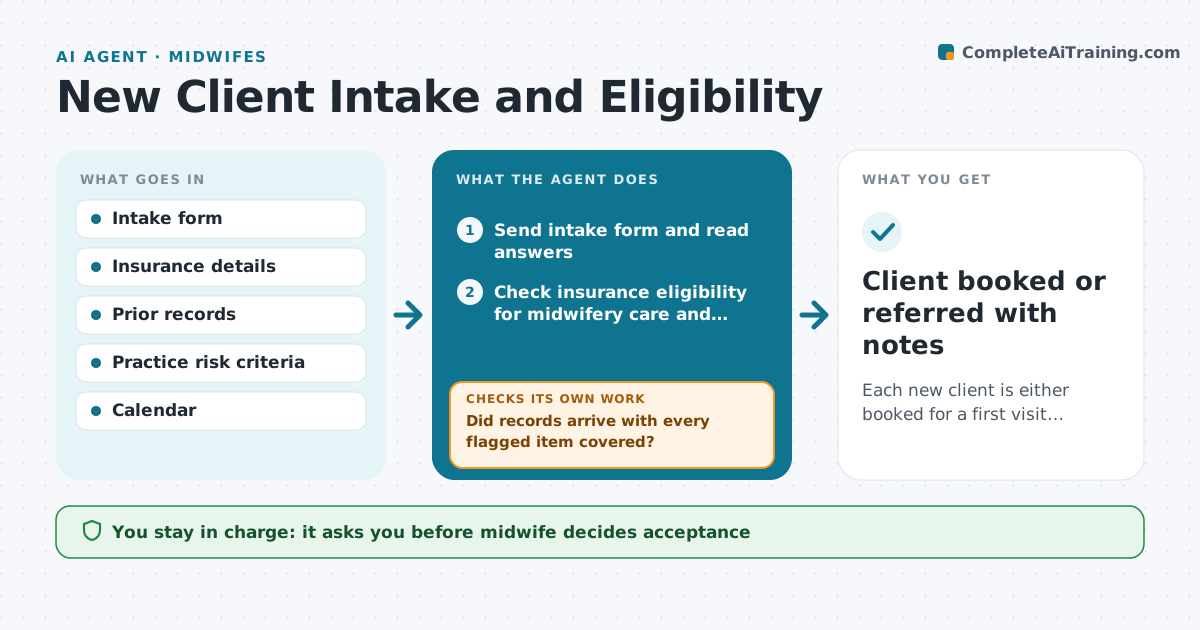
Each new client is either booked for a first visit with complete records or referred with a clear reason
What it does
When a pregnant person asks to join the practice, the midwife needs to know if they are a good fit and whether insurance will cover care. This agent handles intake from inquiry to first visit. It sends the intake form, reads the answers, and checks insurance eligibility for midwifery and the planned birth setting. It requests prior records and screens the history against the practice's risk criteria for out-of-hospital birth. Anything that may rule out home or birth-center care goes to the midwife, never to the client. After records arrive, it checks for gaps, such as missing prior cesarean details, and asks again. The midwife decides on acceptance. Edge case: a client with a previous cesarean needs the operative report before the midwife can consider care, so the agent does not offer a booking until it arrives.
How it works
Follow the arrows from top to bottom. The orange dashed arrow is the loop: when a check fails, the agent goes back and tries again.
Read the steps as a list
- New client inquiry received
- Send intake form and read answers
- Check insurance eligibility for midwifery care and birth setting
- Screen history against practice risk criteria
- Request records from prior providers
- Did records arrive with every flagged item covered?If not: send a second request naming the missing document. Back to step 5.
- Midwife decides to accept, discuss or referThe agent waits here for your OK.
- Draft welcome or referral message
- Is the first visit booked within the target week?If not: offer the next open slots and follow up. Back to step 8.
- Client booked or referred with notes
How it decides
It compares history items to the practice risk criteria and payer coverage, and holds booking until required records for any flagged item arrive.
- Prior cesarean, twins or breech history require records before booking
- Out-of-network coverage triggers a self-pay estimate
- Clients past 28 weeks are flagged for same-week midwife review
- Second records request goes after 7 days
Make it yours
Every agent is a starting point. You choose these settings for your own situation.
- Practice risk criteria list
- Days before second records request (default 7)
- Target time from inquiry to first visit (default 2 weeks)
- Insurance plans accepted
What keeps you in control
It always asks you first
- Midwife decides acceptance
- Midwife approves referral messages
Hard limits
- Never tells a client they are ineligible
- Never books before the midwife accepts
- Keeps health data in the practice system only
It stops when
- Done: client booked or referred
- Stop: client withdraws or no reply after 3 contacts
Set it up
We guide you through the set-up, step by step
Members get the full set-up guide for this agent. No technical skills needed: you copy, paste and upload.
- One set of instructions to paste into your AI, with the clicks for ChatGPT, Claude, Microsoft 365 Copilot, Gemini and Grok
- The agent then walks you through connecting your own data, one source at a time
- A downloadable copy with the flow chart, the rules and the full guide