
Learning path
Learning AI as a Medical Assistant
This path shows medical assistants how to use AI for patient messages, notes, checklists, and billing. You start with setup, connect your AI tool, then work through prompts made for your daily tasks.

Your path
Everything in the Medical Assistant AI kit, in the order that makes sense. Members tick off each step and see their progress.
Set up your AI
We guide you through each click.
Let skills do your everyday tasks
Connect your apps and pick your AI apps
Hand whole tasks to AI agents
Build your own tools
Keep growing
Everything for medical assistants
All the courses, certifications, AI tools, MCP servers and apps for medical assistants, most relevant first. Open any list to see more.
Take the prompt courses
A short framework course to learn how to ask, then 8 lessons with ready-to-use prompts for medical assistants.
Start with this framework: how to talk to AI
CARE fits your medical assistant role because charting a patient visit with context, action, result, and example sets the standard.
Then your prompt course for medical assistants- 1Patient Communication Basics4 prompts
- 2Clinical Documentation Support3 prompts
- 3Exam Room and Procedure Preparation3 prompts
- 4Patient Education and Follow-Up3 prompts
- 5Insurance and Billing Assistance3 prompts
- 6Scheduling and Front Desk Support3 prompts
- 7Supply and Inventory Management3 prompts
- 8Troubleshooting and Workflow Improvement3 prompts
Watch the video courses or add them to your Favorites for later
86 video courses our AI picked for medical assistants, most useful first. Save the ones you want to watch later with the heart.
Favorites are saved to your account: sign in or get your AI kit first.
Show all 86 video courses
Get certified, or add certifications to your Favorites
Every course ends in an exam and a certificate you can add to LinkedIn. Save the certifications you are aiming for with the heart.
Favorites are saved to your account: sign in or get your AI kit first.
More certifications for medical assistantsShow all 24 certifications
Try the AI tools for medical assistants
19 AI tools our AI matched to the work of medical assistants, best fit first. Each review shows what it does, its alternatives and the jobs it suits.
Favorites are saved to your account: sign in or get your AI kit first.
Show all 19 AI tools
Connect your AI to the apps medical assistants use
MCP servers let ChatGPT, Claude or Copilot look things up and get work done in other apps, like your email, calendar or bookkeeping software. These 9 fit the work of medical assistants best, well-known apps first.

Practice Fusion MCP server
by kushaimLets your AI look up patients, visits, medications and lab results in a Practice Fusion health record.

Temporal Cortex MCP server
by temporal-cortexLet your AI check calendars, find free slots, and book meetings without double-booking.
ProductivityMeetingsNo install
Lucairn privacy gateway MCP server
by DecladeLets your AI clean personal data out of your prompts before they reach the model, and hand you a signed proof of what was removed.

Redact PDF MCP server
by dambuchsLets your AI permanently remove names, emails, phone numbers and other personal data from PDFs and images.

Anonymize MCP server
by Buggy1111Let your AI hide names, IDs and bank details in documents, translate between eight languages, and fix Czech spelling.

Nutrient DWS MCP server
by PSPDFKitLet your AI merge, convert, redact, sign, and read PDFs and Office documents for you.
Show all 9 MCP servers

Verity MCP server
by meloliva14Lets your AI fact-check claims, spot prompt-injection, catch private data, and pause risky actions before they happen.

ezpzfile MCP server
by ezpzfileLets your AI read and convert documents, edit PDFs, clean up images, and make QR codes, all on your own computer.
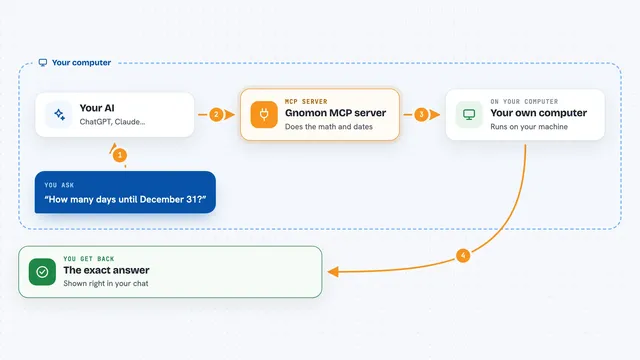
Gnomon MCP server
by lihtnessGives your AI a reliable calculator and calendar so dates, math, and unit conversions stop being guesses.
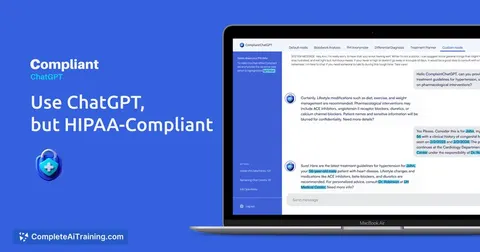
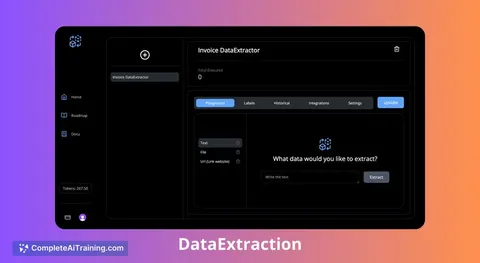
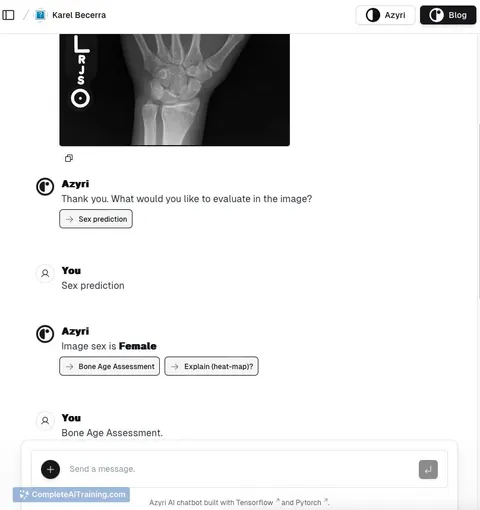
Build your own AI apps for medical assistants
Apps you build yourself with your own AI, no coding needed and no monthly fee. Our AI picked the 2 that fit the work of medical assistants.




















































































About this learning path
7 topicsAI skills for medical assistants, step by step
Medical assistants do a little of everything: patient care, paperwork, scheduling, and supplies. This learning path helps you use AI to handle those tasks faster and with less stress, so you can focus on the people in front of you.
You will set up your AI tool, learn how to connect it to your work, and practice with prompts built for your job. The path also includes video courses chosen for medical assistants and the certificates that come with them.
Why AI matters now
Medical assistants juggle patient care, paperwork, and scheduling all day. AI can help you draft messages, organize notes, and prepare rooms faster, so you can focus on the person in front of you.
Clinics are starting to use these tools, and knowing how to work with them keeps you ready. It also shows your employer that you can adapt to new ways of working.
What the path includes
You begin with setup questions to get your AI tool ready. Then you connect your AI and learn skills for your job inside it.
The path includes this prompt course, plus video courses picked for medical assistants and the certifications that come with them. Everything is built around tasks you already do.
Video courses and certificates
The video courses are chosen for the tasks you handle every day, like patient communication and clinical documentation. Each course comes with a certificate you can add to your resume or share with your manager.
They are short and practical, so you can finish one during a lunch break. You can watch them in any order that fits your schedule.
How it saves you time
You will learn prompts that turn rough notes into clear documentation and patient instructions into friendly summaries. Scheduling changes, insurance letters, and supply lists become quicker to draft.
The time you save goes back into patient care or into leaving work on time. Small changes add up over a week.
How it protects your career
As clinics adopt AI, they need staff who can use it safely and well. This path teaches you to check AI output, protect patient privacy, and follow your clinic's rules.
That makes you a valuable team member who can train others. It also keeps your skills current as the job changes.
How to start
Start with the setup questions and connect your AI tool. Then work through the prompt course lesson by lesson.
Pick one task this week, like drafting patient messages, and try the prompt. Small steps build confidence.
Frequently asked questions
Do I need technical skills to start?
No. The path is made for medical assistants who are not technical. You will be guided step by step, and every prompt comes with examples you can copy and adjust.How long does the path take?
You can move at your own pace. Most people finish the prompt course in a few sittings and then explore the video courses when they have time. There is no deadline.Is it safe to use AI with patient information?
You should never put patient names or private details into a public AI tool. The course teaches you how to work with de-identified information and follow your clinic's privacy rules. Always check your employer's policy first.What if I get stuck or have a question?
Each lesson includes clear instructions and examples. If you need help, you can revisit the setup questions or ask a colleague who has taken the path. You can also practice with the prompts until they feel natural.