AI agent for category managers
New Item Performance Review Agent
Review each new item at 6, 13 and 26 weeks against forecast and similar launches, and recommend keep, fix or delist
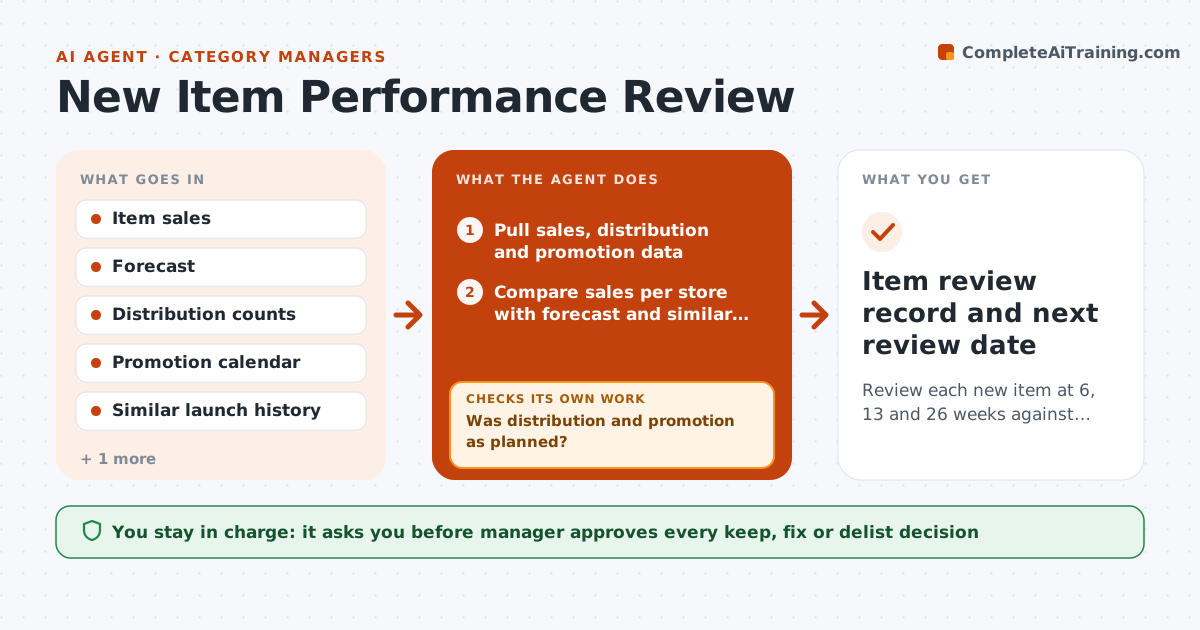
What it does
Weak new items stay on shelf for a year because nobody reviews them. At 6, 13 and 26 weeks the agent compares each new item's sales with the forecast and with similar launches. It checks whether distribution was complete and whether promotions ran as planned, because low sales may be a supply problem. It then recommends keep, fix or delist, with the evidence. If it suggests a delist, it rechecks the causes first, such as out-of-stocks or poor placement. It tracks agreed actions to the next review. The manager approves each decision. Edge case: an item sells 40% below forecast but was missing from half of stores, so the agent recommends a fix.
How it works
Follow the arrows from top to bottom. The orange dashed arrow is the loop: when a check fails, the agent goes back and tries again.
Read the steps as a list
- Review date arrives
- Pull sales, distribution and promotion data
- Compare sales per store with forecast and similar launches
- Was distribution and promotion as planned?If not: Adjust the comparison for the gaps and rerun. Back to step 2.
- Classify the item as keep, fix or delist candidate
- Test causes for weak items: stock, placement, price, awareness
- Do the causes explain the shortfall?If not: Check more data before recommending delist. Back to step 6.
- Write the recommendation with evidence
- Manager approves keep, fix or delistThe agent waits here for your OK.
- Item review record and next review date
How it decides
The agent compares sales per point of distribution with similar launches; it will not recommend delisting until distribution and promotion causes are ruled out.
- Compare against the average of the last five similar launches
- Treat sales under 60% of forecast after adjustment as weak
- Do not delist before week 13 unless supply was complete
- Recommend a fix when a cause is operational
Make it yours
Every agent is a starting point. You choose these settings for your own situation.
- Weak threshold (default 60% of forecast)
- Review weeks (default 6, 13, 26)
- Number of comparison launches (default 5)
- Report format
What keeps you in control
It always asks you first
- Manager approves every keep, fix or delist decision
- Manager approves supplier notices
Hard limits
- Never delist without the manager
- Never judge an item before checking distribution
It stops when
- Done: decision approved and logged
- Stop: data for the item is missing
Set it up
We guide you through the set-up, step by step
Members get the full set-up guide for this agent. No technical skills needed: you copy, paste and upload.
- One set of instructions to paste into your AI, with the clicks for ChatGPT, Claude, Microsoft 365 Copilot, Gemini and Grok
- The agent then walks you through connecting your own data, one source at a time
- A downloadable copy with the flow chart, the rules and the full guide