AI agent for demand planners
New Product Analog Forecast Agent
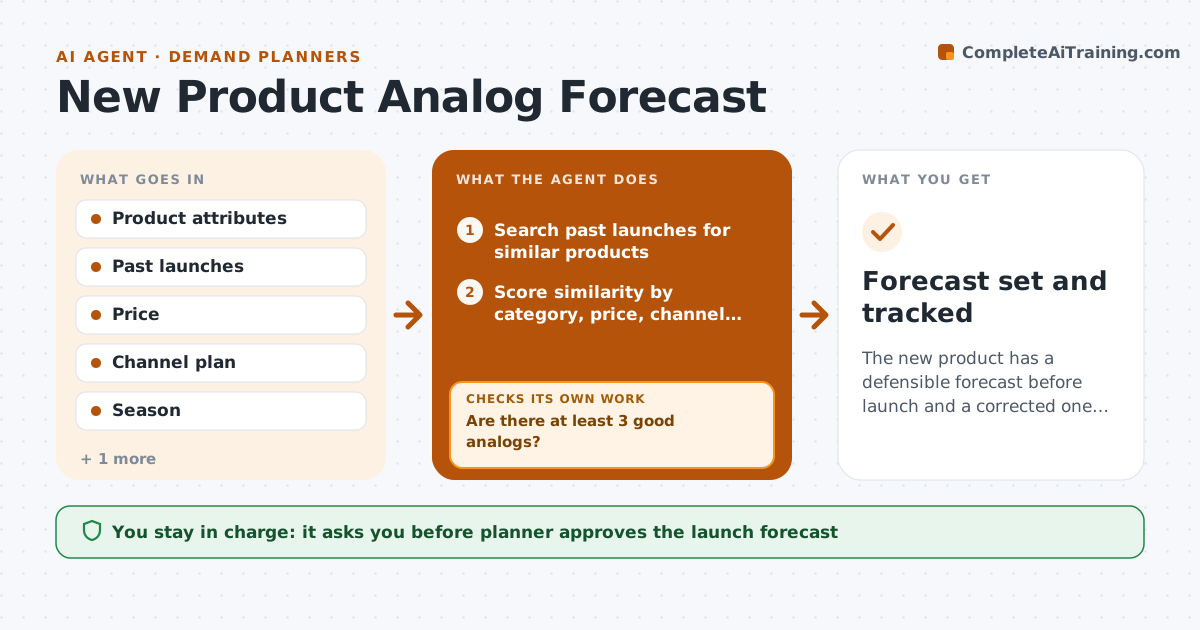
The new product has a defensible forecast before launch and a corrected one within weeks.
What it does
A launch is two months away, and the forecast is a number someone picked in a meeting. This agent finds similar past launches by category, price, channel, season and target customer. It adjusts each analog for differences, such as a higher price or a weaker channel, and builds a forecast curve with a range. After launch, it tracks actual sales in the first weeks and compares them with the curve. If actuals run off the curve, it re-weights the analogs or changes the shape and produces a new forecast. It explains each change in plain words. The planner approves the forecast and each revision. Edge case: the launch coincides with a promotion that the analogs did not have.
How it works
Follow the arrows from top to bottom. The orange dashed arrow is the loop: when a check fails, the agent goes back and tries again.
Read the steps as a list
- New product added to the plan
- Search past launches for similar products
- Score similarity by category, price, channel, season and customer
- Are there at least 3 good analogs?If not: widen the category and time range and rescore. Back to step 2.
- Adjust each analog for price, channel and promotion differences
- Build the forecast curve with a low and high range
- Planner approves the launch forecastThe agent waits here for your OK.
- After launch, pull weekly actual sales
- Are actuals inside the range?If not: re-weight the analogs or reshape the curve and explain the change. Back to step 4.
- Planner approves each revisionThe agent waits here for your OK.
- Forecast set and tracked
How it decides
It picks 3 to 5 analogs scoring highest on similarity and re-weights them when actuals miss the range by 20 percent for two weeks.
- Use 3 to 5 analogs with the highest similarity.
- Revise when actuals miss the range for 2 weeks in a row.
- Adjust for known promotions before comparing.
- Report the range with the single number.
Make it yours
Every agent is a starting point. You choose these settings for your own situation.
- Similarity factors and weights
- Number of analogs (default 3 to 5)
- Revision trigger (default 20 percent for 2 weeks)
- Tracking weeks
What keeps you in control
It always asks you first
- Planner approves the launch forecast
- Planner approves each revision
Hard limits
- Show the analogs behind each forecast
- Do not place purchase orders itself
It stops when
- Done: 8 weeks tracked and forecast stable.
- Stop: no usable analogs, so the planner sets a manual forecast.
Set it up
We guide you through the set-up, step by step
Members get the full set-up guide for this agent. No technical skills needed: you copy, paste and upload.
- One set of instructions to paste into your AI, with the clicks for ChatGPT, Claude, Microsoft 365 Copilot, Gemini and Grok
- The agent then walks you through connecting your own data, one source at a time
- A downloadable copy with the flow chart, the rules and the full guide