
AI agent for manager of sales
New Rep Ramp Tracking Agent
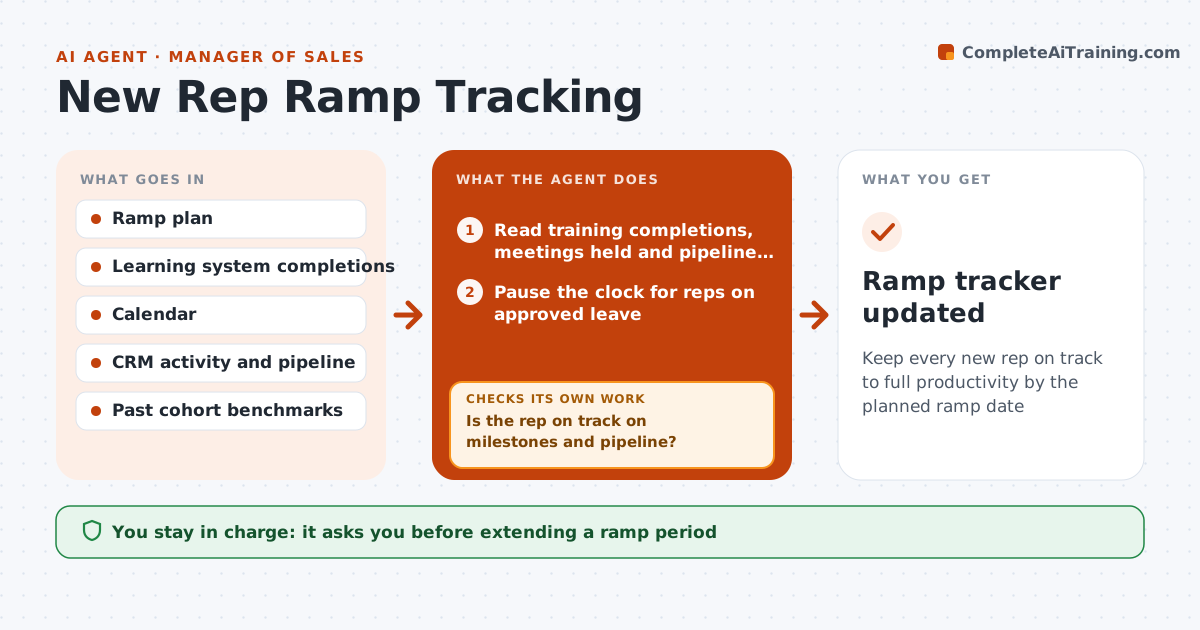
Keep every new rep on track to full productivity by the planned ramp date
What it does
New sales hires follow a ramp plan with training, certifications, shadow calls and first meetings, and falling behind shows up too late. Every week this agent reads each new rep's training completions, meetings held and pipeline from the learning system, calendar and CRM. It compares progress with the ramp plan and with what past successful hires had at the same week. A rep is behind with two late milestones or pipeline under 70% of benchmark. It then finds the likely blocker, such as a missing certification or no accounts assigned, which it treats as a manager action. It drafts a catch-up plan and checks the next week whether the blocker cleared. The ramp clock pauses during approved leave. The manager owns all conversations and decisions about the rep. Edge case: a rep on approved leave has the ramp clock paused.
How it works
Follow the arrows from top to bottom. The orange dashed arrow is the loop: when a check fails, the agent goes back and tries again.
Read the steps as a list
- Weekly ramp review
- Read training completions, meetings held and pipeline for each new rep
- Pause the clock for reps on approved leave
- Compare with the ramp plan and cohort benchmark
- Is the rep on track on milestones and pipeline?If not: identify the blocker and draft a catch-up plan. Back to step 4.
- Draft a weekly ramp summary per rep
- Manager reviews the summary and any catch-up planThe agent waits here for your OK.
- Did the blocker clear by the next week?If not: raise it again with the manager and adjust the plan. Back to step 4.
- Ramp tracker updated
How it decides
A rep is behind when two milestones are late or pipeline is below 70% of the past-cohort benchmark for that week.
- Behind means two late milestones or pipeline under 70% of benchmark
- Pause the ramp clock during approved leave
- Flag missing account assignment as a manager action, not a rep issue
Make it yours
Every agent is a starting point. You choose these settings for your own situation.
- Pipeline benchmark threshold (default 70%)
- Ramp length in days (default 120)
- Milestones in the ramp plan
- Summary format and day
What keeps you in control
It always asks you first
- Extending a ramp period
- Any performance conversation
Hard limits
- Never shares ramp data with peers
- Never sends anything to HR on its own
It stops when
- Done: rep reaches full quota period
- Stop: ramp plan not defined for the role
Set it up
We guide you through the set-up, step by step
Members get the full set-up guide for this agent. No technical skills needed: you copy, paste and upload.
- One set of instructions to paste into your AI, with the clicks for ChatGPT, Claude, Microsoft 365 Copilot, Gemini and Grok
- The agent then walks you through connecting your own data, one source at a time
- A downloadable copy with the flow chart, the rules and the full guide



