AI agent for scrum masters
New Team Member Onboarding Agent
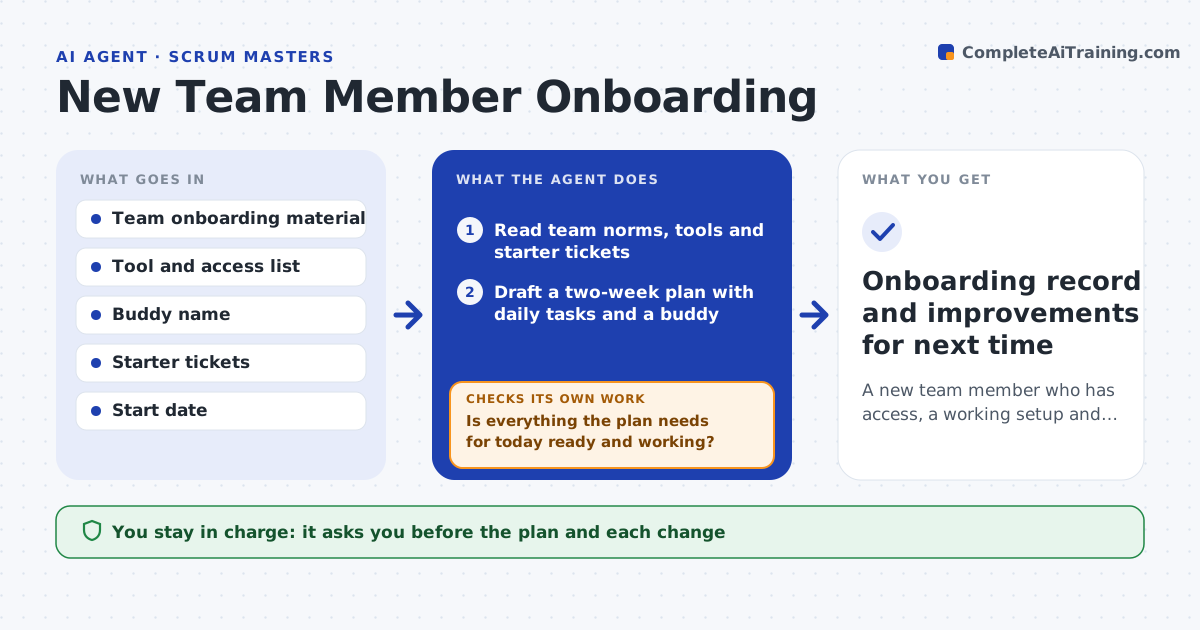
A new team member who has access, a working setup and a first real contribution by the end of week two
What it does
A new teammate loses days waiting for access, finding the right repository or learning how the team works. This agent builds a two-week plan from the team's tools, norms and starter tasks, and shares it with the new person and a buddy. Each day it checks the real status of accounts, repositories, build setup and first tickets. If something is blocked, it raises it with the right owner and moves the plan so the person works on something else. It asks the buddy for short feedback at the end of days 2, 5 and 10, and changes the plan if the person is struggling or moving faster. At the end it checks the plan against what was done and lists gaps. The scrum master approves the plan and any change. Edge case: a security training is late, so the agent swaps in reading tasks.
How it works
Follow the arrows from top to bottom. The orange dashed arrow is the loop: when a check fails, the agent goes back and tries again.
Read the steps as a list
- New person's start date is set
- Read team norms, tools and starter tickets
- Draft a two-week plan with daily tasks and a buddy
- Scrum master approves the planThe agent waits here for your OK.
- Check access, repository, build setup and ticket status each morning
- Is everything the plan needs for today ready and working?If not: raise the blocker with its owner and reorder tasks so the person is not idle. Back to step 5.
- Ask the buddy for short feedback on days 2, 5 and 10
- Does feedback show the person is on track?If not: adjust the pace or add pairing sessions and update the plan. Back to step 5.
- Compare the plan with what was done and list gaps
- Scrum master approves the final plan and notesThe agent waits here for your OK.
- Onboarding record and improvements for next time
How it decides
It moves tasks around blockers and lengthens a step if the person or buddy reports trouble, but never drops required access or training.
- Reorder tasks when an access request is pending over a day
- Add pairing time if the buddy reports two difficult days
- Flag a missing mandatory training in the first week
- Do not assign production work before access is verified
Make it yours
Every agent is a starting point. You choose these settings for your own situation.
- Plan length (default 10 working days)
- Feedback days
- Starter ticket labels
- Tools it checks daily
What keeps you in control
It always asks you first
- The plan and each change
- Final notes on the person
Hard limits
- Never grants access itself
- Does not share feedback about the person outside the scrum master and buddy
It stops when
- Done: person completes the first contribution and plan is closed
- Stop: start date moves or the buddy is unavailable
Set it up
We guide you through the set-up, step by step
Members get the full set-up guide for this agent. No technical skills needed: you copy, paste and upload.
- One set of instructions to paste into your AI, with the clicks for ChatGPT, Claude, Microsoft 365 Copilot, Gemini and Grok
- The agent then walks you through connecting your own data, one source at a time
- A downloadable copy with the flow chart, the rules and the full guide