AI agent for landscape architects
Nursery Plant Sourcing and Substitution Agent
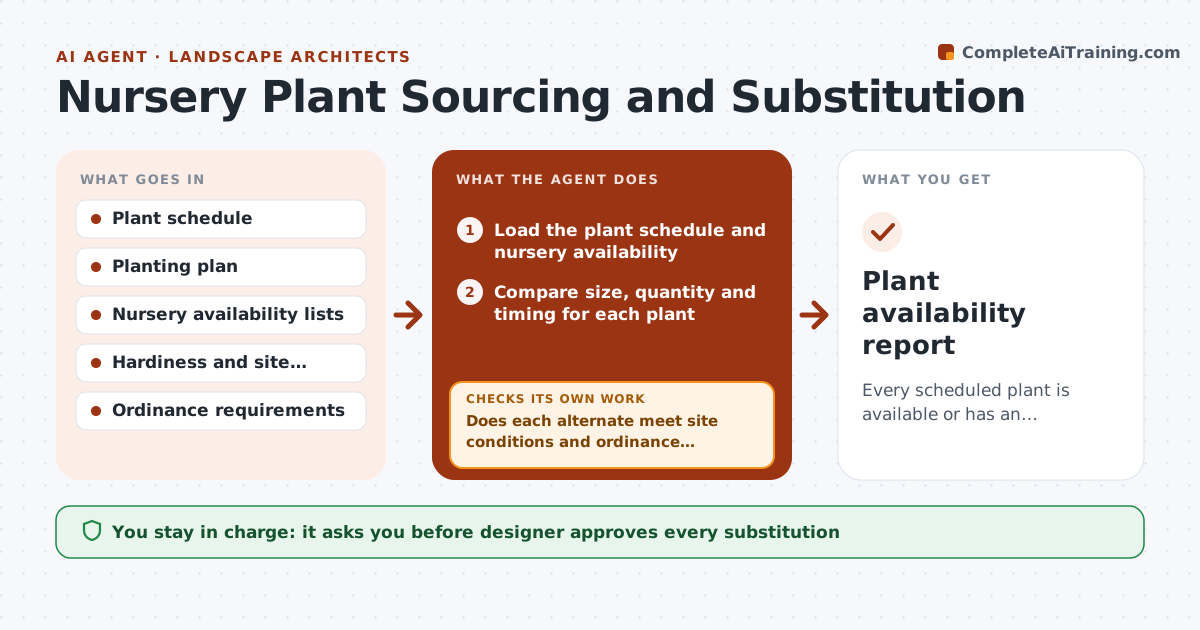
Every scheduled plant is available or has an approved substitution before bid or install.
What it does
Two weeks before bid, the contractor says six of your specified trees are not available in 3 inch caliper. This agent checks the plant schedule early. It compares each scheduled plant with nursery availability for size, quantity and delivery date, and flags shortages. For each shortage, it searches for alternates matching function, hardiness zone, size and look, and checks them against the planting plan and the ordinance requirements. After quotes come in, it rechecks quantity and size. You approve each substitution. Edge case: a substitution that is a different genus than the specification triggers a note to the owner or reviewer.
How it works
Follow the arrows from top to bottom. The orange dashed arrow is the loop: when a check fails, the agent goes back and tries again.
Read the steps as a list
- Plant schedule ready for review
- Load the plant schedule and nursery availability
- Compare size, quantity and timing for each plant
- Flag shortages and long lead items
- Search for alternates by function, hardiness and appearance
- Does each alternate meet site conditions and ordinance rules?If not: Remove the alternate and search for another. Back to step 4.
- Draft the substitution list with reasons
- Designer approves each substitutionThe agent waits here for your OK.
- Update availability after quotes arrive
- Do quoted sizes and quantities now cover the schedule?If not: Flag the remaining shortage and repeat the search. Back to step 3.
- Plant availability report
How it decides
It ranks substitutes by matching function, hardiness, mature size and appearance, then removes any that violate the site or ordinance rules.
- Match hardiness zone and mature size within 20%
- Match the plant's function in the design
- Flag any plant with lead time over 12 weeks
- Notify the owner when changing genus
Make it yours
Every agent is a starting point. You choose these settings for your own situation.
- Hardiness zone
- Size tolerance
- Nursery sources
- Lead time warning
What keeps you in control
It always asks you first
- Designer approves every substitution
Hard limits
- Never order plants or change the plan itself
- Never substitute outside ordinance lists
It stops when
- Done: schedule fully available or substituted
- Stop: no suitable alternate exists
Set it up
We guide you through the set-up, step by step
Members get the full set-up guide for this agent. No technical skills needed: you copy, paste and upload.
- One set of instructions to paste into your AI, with the clicks for ChatGPT, Claude, Microsoft 365 Copilot, Gemini and Grok
- The agent then walks you through connecting your own data, one source at a time
- A downloadable copy with the flow chart, the rules and the full guide