AI agent for dietitians
Nutrition Care Team Update Agent
Keep the care team informed and referrals current
What it does
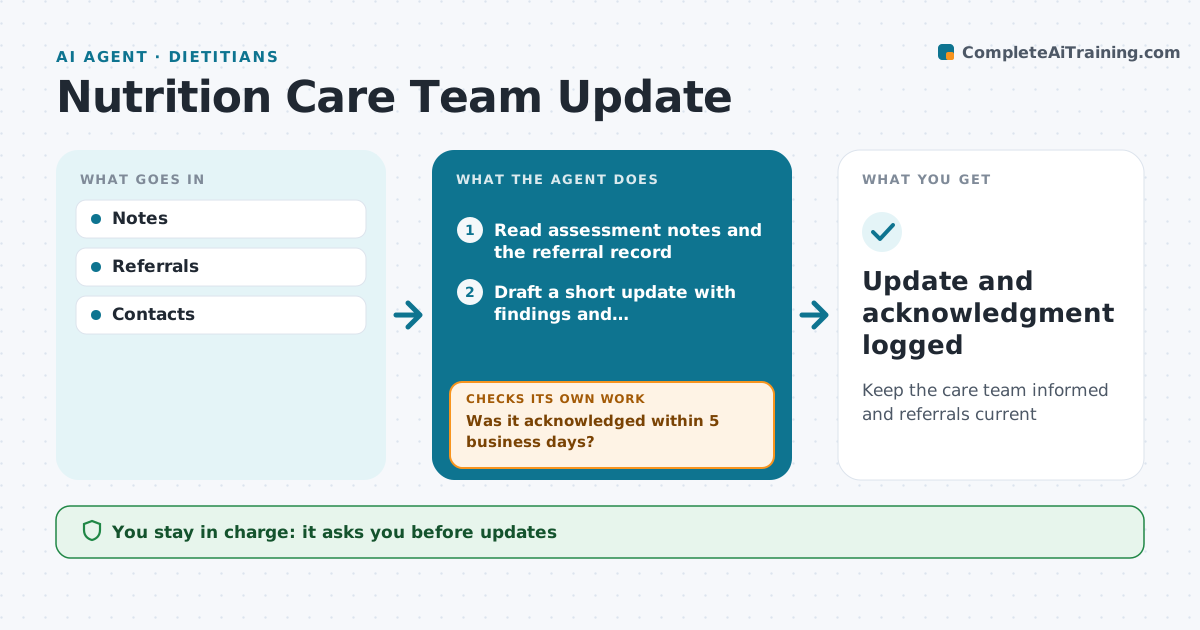
Dietitians must send recommendations back to the referring doctor and keep referrals current so visits stay covered, and both slip in a busy week. After each consultation this agent drafts a short update for the care team with the assessment summary, recommendations and next visit date. Once the dietitian approves, it sends the update and tracks whether the doctor's office acknowledged it. If there is no acknowledgment within five business days, it resends through another channel and flags it for a phone call. Each week it also checks referral expiry dates and visit limits and drafts renewal requests 30 days ahead. The dietitian approves every update. Edge case: urgent concerns, such as rapid unplanned weight loss or signs of refeeding risk, are flagged for the dietitian to call the doctor directly.
How it works
Follow the arrows from top to bottom. The orange dashed arrow is the loop: when a check fails, the agent goes back and tries again.
Read the steps as a list
- Consultation completed
- Read assessment notes and the referral record
- Draft a short update with findings and recommendations
- Check referral expiry and add a renewal request if due
- Dietitian approves the updateThe agent waits here for your OK.
- Send the update to the care team
- Was it acknowledged within 5 business days?If not: resend through another channel and flag for a phone call. Back to step 6.
- Update and acknowledgment logged
How it decides
Expiry within 30 days triggers renewal.
- Expiry 30 days triggers renewal
- Urgent concerns call
- Acknowledgment tracked
Make it yours
Every agent is a starting point. You choose these settings for your own situation.
- Template
- Renewal window
- Contacts
- Channel
What keeps you in control
It always asks you first
- Updates
Hard limits
- Privacy rules
It stops when
- Done: acknowledged
- Stop: care ends
Set it up
We guide you through the set-up, step by step
Members get the full set-up guide for this agent. No technical skills needed: you copy, paste and upload.
- One set of instructions to paste into your AI, with the clicks for ChatGPT, Claude, Microsoft 365 Copilot, Gemini and Grok
- The agent then walks you through connecting your own data, one source at a time
- A downloadable copy with the flow chart, the rules and the full guide