AI agent for paramedics
Occupational Exposure Follow-Up Agent
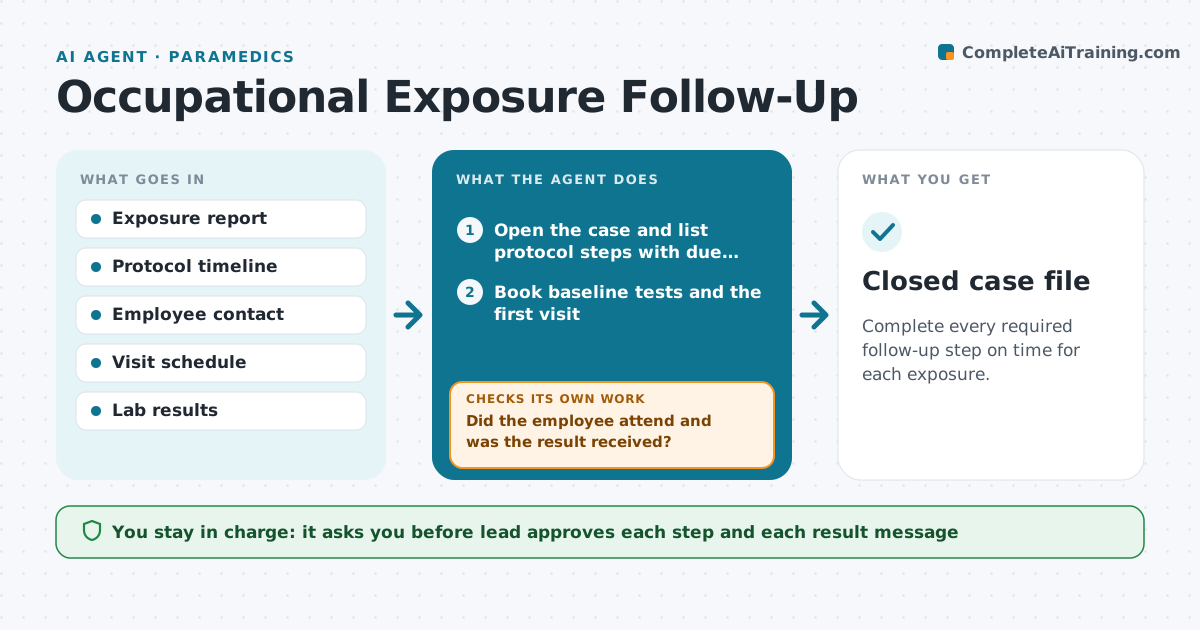
Complete every required follow-up step on time for each exposure.
What it does
After a needlestick or other exposure, tests and follow-up visits must happen on a fixed timeline, and people often forget. This agent opens a case when an exposure is reported. It lists the tests and deadlines from the protocol, such as baseline tests, a source patient test, and follow-up at set weeks. It books visits, sends reminders to the employee, and records results as they arrive. If a visit is missed or a result has not arrived, it contacts the employee or the lab and tries again. The occupational health lead approves each step and any message about results. Edge case: the source patient cannot be tested, so the agent flags the lead to choose the protocol branch.
How it works
Follow the arrows from top to bottom. The orange dashed arrow is the loop: when a check fails, the agent goes back and tries again.
Read the steps as a list
- Exposure is reported
- Open the case and list protocol steps with due dates
- Book baseline tests and the first visit
- Occupational health lead approves the case planThe agent waits here for your OK.
- Send reminders and track attendance
- Did the employee attend and was the result received?If not: call the employee, rebook and chase the lab. Back to step 4.
- Update the case timeline
- Are all protocol steps complete?If not: continue to the next due step and remind. Back to step 5.
- Lead approves case closureThe agent waits here for your OK.
- Closed case file
How it decides
Each step has a due date from the protocol. Overdue steps trigger a reminder, then a call task, then the lead.
- Treat a step as overdue the day after its due date
- Escalate to the lead after 2 missed reminders
- Send results only after the lead approves
- Flag a source patient who cannot be tested for the lead to decide
Make it yours
Every agent is a starting point. You choose these settings for your own situation.
- Protocol timeline
- Reminder schedule
- Escalation after missed reminders (default 2)
- Who is the lead
What keeps you in control
It always asks you first
- Lead approves each step and each result message
- Lead approves case closure
Hard limits
- Never share case details beyond the lead and employee
- Never interpret a result
It stops when
- Done: all steps finished and closed
- Stop: employee leaves or declines follow-up, lead decides
Set it up
We guide you through the set-up, step by step
Members get the full set-up guide for this agent. No technical skills needed: you copy, paste and upload.
- One set of instructions to paste into your AI, with the clicks for ChatGPT, Claude, Microsoft 365 Copilot, Gemini and Grok
- The agent then walks you through connecting your own data, one source at a time
- A downloadable copy with the flow chart, the rules and the full guide