AI agent for recruiters
Offer Preparation Agent
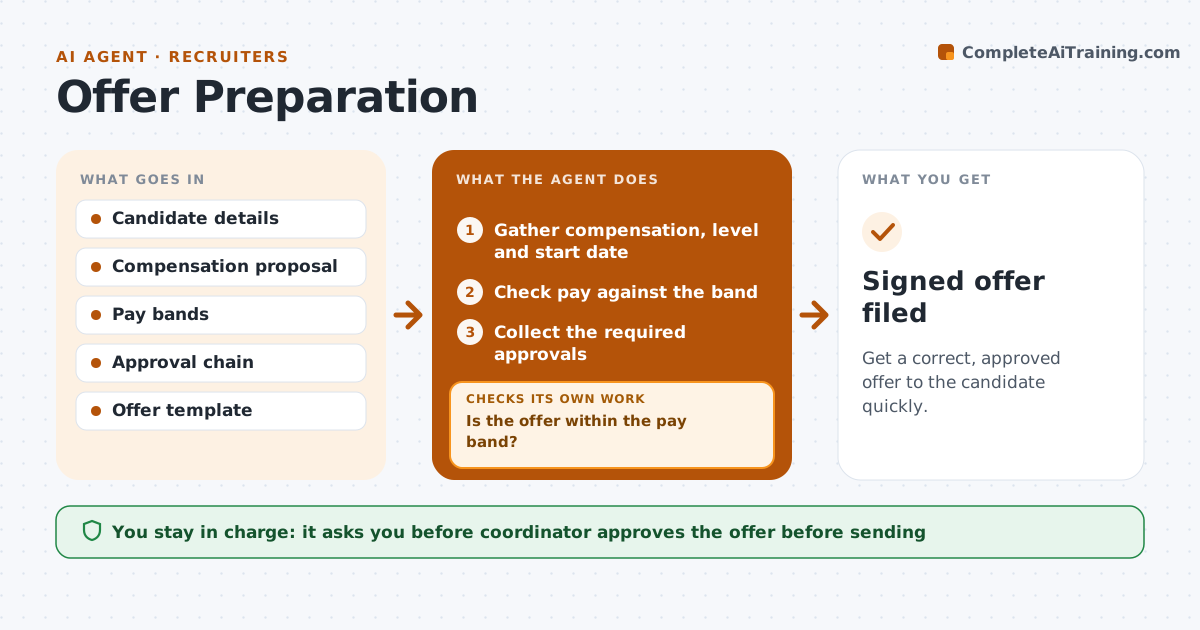
Get a correct, approved offer to the candidate quickly.
What it does
Offers wait for missing approvals, and candidates take other jobs while the paperwork waits. This agent gathers compensation, level, start date and approvals for each candidate. It checks the pay against the pay band and the approval limits. If the offer is above the band, it routes for extra approval and rechecks before drafting. It drafts the offer letter and tracks the signature. The coordinator approves sending. After sending it watches for a reply and reminds the candidate on a schedule. Edge case: a start date that falls before the background check is expected to finish is flagged.
How it works
Follow the arrows from top to bottom. The orange dashed arrow is the loop: when a check fails, the agent goes back and tries again.
Read the steps as a list
- Candidate is selected
- Gather compensation, level and start date
- Check pay against the band
- Is the offer within the pay band?If not: Route for extra approval and wait for it. Back to step 2.
- Collect the required approvals
- Are all approvals in?If not: Remind approvers and escalate after one day. Back to step 4.
- Draft the offer letter
- Coordinator approves sendingThe agent waits here for your OK.
- Send the offer and track signature
- Remind the candidate on schedule
- Signed offer filed
How it decides
It drafts only when pay fits the band and every required approval is in.
- Stay within the band unless extra approval is recorded
- Check the start date against the background check
- Use the approved template
- Remind the candidate after 2 days
Make it yours
Every agent is a starting point. You choose these settings for your own situation.
- Pay bands
- Approvers by level
- Reminder timing
- Template
What keeps you in control
It always asks you first
- Coordinator approves the offer before sending
Hard limits
- Never send an offer without approval
- Never exceed a band without recorded approval
It stops when
- Done: offer signed or declined and filed
- Stop: approvals are denied and the hiring manager is told
Set it up
We guide you through the set-up, step by step
Members get the full set-up guide for this agent. No technical skills needed: you copy, paste and upload.
- One set of instructions to paste into your AI, with the clicks for ChatGPT, Claude, Microsoft 365 Copilot, Gemini and Grok
- The agent then walks you through connecting your own data, one source at a time
- A downloadable copy with the flow chart, the rules and the full guide