AI agent for patent agents
Office Action Response Agent
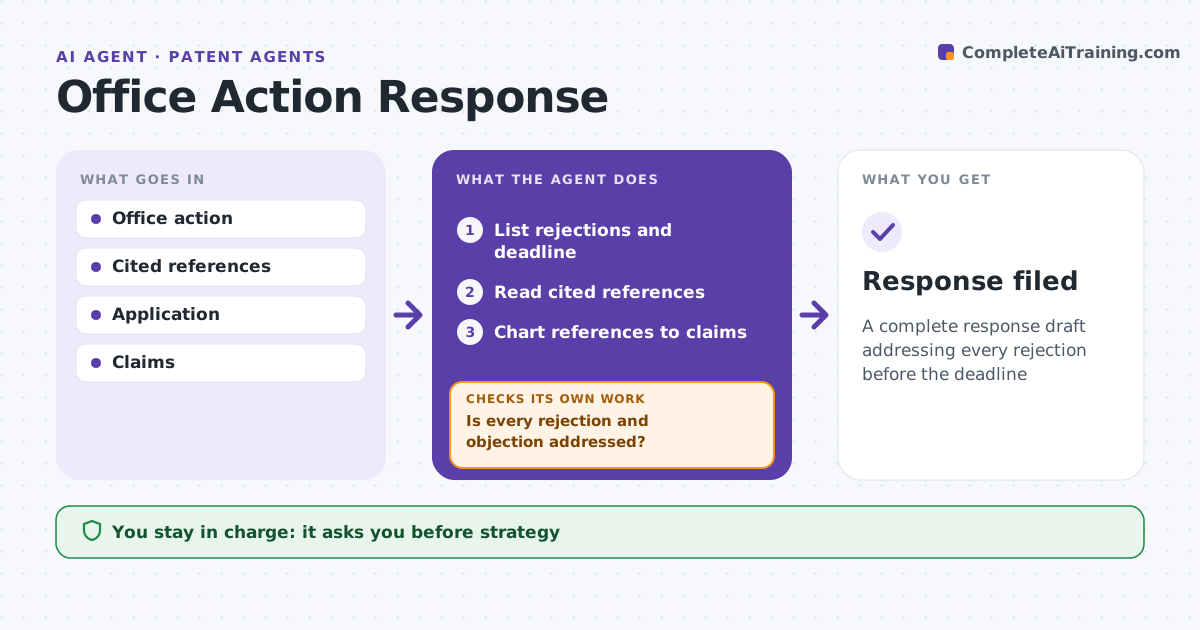
A complete response draft addressing every rejection before the deadline
What it does
Office actions come with strict deadlines, and a response that misses one rejection or objection can lead to abandonment. When an office action arrives, this agent reads it and lists every rejection and objection with the claims and references cited. It calculates the deadline and extension options. It reads the cited references, charts them against the rejected claims and finds features not disclosed. It drafts argument outlines and amendment options, using only amendments supported by the description. It then checks that every rejection and objection is addressed in the draft. If not, it adds the missing part and checks again. Deadlines within 30 days come first. The patent agent decides strategy and signs. Edge case: the examiner combines three references, so the agent checks the stated reason to combine.
How it works
Follow the arrows from top to bottom. The orange dashed arrow is the loop: when a check fails, the agent goes back and tries again.
Read the steps as a list
- Office action received
- List rejections and deadline
- Read cited references
- Chart references to claims
- Draft arguments and amendments
- Is every rejection and objection addressed?If not: add the missing response. Back to step 5.
- Patent agent decides and signsThe agent waits here for your OK.
- Response filed
How it decides
It maps each rejection to claim features and reference disclosures.
- Feature not in references: argue
- Amendment must have support
- Deadline within 30 days: priority
Make it yours
Every agent is a starting point. You choose these settings for your own situation.
- Response template
- Deadline alerts
- Chart format
- Strategy notes
What keeps you in control
It always asks you first
- Strategy
- Filing
Hard limits
- Never files
- Never adds new matter
It stops when
- Done: filed
- Stop: client abandons
Set it up
We guide you through the set-up, step by step
Members get the full set-up guide for this agent. No technical skills needed: you copy, paste and upload.
- One set of instructions to paste into your AI, with the clicks for ChatGPT, Claude, Microsoft 365 Copilot, Gemini and Grok
- The agent then walks you through connecting your own data, one source at a time
- A downloadable copy with the flow chart, the rules and the full guide