AI agent for office managers
Office Supply Reorder and Quote Agent
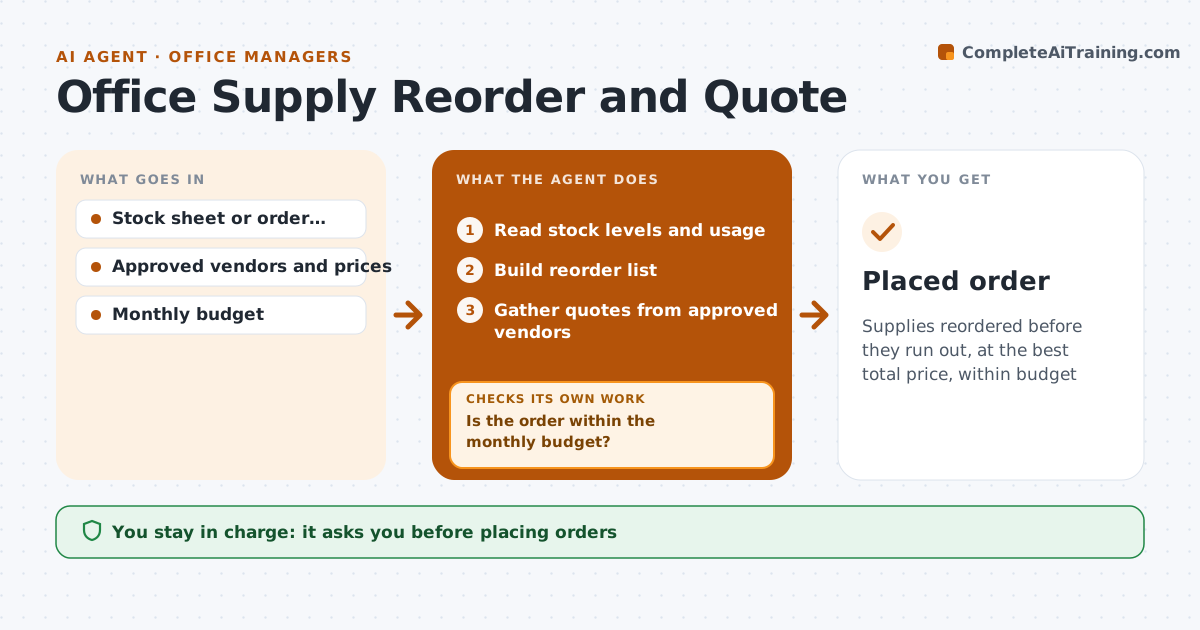
Supplies reordered before they run out, at the best total price, within budget
What it does
Running out of paper, toner or coffee wastes time, and buying from one vendor without checking can cost more. This agent tracks supply levels from a stock sheet or past orders, predicts when items will run out, and builds a reorder list. For larger orders it gathers quotes from approved vendors and compares total price including delivery. A price that looks unusually low is checked for pack size before it is chosen. It then checks the order is within the monthly budget. If it is over, it moves non-urgent items to next month and checks again. It drafts the order. The office manager approves before anything is placed.
How it works
Follow the arrows from top to bottom. The orange dashed arrow is the loop: when a check fails, the agent goes back and tries again.
Read the steps as a list
- Weekly supply check
- Read stock levels and usage
- Build reorder list
- Gather quotes from approved vendors
- Compare total price per unit
- Is the order within the monthly budget?If not: move non-urgent items to next month. Back to step 3.
- Manager approves the orderThe agent waits here for your OK.
- Placed order
How it decides
It reorders items predicted to run out before the next order date and picks the lowest total price for the same pack size.
- Compare by unit price including delivery
- Urgent items stay in the order
- Only approved vendors
Make it yours
Every agent is a starting point. You choose these settings for your own situation.
- Monthly budget
- Approved vendors
- Reorder lead time
- Items tracked
What keeps you in control
It always asks you first
- Placing orders
Hard limits
- Never places orders
- Never adds new vendors
It stops when
- Done: order approved
- Stop: vendor out of stock; ask for substitute
Set it up
We guide you through the set-up, step by step
Members get the full set-up guide for this agent. No technical skills needed: you copy, paste and upload.
- One set of instructions to paste into your AI, with the clicks for ChatGPT, Claude, Microsoft 365 Copilot, Gemini and Grok
- The agent then walks you through connecting your own data, one source at a time
- A downloadable copy with the flow chart, the rules and the full guide