AI agent for general managers
Operating Budget Reforecast Agent
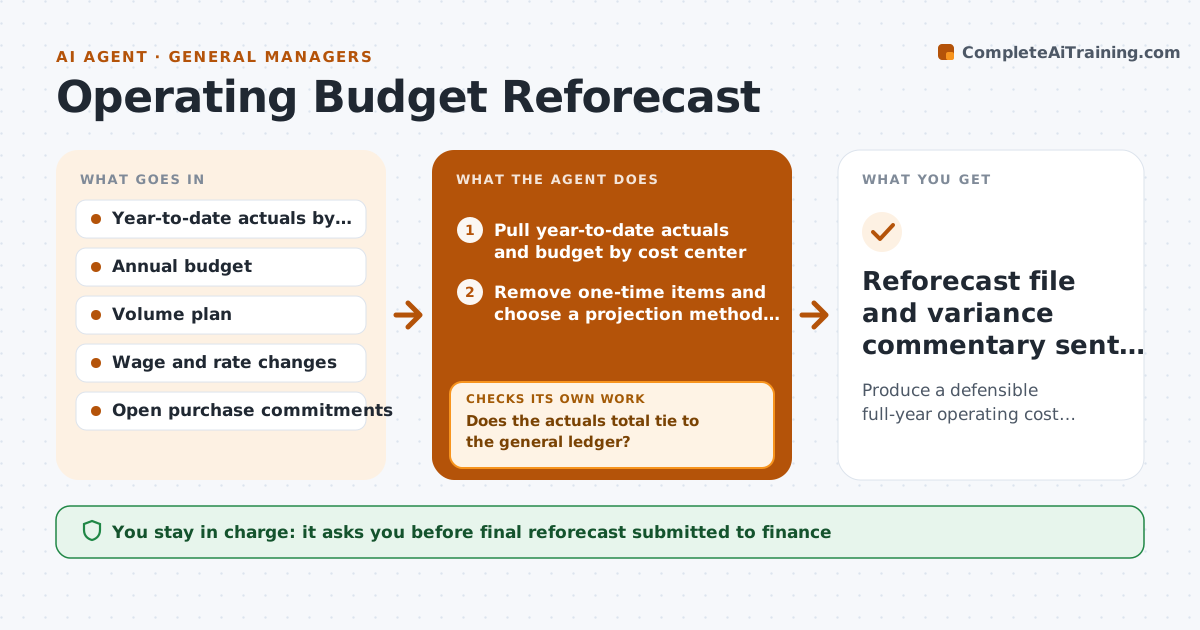
Produce a defensible full-year operating cost reforecast with explained variances
What it does
Each quarter, operations leaders must tell finance where their spend will land for the year. This agent prepares that reforecast. It reads year-to-date actuals by cost center, the current budget, volume plans and known rate changes such as wage increases, freight rates and energy contracts. For each line it projects the rest of the year using the method that fits: run rate for stable costs, volume-driven for variable costs, and known commitments for contracts. It then checks large variances. Any line more than 5% off budget needs a stated driver from the site owner, so it asks for one and waits. It also checks the total ties to the general ledger. If either check fails, it loops back to the data. The executive signs off the numbers sent to finance. Edge case: a one-time repair hit in March, so it removes it from the run rate.
How it works
Follow the arrows from top to bottom. The orange dashed arrow is the loop: when a check fails, the agent goes back and tries again.
Read the steps as a list
- Reforecast deadline is two weeks away
- Pull year-to-date actuals and budget by cost center
- Remove one-time items and choose a projection method per line
- Project remaining months using volume plan and rate changes
- Does the actuals total tie to the general ledger?If not: find the missing cost centers or journal entries and re-pull. Back to step 2.
- List lines more than 5% off budget
- Ask site owners for the driver of each large variance
- Does every large variance have a stated driver?If not: send a reminder and mark the line as unexplained after two days. Back to step 7.
- Executive signs off the reforecastThe agent waits here for your OK.
- Reforecast file and variance commentary sent to finance
How it decides
It picks run rate, volume-driven or committed-cost projection per line based on how the cost behaved year to date, and strips one-time items from run rates.
- Use run rate when monthly spend varied less than 10% year to date
- Use volume-driven projection when cost tracked units shipped or produced
- Treat items over $25,000 that will not recur as one-time
- Require a written driver for any line more than 5% off budget
Make it yours
Every agent is a starting point. You choose these settings for your own situation.
- Variance threshold that needs a driver (default 5%)
- One-time item threshold (default $25,000)
- Days site owners get to reply (default 2)
- Cost centers in scope
- Reforecast format required by finance
What keeps you in control
It always asks you first
- Final reforecast submitted to finance
- Any reallocation between cost centers
Hard limits
- Never submits figures to finance without sign-off
- Never edits ledger data
- Keeps projection method visible for every line
It stops when
- Done: totals tie, every large variance explained, executive signed off
- Stop: ledger data unavailable, so it reports which months are missing
Set it up
We guide you through the set-up, step by step
Members get the full set-up guide for this agent. No technical skills needed: you copy, paste and upload.
- One set of instructions to paste into your AI, with the clicks for ChatGPT, Claude, Microsoft 365 Copilot, Gemini and Grok
- The agent then walks you through connecting your own data, one source at a time
- A downloadable copy with the flow chart, the rules and the full guide