AI agent for sports coachs
Opponent Scouting Report Agent
A reliable scouting report before each game
What it does
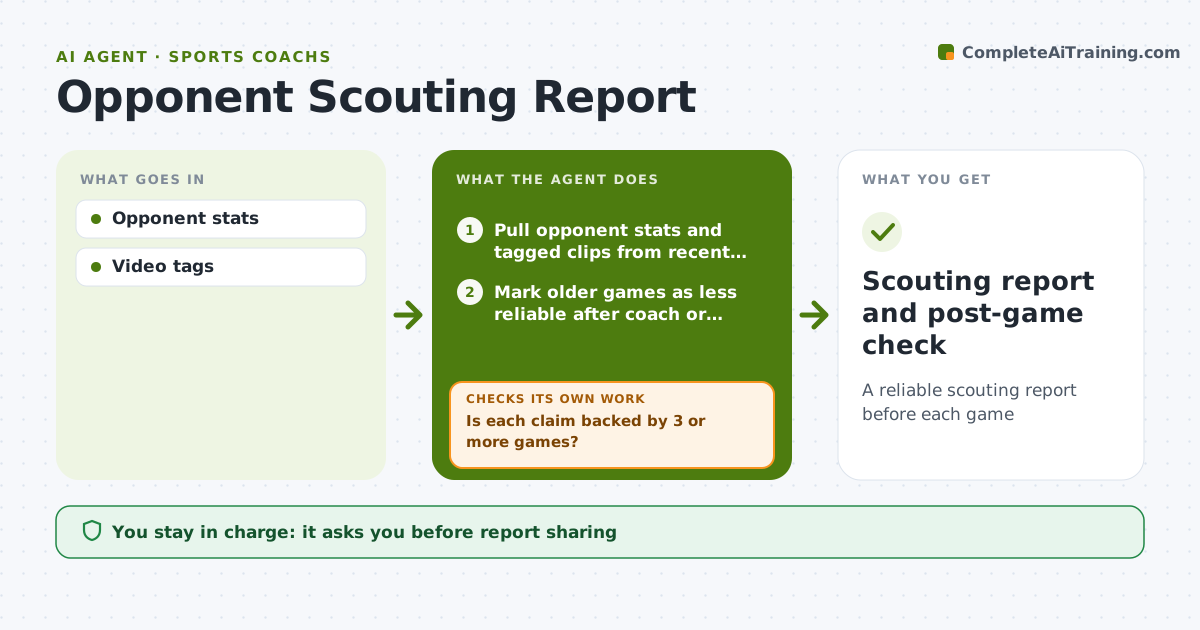
Preparing for an opponent means hours of film and stat sheets to find tendencies. This agent pulls the opponent's recent game stats and tagged video clips, finds patterns such as preferred formations, set plays and key players, and drafts a scouting report with linked clips. It then checks each claim: is it backed by three or more games? If not, it pulls more games or marks the claim as weak evidence so the coach does not build a plan on one game. Key players are highlighted with their main tendencies. The coach reviews the report and decides what to share with players. After the game, the agent compares its predictions with what happened, so future reports weigh the right signals. Edge case: when the opponent has a new coach or major roster change, older games count for less and the report says so.
How it works
Follow the arrows from top to bottom. The orange dashed arrow is the loop: when a check fails, the agent goes back and tries again.
Read the steps as a list
- Game in 5 days
- Pull opponent stats and tagged clips from recent games
- Mark older games as less reliable after coach or roster changes
- Find formations, set plays and key players
- Is each claim backed by 3 or more games?If not: pull more games or mark the claim as weak evidence. Back to step 2.
- Draft the scouting report with linked clips
- Coach reviews and picks what to share with playersThe agent waits here for your OK.
- After the game, compare predictions with what happened
- Scouting report and post-game check
How it decides
Patterns need at least 3 games of evidence.
- 3-game evidence
- Roster changes reduce weight
- Key players highlighted
Make it yours
Every agent is a starting point. You choose these settings for your own situation.
- Evidence threshold
- Report format
- Clip length
- Lead time
What keeps you in control
It always asks you first
- Report sharing
Hard limits
- Only public or shared video
It stops when
- Done: report
- Stop: no data
Set it up
We guide you through the set-up, step by step
Members get the full set-up guide for this agent. No technical skills needed: you copy, paste and upload.
- One set of instructions to paste into your AI, with the clicks for ChatGPT, Claude, Microsoft 365 Copilot, Gemini and Grok
- The agent then walks you through connecting your own data, one source at a time
- A downloadable copy with the flow chart, the rules and the full guide