AI agent for sports coachs
Tournament Logistics Agent
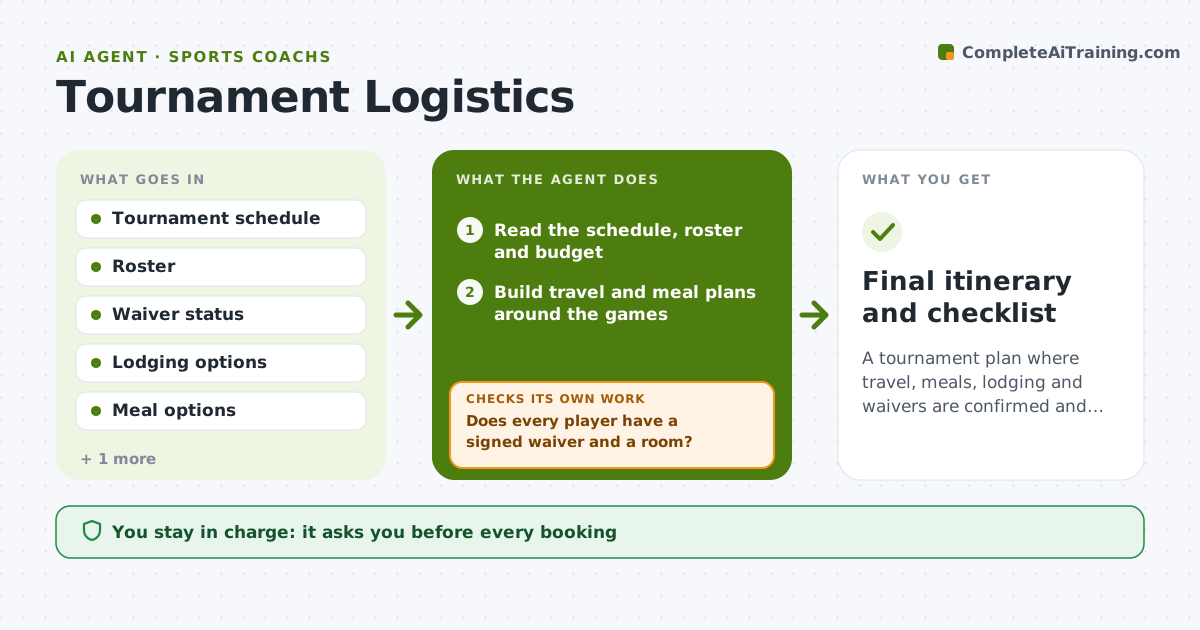
A tournament plan where travel, meals, lodging and waivers are confirmed and match the game schedule.
What it does
The tournament is in three weeks, and the coach needs travel, meals, lodging, brackets and waivers all at once. This agent reads the schedule and builds travel and meal plans for the team. It checks roster waivers and lodging, tracks confirmations and flags changes, such as a game time moved earlier. After each change it rechecks the plan, for example whether the meal still fits between games. Edge case: a player is missing a signed waiver, so the agent lists the child and drafts a reminder to the parent. The coach approves bookings and parent messages.
How it works
Follow the arrows from top to bottom. The orange dashed arrow is the loop: when a check fails, the agent goes back and tries again.
Read the steps as a list
- Tournament schedule received
- Read the schedule, roster and budget
- Build travel and meal plans around the games
- Check waivers and lodging availability
- Does every player have a signed waiver and a room?If not: list the missing items and draft reminders. Back to step 3.
- Coach approves bookings and parent messagesThe agent waits here for your OK.
- Track confirmations and watch for schedule changes
- Does the plan still fit the latest game times?If not: adjust meals and travel to the new times. Back to step 2.
- Prepare the day-by-day itinerary
- Final itinerary and checklist
How it decides
It builds the plan around game times and rechecks each element when a time or roster changes.
- Allow a 90-minute buffer between a meal and a game.
- Waivers must be signed 7 days before departure.
- Book lodging within a set distance of the venue.
- Any game time change triggers a replan.
Make it yours
Every agent is a starting point. You choose these settings for your own situation.
- Buffer time
- Waiver deadline
- Lodging distance
- Budget limit
- Meal preferences
What keeps you in control
It always asks you first
- Every booking
- Every message to parents
Hard limits
- Do not book anything.
- Do not message parents without approval.
It stops when
- Done: all items confirmed and the itinerary approved
- Stop: a booking cannot be made within budget, so the agent proposes alternatives
Set it up
We guide you through the set-up, step by step
Members get the full set-up guide for this agent. No technical skills needed: you copy, paste and upload.
- One set of instructions to paste into your AI, with the clicks for ChatGPT, Claude, Microsoft 365 Copilot, Gemini and Grok
- The agent then walks you through connecting your own data, one source at a time
- A downloadable copy with the flow chart, the rules and the full guide