AI agent for personal trainers
Training Block Deload Agent
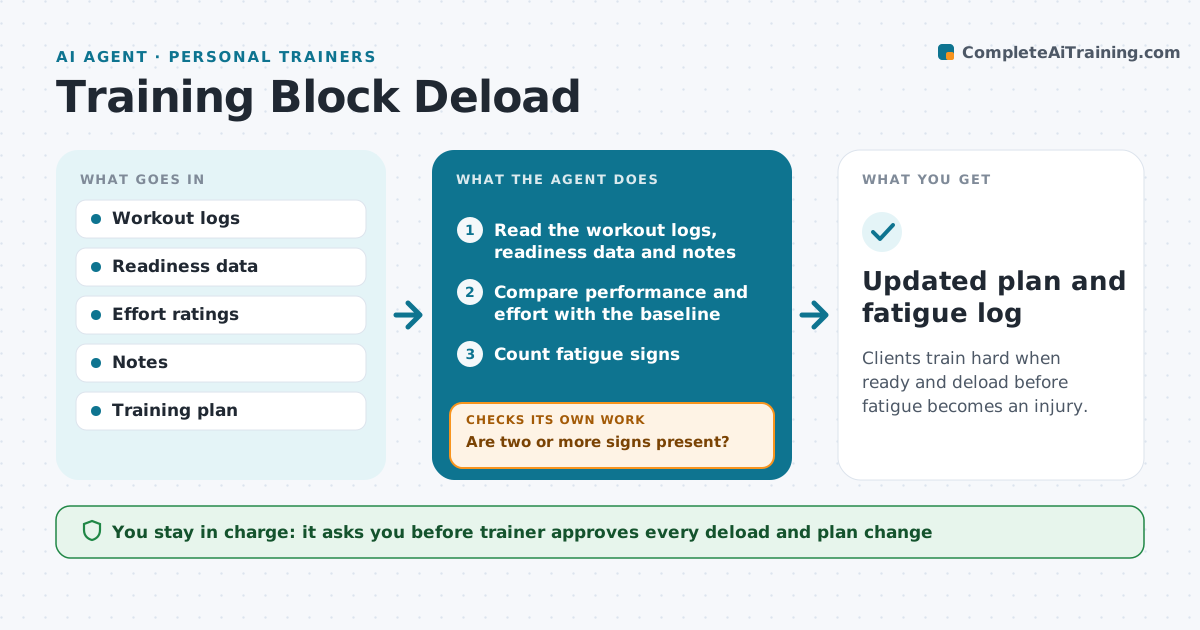
Clients train hard when ready and deload before fatigue becomes an injury.
What it does
Clients push through fatigue and end up injured or stuck. Every training week, the agent reads workout logs, readiness scores such as sleep and soreness, and the client's notes, and looks for signs of fatigue: falling performance, rising effort ratings, poor sleep and soreness lasting more than 2 days. When signs appear, it proposes a deload, with lower volume or intensity for a week, and a recheck date. The trainer approves. At the next session, it reads the new data to see whether the signs improved. If not, it extends the deload and flags the client for a longer break or a medical check. Edge case: sharp pain in a joint skips the deload and goes to the trainer with a suggestion to refer the client.
How it works
Follow the arrows from top to bottom. The orange dashed arrow is the loop: when a check fails, the agent goes back and tries again.
Read the steps as a list
- Training week ends
- Read the workout logs, readiness data and notes
- Compare performance and effort with the baseline
- Count fatigue signs
- Are two or more signs present?If not: Continue the plan and recheck next week. Back to step 3.
- Propose a deload with volume and intensity changes
- Trainer approves the deloadThe agent waits here for your OK.
- Send the change to the client and update the plan
- Read the next session's data
- Have the signs improved?If not: Extend the deload and flag the client for a longer break or a medical check. Back to step 5.
- Updated plan and fatigue log
How it decides
It compares current performance and readiness with the client's baseline and proposes a deload when several signs appear together.
- Two or more signs trigger a deload
- Joint pain skips the deload and goes to the trainer
- Deload cuts volume by 40%
- Extend after one more week with no improvement
Make it yours
Every agent is a starting point. You choose these settings for your own situation.
- Signs and thresholds
- Deload size
- Recheck timing
- Data sources
- Escalation rules
What keeps you in control
It always asks you first
- Trainer approves every deload and plan change
- Trainer decides any referral
Hard limits
- Never give medical advice
- Never change the plan without approval
- Never ignore pain reports
It stops when
- Done: signs are gone and the plan resumes
- Stop: pain or injury is reported
Set it up
We guide you through the set-up, step by step
Members get the full set-up guide for this agent. No technical skills needed: you copy, paste and upload.
- One set of instructions to paste into your AI, with the clicks for ChatGPT, Claude, Microsoft 365 Copilot, Gemini and Grok
- The agent then walks you through connecting your own data, one source at a time
- A downloadable copy with the flow chart, the rules and the full guide