AI agent for optometrists
Optical Order Tracking Agent
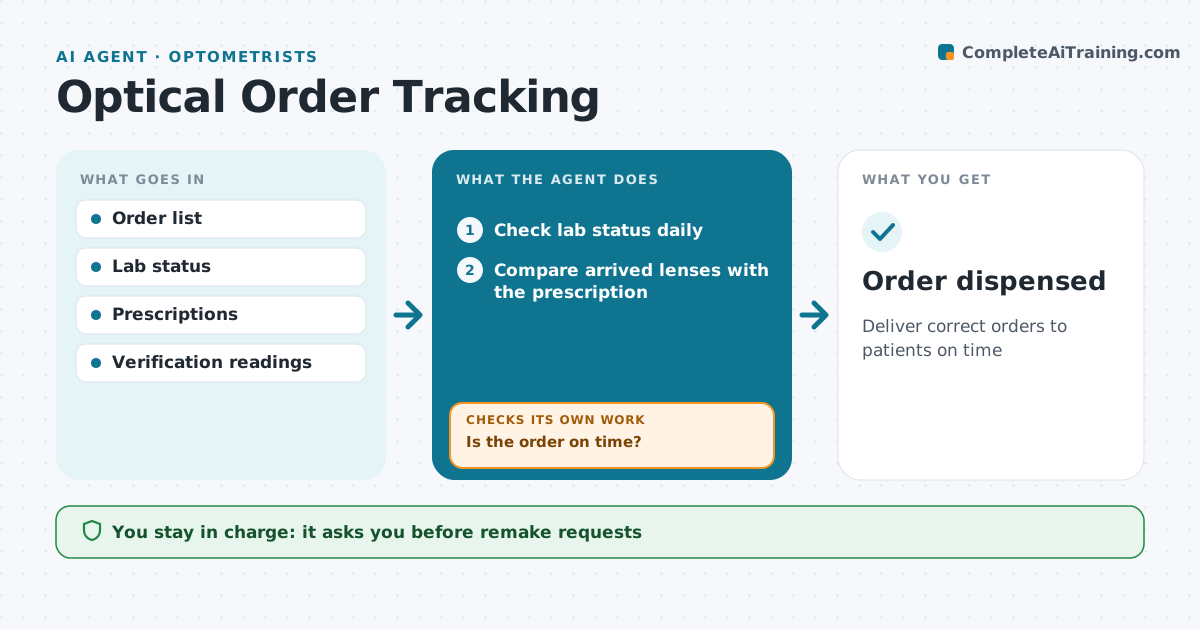
Deliver correct orders to patients on time
What it does
Every pair of glasses and contact lens order goes through a lab or supplier and can stall or arrive wrong. This agent tracks each order from submission to pickup. It checks lab status daily and sends an inquiry for orders 3 days past due, updating the patient if there is a delay. When an order arrives, it compares the lens parameters with the prescription: power, axis, add, prism and coating, using standard tolerances. Anything outside tolerance is held and a remake request is drafted. Before dispensing, it checks that the prescription has not changed since the order was placed; a changed prescription blocks dispensing. It drafts the pickup message. Staff approve remakes and messages. Edge case: if the prescription was updated after ordering, the old order is flagged so it is not dispensed.
How it works
Follow the arrows from top to bottom. The orange dashed arrow is the loop: when a check fails, the agent goes back and tries again.
Read the steps as a list
- Order placed
- Check lab status daily
- Is the order on time?If not: send lab inquiry and update patient if delayed. Back to step 2.
- Compare arrived lenses with the prescription
- Within tolerance?If not: hold order and draft remake request. Back to step 4.
- Is the prescription unchanged since ordering?If not: block dispensing and flag for the optometrist. Back to step 4.
- Staff approve pickup messageThe agent waits here for your OK.
- Order dispensed
How it decides
Orders past due get a lab inquiry. Arrived orders must match the prescription within tolerance.
- Orders 3 days past due get an inquiry
- Standard lens tolerances apply
- Changed prescriptions block dispensing
Make it yours
Every agent is a starting point. You choose these settings for your own situation.
- Delay threshold
- Tolerance table
- Lab list
- Message templates
What keeps you in control
It always asks you first
- Remake requests
- Patient messages
Hard limits
- No dispensing without verification
- No refunds without staff
It stops when
- Done: dispensed
- Stop: patient cancels
Set it up
We guide you through the set-up, step by step
Members get the full set-up guide for this agent. No technical skills needed: you copy, paste and upload.
- One set of instructions to paste into your AI, with the clicks for ChatGPT, Claude, Microsoft 365 Copilot, Gemini and Grok
- The agent then walks you through connecting your own data, one source at a time
- A downloadable copy with the flow chart, the rules and the full guide