AI agent for dental hygienists
Oral Cancer Screening Follow-Up Agent
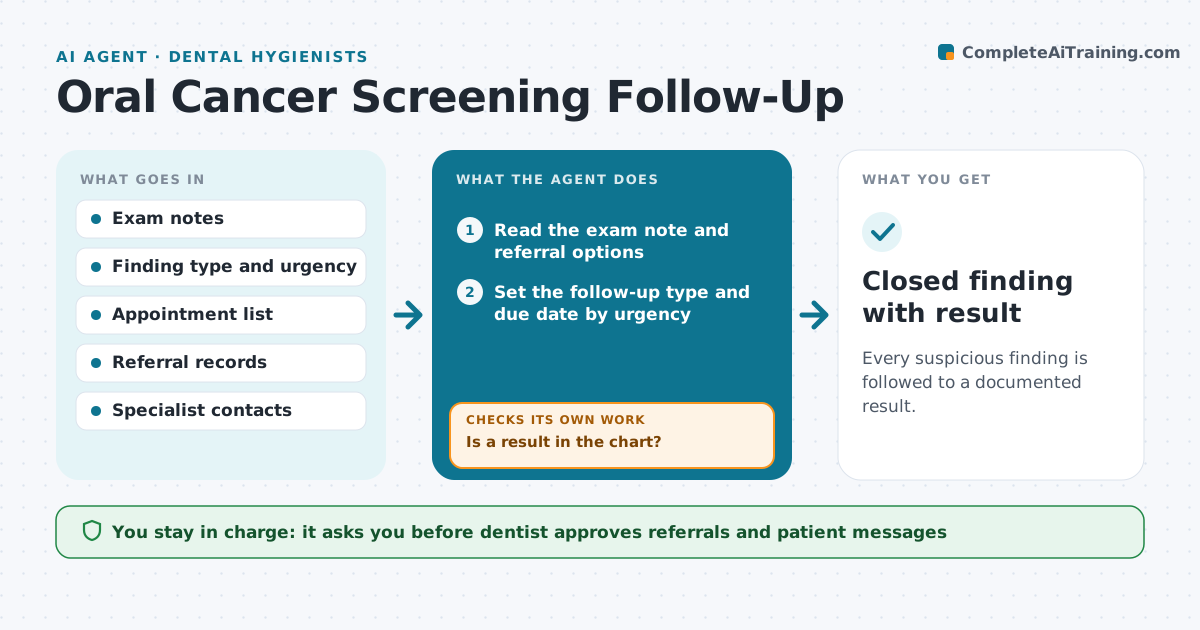
Every suspicious finding is followed to a documented result.
What it does
A lesion noted in the exam is written in the chart, and then nobody makes sure the patient came back or saw a specialist. After each exam where a lesion or suspicious finding is recorded, the agent creates a follow-up task. It books the recheck or drafts a referral to a specialist with the exam note, then tracks the date. If the patient does not attend, it contacts them again. When the result letter or biopsy report does not arrive by the due date, it chases the specialist office. It closes the item only when a result is in the chart. The dentist approves every referral and message. Edge case: a finding rated urgent goes to the dentist the same day, not into the weekly list.
How it works
Follow the arrows from top to bottom. The orange dashed arrow is the loop: when a check fails, the agent goes back and tries again.
Read the steps as a list
- Exam with a finding recorded
- Read the exam note and referral options
- Set the follow-up type and due date by urgency
- Draft the recheck booking or specialist referral
- Dentist approves the plan and referralThe agent waits here for your OK.
- Book the visit or send the referral and track it
- Check attendance and results at the due date
- Is a result in the chart?If not: Contact the patient or the specialist office and set a new due date. Back to step 3.
- Update the follow-up list
- Is any open finding past due?If not: Flag it to the dentist and add a call task. Back to step 3.
- Closed finding with result
How it decides
It treats a finding as open until a result is recorded, and chases by due date and urgency.
- Urgent findings go to the dentist the same day
- Recheck due in 2 weeks for non-urgent lesions
- No result 14 days after referral means a chase
- An item closes only with a result
Make it yours
Every agent is a starting point. You choose these settings for your own situation.
- Recheck interval
- Chase days after referral
- Specialist list
- Urgent rules
- Message wording
What keeps you in control
It always asks you first
- Dentist approves referrals and patient messages
- Dentist decides the urgency level
Hard limits
- Never make a diagnosis
- Never close an item without a result
- Never send without approval
It stops when
- Done: all findings have documented results
- Stop: the patient refuses follow-up and it is documented
Set it up
We guide you through the set-up, step by step
Members get the full set-up guide for this agent. No technical skills needed: you copy, paste and upload.
- One set of instructions to paste into your AI, with the clicks for ChatGPT, Claude, Microsoft 365 Copilot, Gemini and Grok
- The agent then walks you through connecting your own data, one source at a time
- A downloadable copy with the flow chart, the rules and the full guide