AI agent for historians
Oral History Indexing Agent
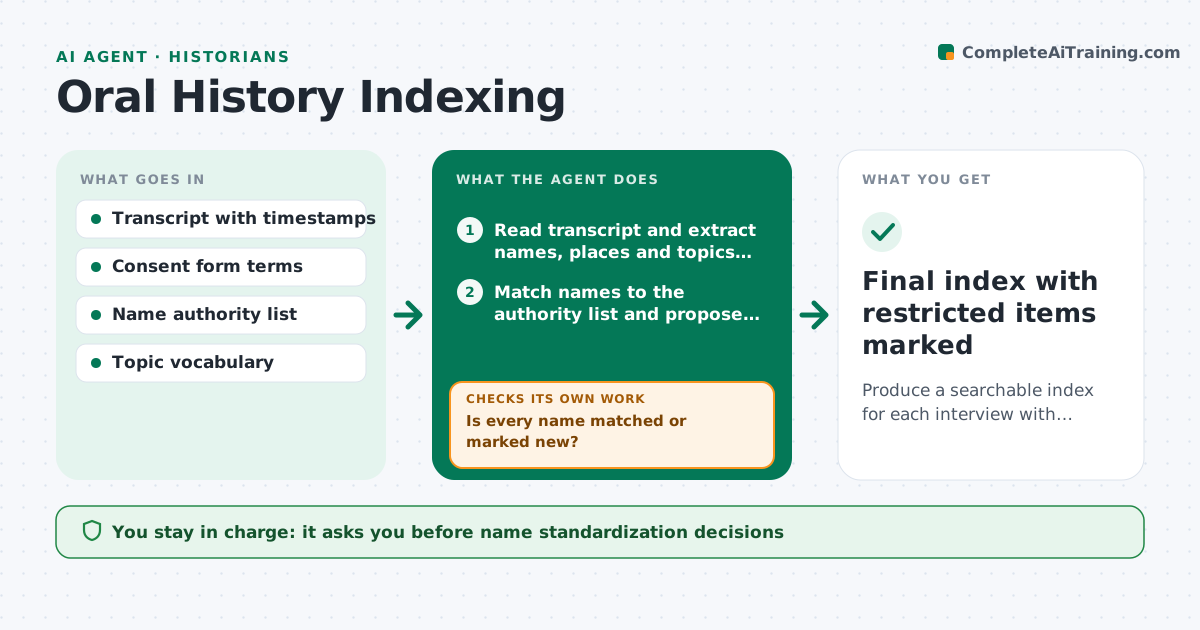
Produce a searchable index for each interview with names standardized and sensitive passages flagged.
What it does
A collection of interview transcripts is hard to use if nobody can find who said what about which topic, and risky if passages break the consent terms. This agent reads each transcript, builds an index of topics and names with time stamps, and checks name spellings against the project's authority list, suggesting corrections for variants. It compares passages with the interviewee's consent form and flags anything that touches limits, such as naming third parties, health, minors or legal matters. After the historian fixes names and decides on restrictions, it reruns the checks to confirm nothing remains. It never marks anything public. The historian approves the index and every restricted item. Edge case: a nickname may be a real person, so it asks rather than merges.
How it works
Follow the arrows from top to bottom. The orange dashed arrow is the loop: when a check fails, the agent goes back and tries again.
Read the steps as a list
- Transcript added
- Read transcript and extract names, places and topics with time stamps
- Match names to the authority list and propose standard spellings
- Is every name matched or marked new?If not: list the unmatched names with context and ask the historian. Back to step 3.
- Compare passages to consent terms and sensitive categories
- Draft the index and the list of flagged passages
- Historian reviews names and decides restrictionsThe agent waits here for your OK.
- Apply the decisions and rebuild the index
- Do any flagged passages remain unaddressed?If not: return the open passages to the historian with the consent clause. Back to step 5.
- Final index with restricted items marked
How it decides
It assigns a topic when the passage matches the vocabulary terms or their listed synonyms. It flags a passage as sensitive when it matches the consent limits or the sensitive category list.
- Flag any mention of minors, health or legal matters for review
- Flag third parties named without their own consent on file
- Merge a name variant only if the authority list shows it
- Treat uncertain nicknames as separate until confirmed
Make it yours
Every agent is a starting point. You choose these settings for your own situation.
- Authority list and vocabulary
- Sensitive categories to flag
- Index fields
- Consent terms template
What keeps you in control
It always asks you first
- Name standardization decisions
- Every restricted or closed passage
- Final index release
Hard limits
- Never publish or release any transcript
- Never merge people without confirmation
It stops when
- Done: names matched and every flag decided
- Stop: consent form missing
Set it up
We guide you through the set-up, step by step
Members get the full set-up guide for this agent. No technical skills needed: you copy, paste and upload.
- One set of instructions to paste into your AI, with the clicks for ChatGPT, Claude, Microsoft 365 Copilot, Gemini and Grok
- The agent then walks you through connecting your own data, one source at a time
- A downloadable copy with the flow chart, the rules and the full guide