AI agent for chemists
Out-of-Specification Investigation Agent
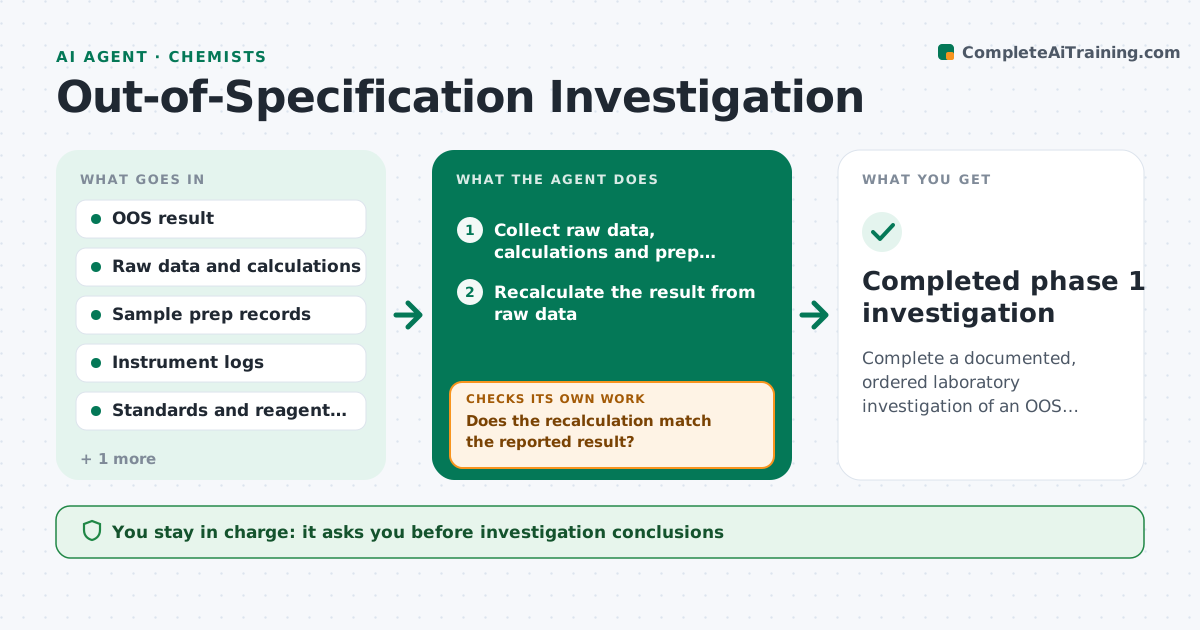
Complete a documented, ordered laboratory investigation of an OOS result and decide whether a retest is allowed.
What it does
When a result falls out of specification, labs must investigate before retesting, and the order of checks matters. This agent starts when an OOS result is logged. It follows the lab's error checklist in order: calculations, sample preparation, instrument performance, standards and reagents, analyst technique and documentation. For each step it pulls the records, such as raw data, balance logs, system suitability and standard certificates, and records what it found. It stops at the first assignable cause and drafts the finding. A retest is requested only when the procedure allows it and the checks are complete. It never concludes on its own. The lead approves conclusions and any retest. Edge case: if records are missing for a step, the agent records that gap, not a pass.
How it works
Follow the arrows from top to bottom. The orange dashed arrow is the loop: when a check fails, the agent goes back and tries again.
Read the steps as a list
- OOS result logged
- Collect raw data, calculations and prep records
- Recalculate the result from raw data
- Does the recalculation match the reported result?If not: record a calculation error and prepare the correction for the lead. Back to step 3.
- Check instrument logs, system suitability and balance records
- Check standards, reagents and sample prep against expiry and procedure
- Is each record present and acceptable?If not: request the missing record and recheck, noting any gap as unresolved. Back to step 6.
- Write the investigation record with each check and finding
- Lead approves the conclusion and any retestThe agent waits here for your OK.
- Completed phase 1 investigation
How it decides
It follows the procedure order and treats a check as passed only with a record. It recommends a retest only if a cause is found or the procedure permits one after all checks pass.
- Follow the checklist in its set order without skipping
- Record a missing document as a gap, never as a pass
- Allow a retest only when the procedure permits it
- Stop at the first assignable cause and flag it for the lead
Make it yours
Every agent is a starting point. You choose these settings for your own situation.
- Checklist steps and order
- Specification limits per test
- Records required at each step
- Retest rules
- Investigation template
What keeps you in control
It always asks you first
- Investigation conclusions
- Any retest
- Any data correction
Hard limits
- Never order a retest outside the procedure
- Never change or delete original data
It stops when
- Done: checklist complete and lead decision recorded
- Stop: records are missing and cannot be obtained
Set it up
We guide you through the set-up, step by step
Members get the full set-up guide for this agent. No technical skills needed: you copy, paste and upload.
- One set of instructions to paste into your AI, with the clicks for ChatGPT, Claude, Microsoft 365 Copilot, Gemini and Grok
- The agent then walks you through connecting your own data, one source at a time
- A downloadable copy with the flow chart, the rules and the full guide