AI agent for managers
Partner Churn Risk Agent
Watch partner activity, score churn risk, run a recovery plan and check whether partners respond
What it does
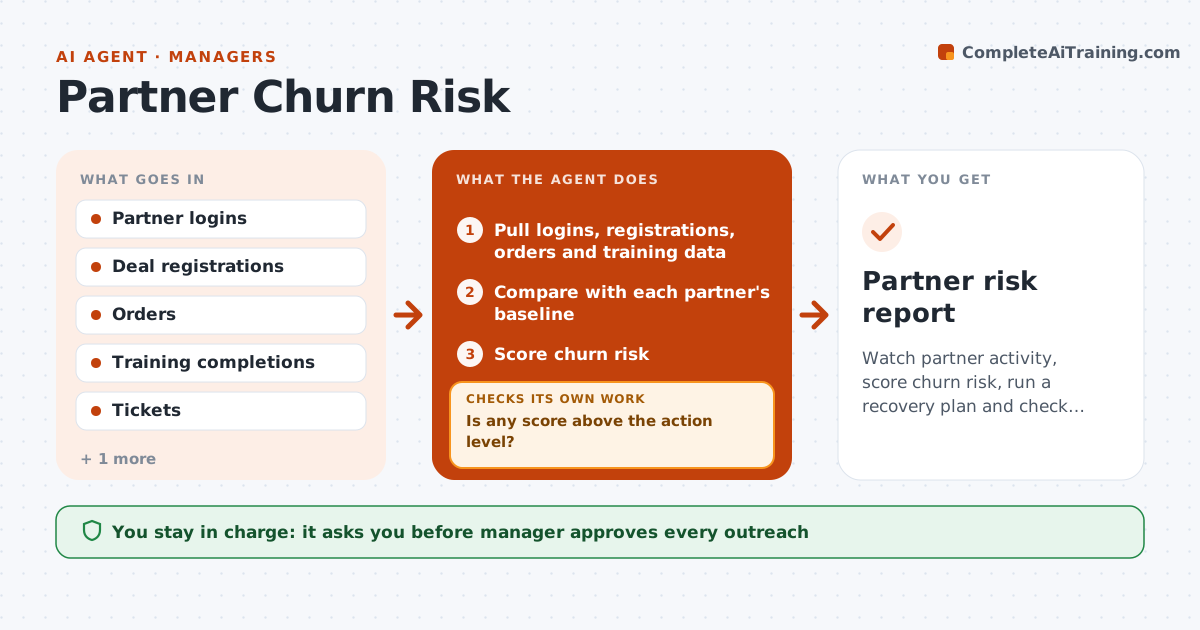
Partners go quiet and are lost before anyone calls. Each week the agent reads logins, deal registrations, orders and training activity for each partner. It compares recent activity with that partner's own baseline and scores churn risk. For higher risk scores, it drafts a recovery plan with a likely reason, such as new contacts or lost deals, and a first step. It tracks the response after outreach and updates the score. If activity does not recover, it adjusts the plan and proposes a different step. The manager approves every outreach. Edge case: a partner stopped registering deals after its lead contact left, and the agent proposes an executive introduction.
How it works
Follow the arrows from top to bottom. The orange dashed arrow is the loop: when a check fails, the agent goes back and tries again.
Read the steps as a list
- Weekly activity read
- Pull logins, registrations, orders and training data
- Compare with each partner's baseline
- Score churn risk
- Is any score above the action level?If not: Recheck the data for gaps such as missed feeds, then rescore. Back to step 2.
- Draft a recovery plan with a likely reason
- Manager approves the outreachThe agent waits here for your OK.
- Track replies and new activity for 3 weeks
- Has activity recovered toward baseline?If not: Change the approach and propose a new step. Back to step 4.
- Update the score and log the result
- Partner risk report
How it decides
Risk score comes from the drop in activity against each partner's own baseline; a plan ends only when activity recovers.
- Score risk when activity falls 40% below the 12-week baseline
- Weigh deal registrations above logins
- Rerun the score after any outreach
- Close a plan after 4 weeks of recovered activity
Make it yours
Every agent is a starting point. You choose these settings for your own situation.
- Risk threshold (default 40% drop)
- Baseline period (default 12 weeks)
- Signals weighted
- Recovery window
What keeps you in control
It always asks you first
- Manager approves every outreach
- Manager approves any incentive offer
Hard limits
- Never contact a partner without approval
- Never offer discounts without approval
It stops when
- Done: activity back to baseline for 4 weeks
- Stop: the partner ends the relationship
Set it up
We guide you through the set-up, step by step
Members get the full set-up guide for this agent. No technical skills needed: you copy, paste and upload.
- One set of instructions to paste into your AI, with the clicks for ChatGPT, Claude, Microsoft 365 Copilot, Gemini and Grok
- The agent then walks you through connecting your own data, one source at a time
- A downloadable copy with the flow chart, the rules and the full guide