
AI agent for materials scientists
Patent and Prior Art Watch Agent
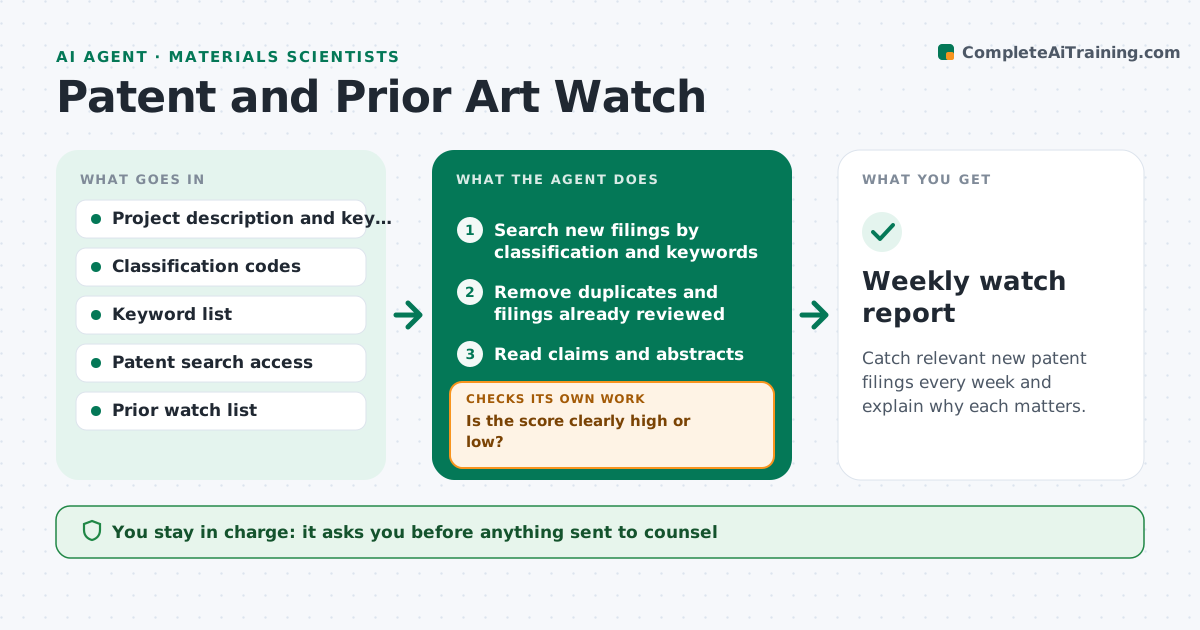
Catch relevant new patent filings every week and explain why each matters.
What it does
A researcher developing a new process or material usually learns about a competitor's patent late, or never. This agent keeps a plain description of the project and its key features. Each week it searches new published patent applications and grants using classification codes and keywords from that description, reads the claims, and compares them to the project. It scores relevance by how much of the project the claims appear to cover. For borderline cases it pulls the full text and rechecks the claims against the description. It produces a short weekly list with a reason for each score. It gives no legal opinion and never contacts counsel. The scientist approves what goes to counsel. Edge case: a filing with broad claims but unrelated examples is marked for a second look.
How it works
Follow the arrows from top to bottom. The orange dashed arrow is the loop: when a check fails, the agent goes back and tries again.
Read the steps as a list
- Weekly run
- Search new filings by classification and keywords
- Remove duplicates and filings already reviewed
- Read claims and abstracts
- Compare independent claims to the project features
- Is the score clearly high or low?If not: fetch the full text and recompare claims with the description. Back to step 4.
- Write a ranked list with the reason for each score
- Scientist chooses what goes to counselThe agent waits here for your OK.
- Update the watch list and adjust search terms based on the choices
- Did the search miss a filing that counsel or the scientist already knew?If not: widen the classification codes and keywords, then rerun. Back to step 2.
- Weekly watch report
How it decides
It scores a filing high when at least one independent claim covers several key features of the project. Borderline scores trigger a full-text read before the filing is placed on the list.
- Score high when an independent claim covers 3 or more key features
- Read full text for any score between 30% and 70%
- Skip filings already reviewed unless claims changed
- Widen the search when a known filing is missed
Make it yours
Every agent is a starting point. You choose these settings for your own situation.
- Classification codes and keywords
- Score threshold for counsel (default 70%)
- Weekly run day
- Number of features that count (default 3)
- Patent offices to search
What keeps you in control
It always asks you first
- Anything sent to counsel
- Changes to the project feature list
Hard limits
- Never give a legal opinion on infringement
- Never share the project description outside the team
It stops when
- Done: weekly list approved
- Stop: patent search access fails
Set it up
We guide you through the set-up, step by step
Members get the full set-up guide for this agent. No technical skills needed: you copy, paste and upload.
- One set of instructions to paste into your AI, with the clicks for ChatGPT, Claude, Microsoft 365 Copilot, Gemini and Grok
- The agent then walks you through connecting your own data, one source at a time
- A downloadable copy with the flow chart, the rules and the full guide



